X35 Console Product Setup
7.9
7.3 Modifying Product
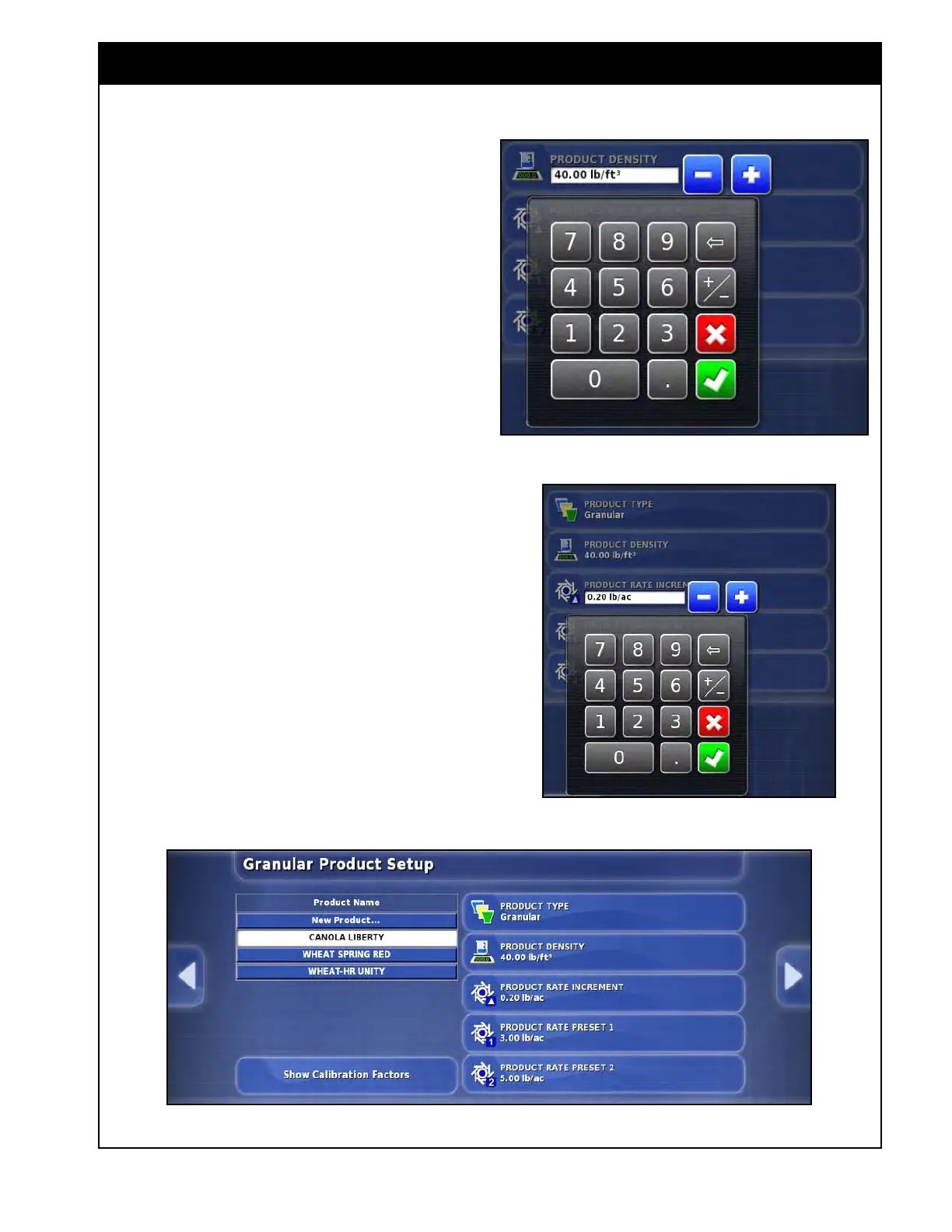
Figure 7.14 - Adjusting Product Presets
Figure 7.12 - Entering Density
Figure 7.13 - Adjusting Product Rate Increment
To adjust the product presets like density, rate
increment and rate presets, select Product/Granular
or Liquid from the main setup menu (this selection
depends on the type of product you are using).
Refer to Figure 7.14.
1.
Select the product from the list on the left. The
selected product will have a white background.
2. The Product Density button appears only for
granular product and does not appear for NH3
or liquid.
a. Select the product density button on the
right, and numeric keypad will appear,
refer to Figure 7.12.
b.
Enter a new value for the density and
confirm.
c.
It is important to enter the correct product
density, for more information refer to
Section 7.4 - Product Density.
3.
Select the Product Rate Increment button to
adjust it's value.
a. A numeric keypad will appear, enter the
new value and confirm.
b. Repeat the same steps for Product Rate
Preset 1 & 2.



 To Next Page