X35 Console Overview
2.3
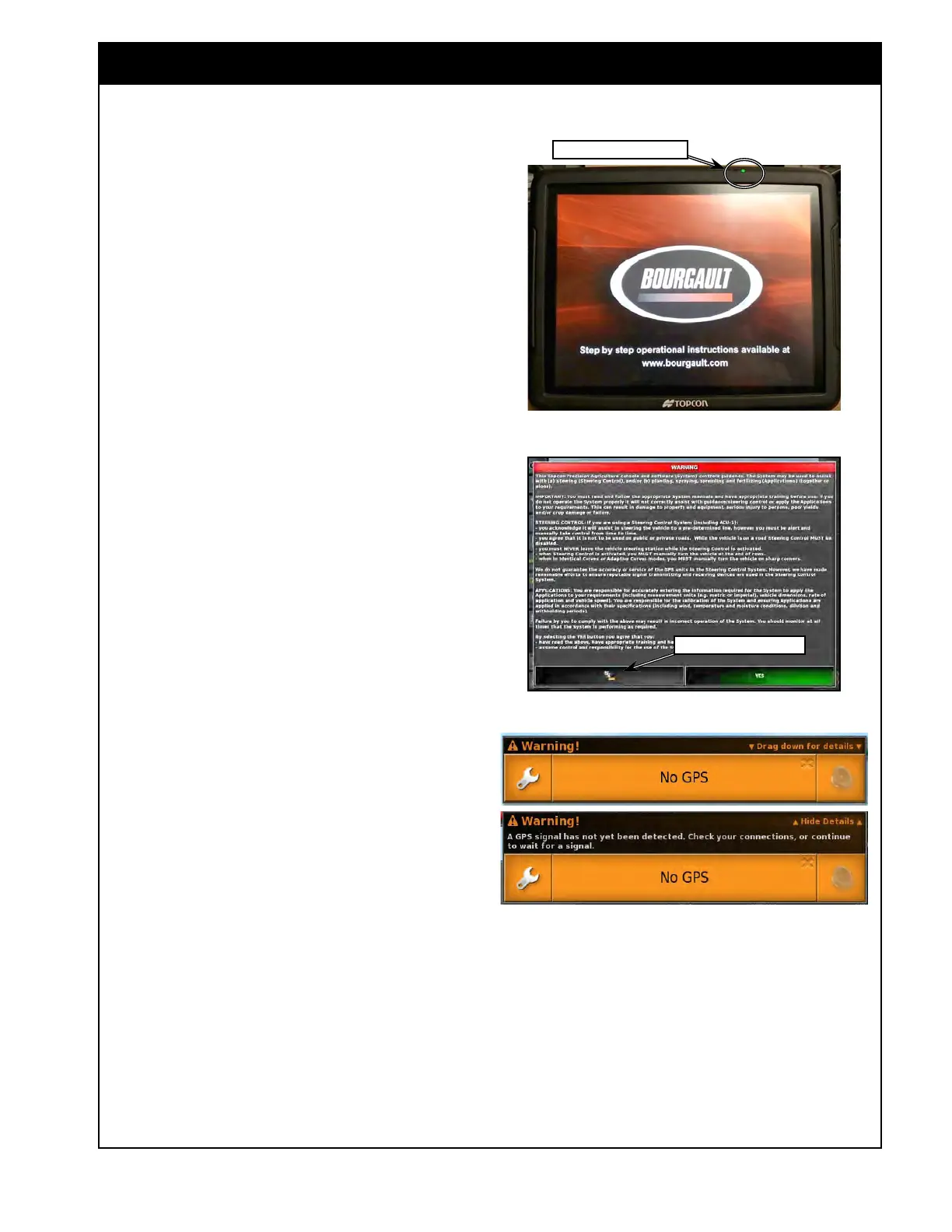
Figure 2.3 - X35 - Bourgault Screen
X35_BourgaultLogo.jpg
Figure 2.4 - Warning Screen
Change Language Button
2.1.3 Boot-Up Process
Through the booting up process several screens
will appear on the console. The Bourgault logo
will appear on the console screen, indicating that
the start up completed successfully, refer to Figure
2.3.
The next screen will be the legal Warning Screen,
refer to Figure 2.4. In the right bottom corner of
the
this screen there are two buttons:
1. The button with flags at the bottom of the
screen, will allow you to change the language
for the warning screen and the console.
a. Selecting this button will bring up the
scroll list.
b. Use the up/down arrows or scroll bar to
see more languages.
c. Choose (touch) the language and confirm
by touching green button with the check
mark. Note, that changing the language
will require rebooting of the console.
Read the Warning Screen.
1. Select up or down arrows if necessary to read
more.
2.
Select the green "YES" button to confirm
your understanding and acceptance of your
responsibility for liabilities described in the
Warning Screen.
The console may display a "No GPS" warning,
if a GPS signal is not detected. Drag down
anywhere on the alarm window to show the
information and drag up to hide the information.
Refer to Figure 2.5.
1. By selecting the wrench button you can go to
the alarm configuration screen.
2. To close the warning window touch anywhere
on the main area.
If the message appears again, this will need to
be remedied during the setup process, refer to
Section 4.3 - GPS. Also ensure that all harnessing
Figure 2.5 - No GPS Message
NoGPS.jpg
NoGPS_details.jpg
Power LED & Light Sensor
is correct and properly connected. You may also
verify the X35 is receiving a GPS signal, refer to
Section 10.1.2 - Dashboard Items & Section 10.4
- GPS Details.
Note
Guidance will not be activated until a GPS signal
has been detected.



 To Next Page