X35 Monitor Air Seeder Setup
6.61
6.7.5 Drill Control
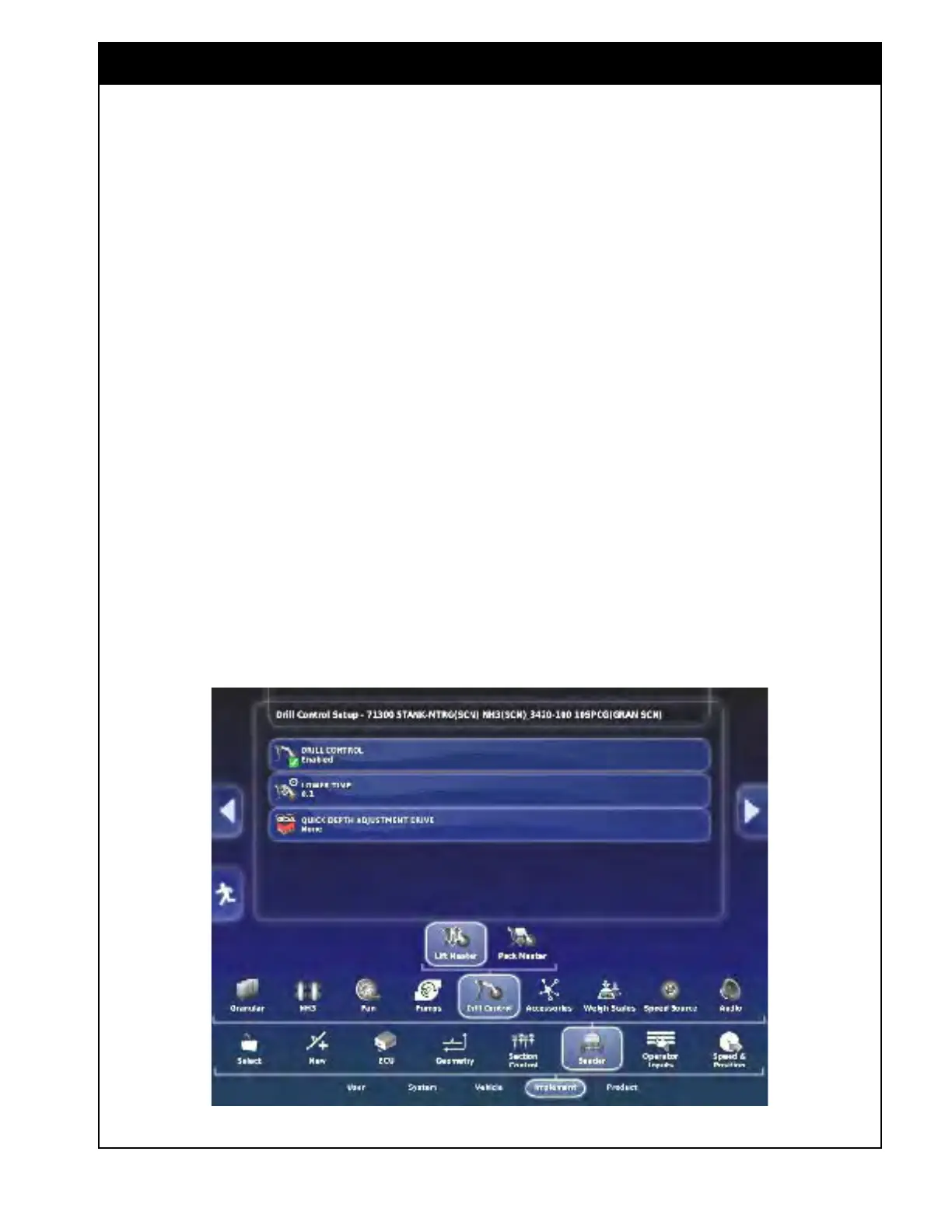
To access the Drill Control setup select Implement/
Seeder/Drill Control from the settings menu.
6.7.5.1 Lift Master Settings
This feature is used to control the lift/lower of
the drill through the X35. It also creates a drill
control boom that can be controlled by ASC to
allow the lift/lower to be done automatically using
guidance/coverage mapping. See Section 13.2
-
X35
Drill Control for harnessing hookup and
instructions on the operation of this feature.
For ASC control refer to Section 8.10 - Using Auto
Section Contr
ol.
1. Drill Control - set to enabled to allow control
of
the drill Lift Master (Lift/Lower) through
the X35 console.
2. Lower Time - the amount of time until the
drill
will start lowering, prior to reaching
unseeded ground.
a. Measure how long it takes the drill to
lower and use this time to ensure all
openers are in ground for unseeded area.
3. Quick
Depth Adjustment Drive (QDA Drive)
-
Select the ECU drive that the QDA control is
connected to.
a. It will be Drive 2 on the last CM-40 on
the list.
b. Only available for 3420 machines.
Important
If Drill Control is enabled do not use the
implement switch as the master or as secondary
master.
Always disengage hydraulics and lockout tillage
unit hydraulics when working underneath to
prevent serious injury or death.
If operating in steep hills, turn ASC of
f for drill
control boom so the drill doesn’t automatically lift
if intending to leave in ground to stabilize from
skewing or jack-knifing.
Figure 6.80 - Drill Control - Lift Master



 To Next Page