X35 ConsoleGeneral Operations
8.36
8.10 Using Auto Section Control
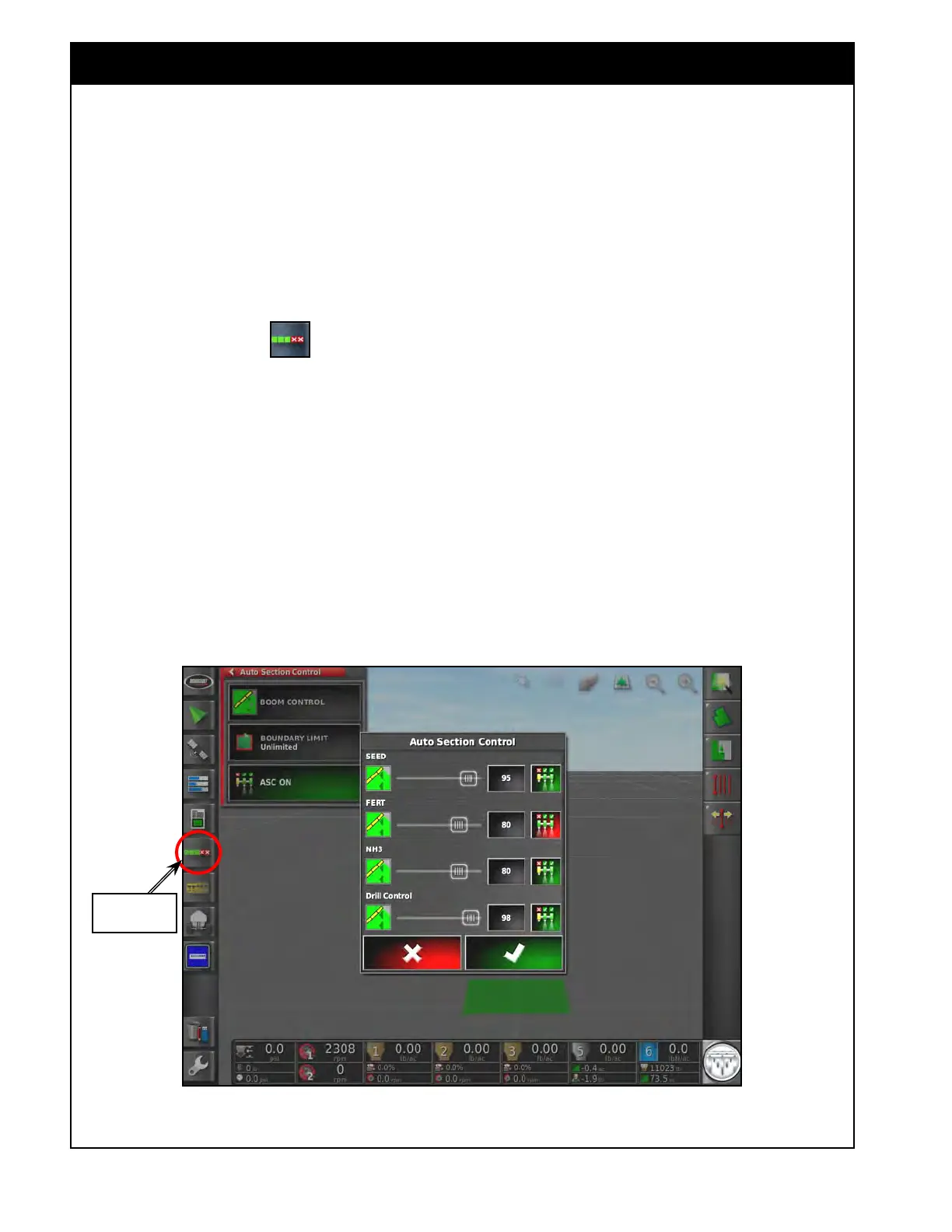
Figure 8.69 - Auto Section Control Mini-View Window
Auto Section
Control Button
Auto Section Control (ASC) will automatically
control the master, sections and drill lift/lower state
based on the position of the seeding system in the
field: seeded/unseeded area, within or outside of
the field boundary/headlands.
ASC works with the guidance system, that is a
standard feature on the X35 console and always
enabled.
T
o access ASC select the
icon from the
mini-view menu on the left side of the operators
screen. Refer to Figure 8.69.
1. Boom Control - if there are multiple booms
this will open another Auto Section Control
(ASC) window for settings specific to each
boom so they can be set differently if
preferred. If there is only one boom then the
Control Mode setting below will appear on the
main ASC window.
a. Each available boom will be listed with
settings corresponding to that boom.



 To Next Page