X35 Monitor Air Seeder Setup
6.83
6.8 Operator Inputs
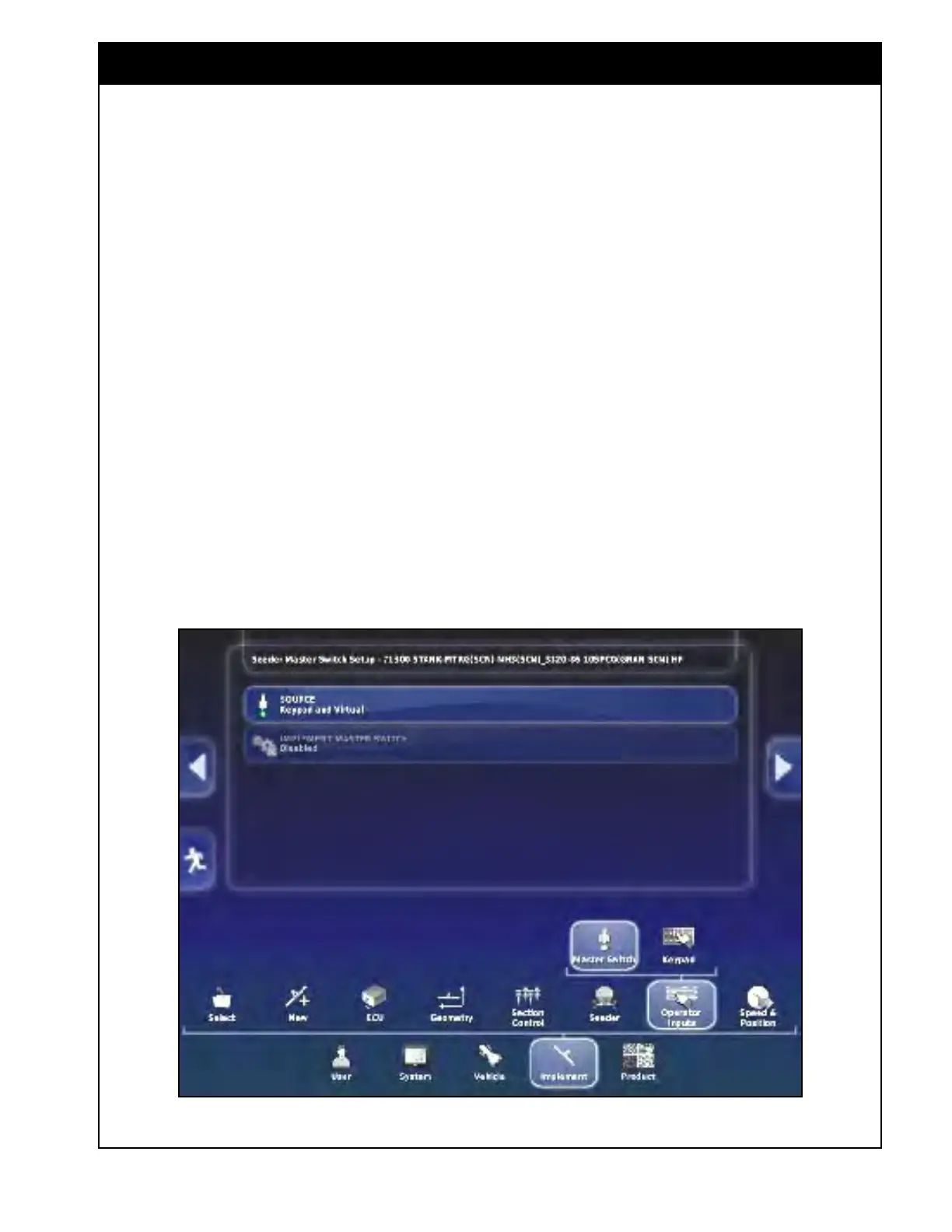
Figure 6.102 - Switches Setup
6.8.1 Master Switch
1. Source - see list for available selections:
a. Virtual -
use this selection if you do not
have an in-cab keypad connected and only
want the master switch to be controlled
from the X35 console screen.
b. External Console
Input - allows use of
the remote mapping connector on the X35
harness, as an alternative master signal.
c. Apollo CM-40 - not used.
d. Implement
- use this selection if you want
the auto
clutch switch on your drill to act
as the master switch.
i. Do not use if "Drill Control" is
enabled.
Important
For operational instructions on using the auto
clutch switch refer to Section 13.1 - Implement
Switch (Auto Clutch) Feature.
e. Keypad - use this selection if an in-cab
keypad is connected and you want to use
the master switch on the keypad.
i. Refer to Section 6.8.2 - Keypad for
in-cab and
tank mounted keypad
settings.
f. Keypad and
Virtual - use this selection if
you want to control the master switch from
the X35 console, as well as the in-cab
keypad.
2. Implement Master
Switch - allows use of
the auto clutch as a secondary, along with the
other Master switch selection.
a. Do not use if "Drill Control" is enabled.



 To Next Page