X35 Monitor Air Seeder Setup
6.66
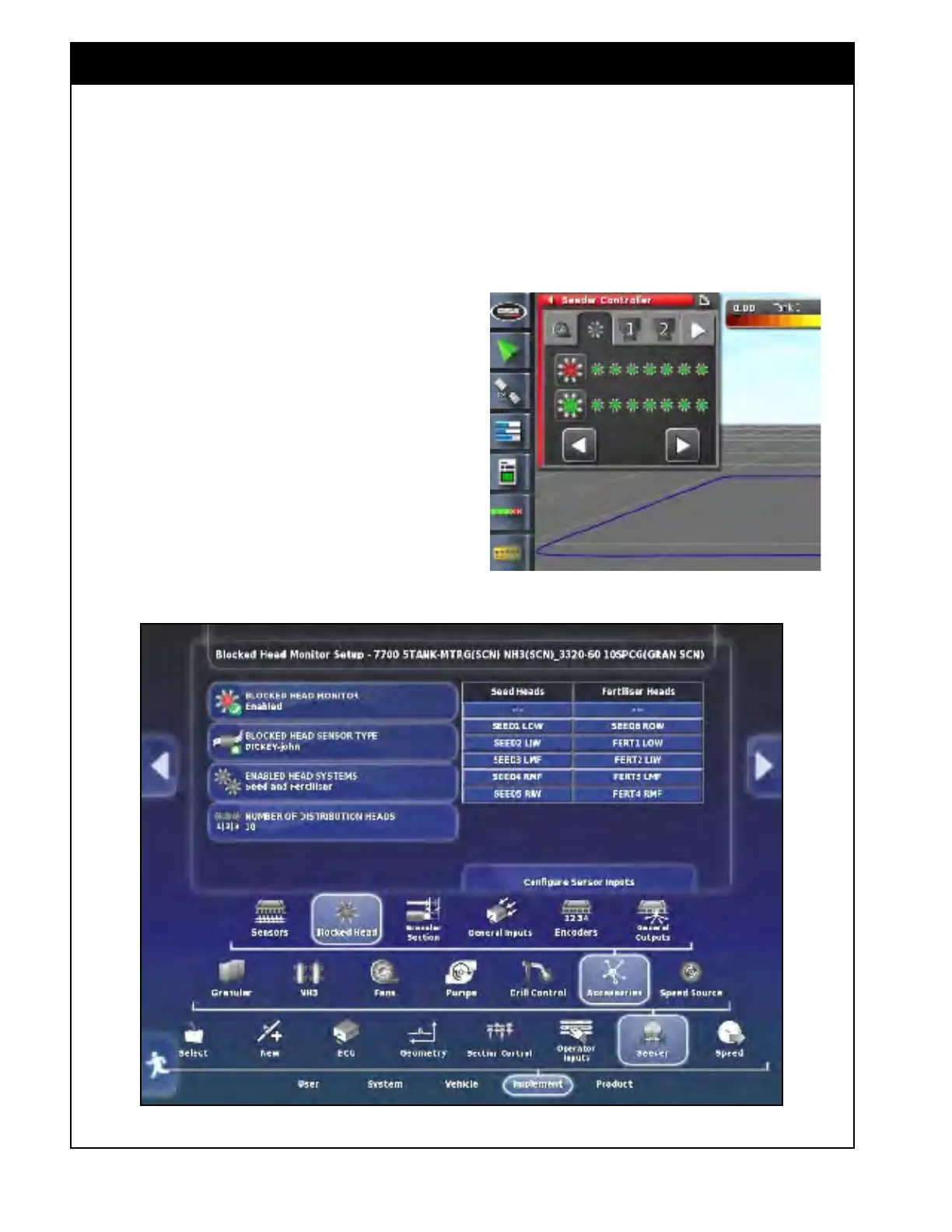
Figure 6.85 - Blocked Head Monitor Settings (Factory Profile)
b. When the Blocked Head Monitor is set
to "Enabled", a tab will also be available
for monitoring in the Seeder Controller
mini-view window and in the expanded
view, refer to Section 13.3 - X35 Blockage
Monitoring.
Figure 6.84 - Blocked Head Monitor Tab
6.7.6.2 Blocked Head Monitor
Refer to Figure 6.85.
This section
configures settings related to the
Blockage Monitor.
1. Blocked
Head
Monitor - select "Enabled" if
blockage system installed, and "Disabled" if
there is no blockage system installed.
a. When Blocked Head Monitor set to
"Enabled", additional settings will be
displayed.
i. If
a factory drill profile was used
during set up, the values for these
settings will be automatically loaded,
refer to example on Figure 6.85.
ii. If
a custom profile was used during
set up, then the following settings
will need to be configured, refer to
Figure 6.86.



 To Next Page