X35 Console Optional Equipment
13.25
13.7 Cameras
Note
There are up to two cameras used on the 9000
Series that are integrated into the X35 console.
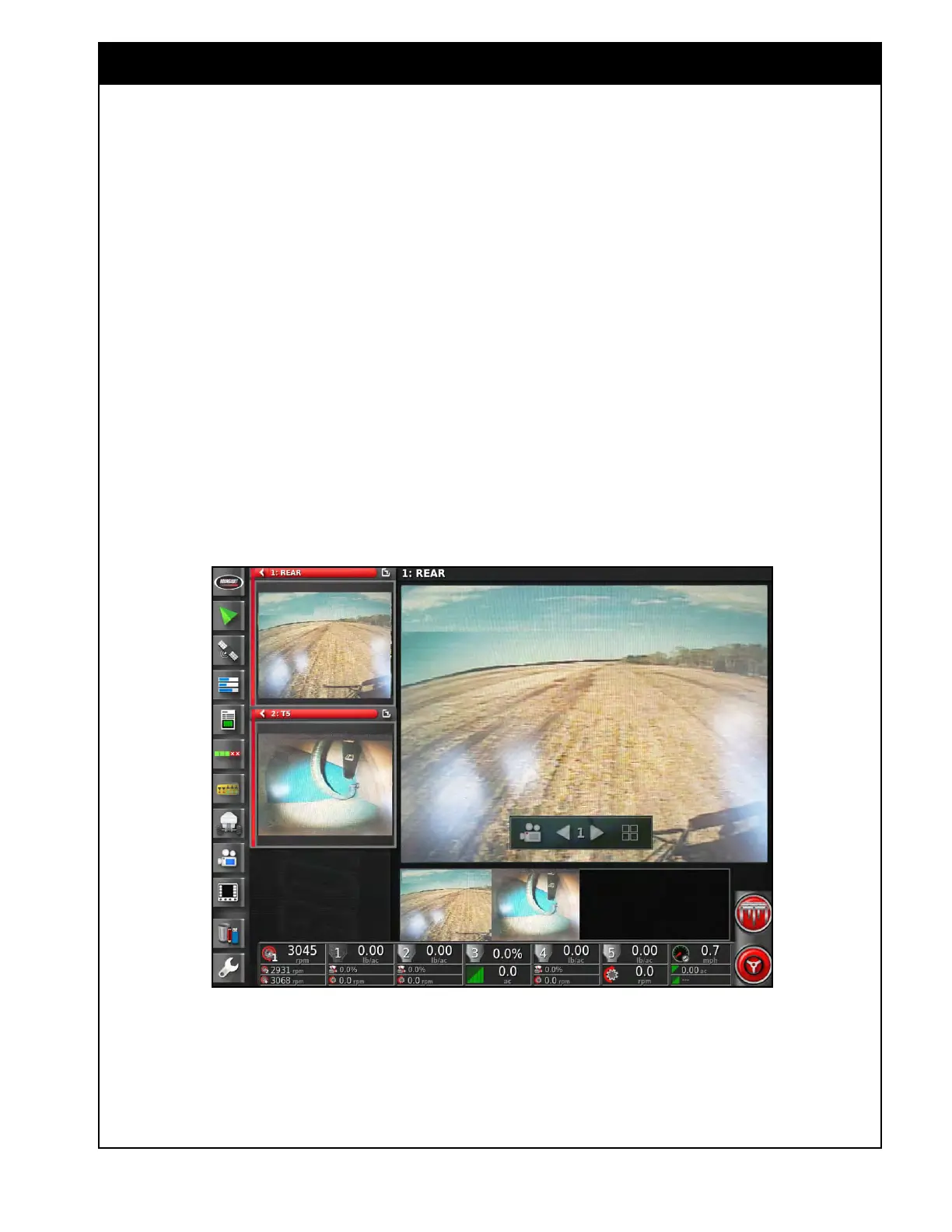
The camera feature allows you to view the camera
channels either as a mini-view or in the expanded
view. Refer to Section 4.7 - Cameras for
configuring the camera settings.
1. Multiple mini-views can be opened to display
different camera channels.
2. In the expanded camera panel there is a ribbon
on the bottom showing all the connected
cameras. You can press on any channel and
drag it to the main view to expand it.
3. If you press on the main camera view or the
mini-view it will bring up a toolbar to change
some display options.
a. The camera icon allows you to select
which camera channel to view. You can
select the loop option which will cycle
through channels at the set interval based
on the camera loop settings.
b. The arrows allow you to scroll through to
the different camera channels.
c. The icon on the right allows you to change
the display to a single camera view or to a
split view.
Figure 13.32 - Cameras



 To Next Page