X35 Console Field / Job
9.17
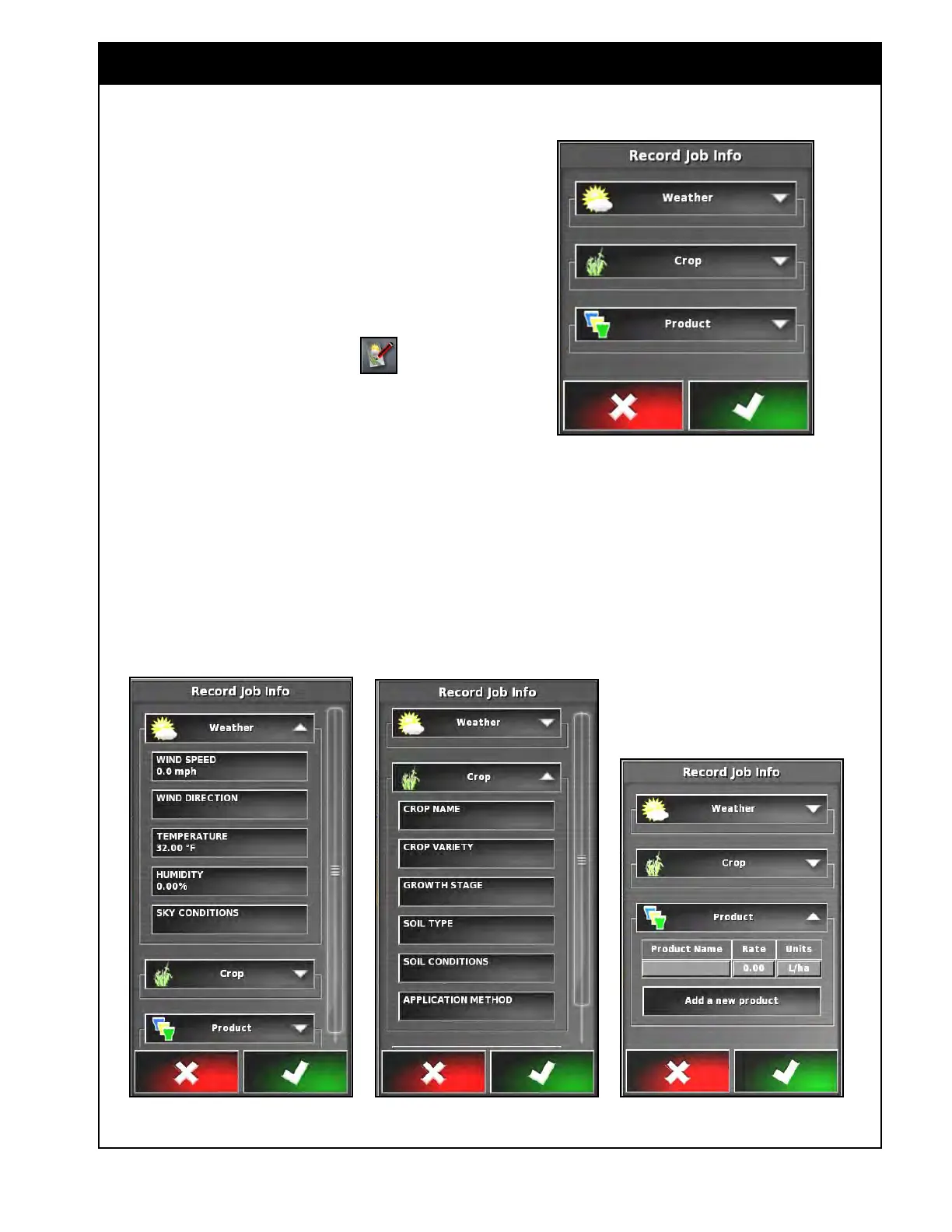
Figure 9.25 - Record Job Info Window
Figure 9.26 - Record Job Information - Weather, Crop and Product Categories
9.3.4 Recording Job Information
The X35 console is capable of Recording Job
Information such as weather conditions, soil
type and conditions, product applied and rates,
application method, etc.
This information will be stored in the console's
internal memory and can later be exported onto a
USB thumbdrive.
1. From the Job Menu select the
icon to
open the Record Job Info window, refer to
Figure 9.25.
2.
There are three categories to enter information:
Weather, Crop and Product, refer to Figure
9.26.
a. Each category can be expanded to view
and enter information in by selecting the
arrow on the right side of the category
button.
b. When expanded, use the scroll bar or hide
arrow to see more options.
3. Weather and Site Conditions are optional.
Adding some crop and product information is
recommended.
a.
Select Categories as needed, enter the
information and confirm.



 To Next Page