X35 Console Monitoring & Managing Files
10.9
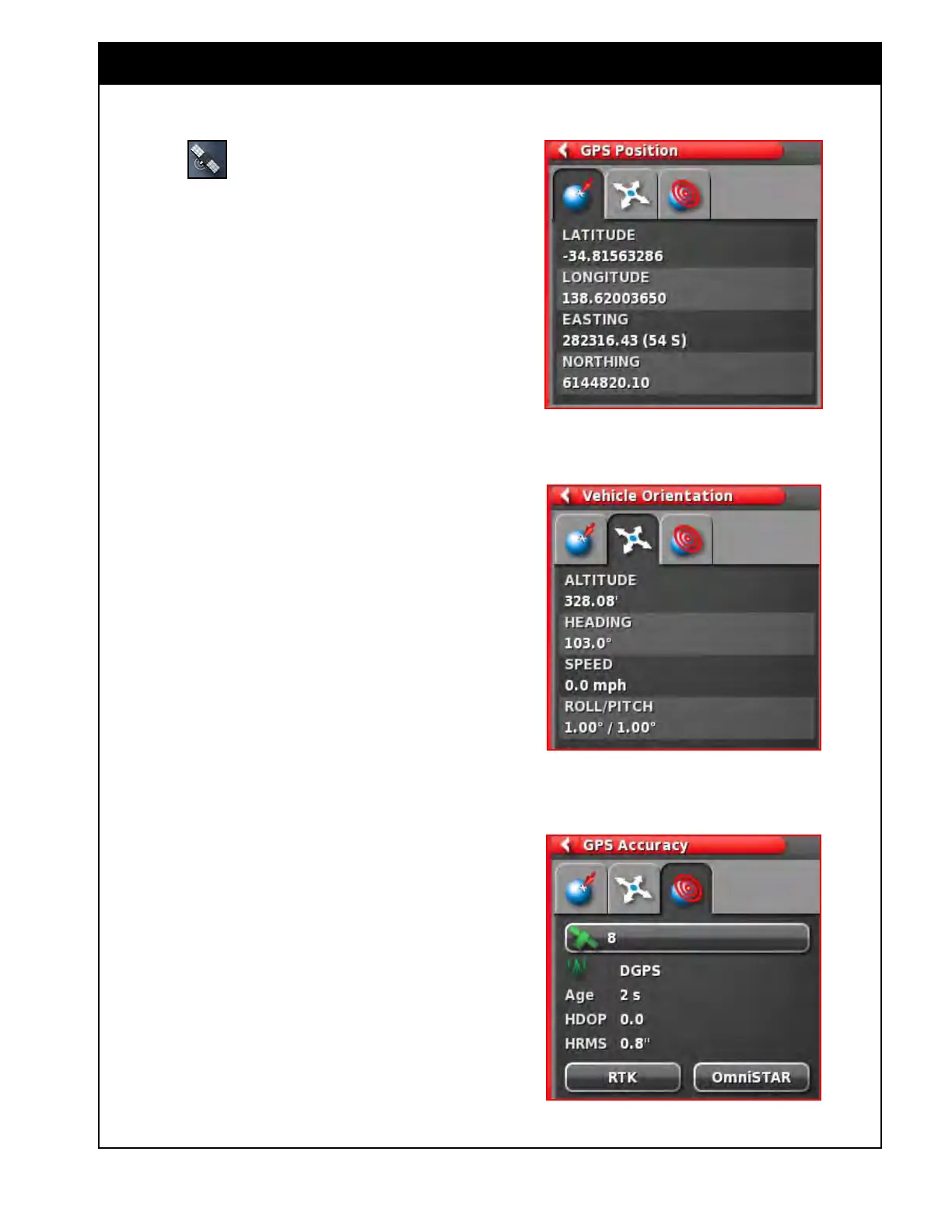
Figure 10.14 - GPS Position
Figure 10.15 - Vehicle Orientation
Figure 10.16 - GPS Accuracy
10.4 GPS Details (Mini-View Window)
Select the button to open the GPS
Information Mini-View window.
There are three tabs available to view information:
1. GPS Position (Figure 10.14) - this tab displays
the Latitude and Longitude (positioning of
the vehicle), Easting and Northing (Universal
Transverse Mercator (UTMS) position and the
zone of the vehicle.
2. V
ehicle Orientation (Figure 10.15) - displays
the altitude, the heading (degrees), the actual
speed of the vehicle, and the roll/pitch of the
vehicle.
a. Roll - is the left/right tipping of the
vehicle.
b. Pitch - is the forward/back tipping of the
vehicle.
3. GPS
Accuracy (Figure 10.16) - displays the
number of available satellites, the correction
age in seconds, the HDOP and HRSM.
a. The lower value of HDOP and HRSM
indicates with better accuracy.
b. The satellite and correction icons can
display different colors, refer to Section
10.1.2
- Dashboard Items.
Note
The HDOP (Horizontal Dilution of Precision)
indicates the effect on accuracy of the number of
satellite sources and their geometry. The HRMS
(Horizontal Root Means Squared) calculates
an average horizontal position, from the source
information from the satellites. A lower value
indicates better accuracy:
Good accuracy HDOP < 1.0
Average accuracy HDOP 1.0 - 4.0
Poor accuracy HDOP > 4.0
No signal GPS invalid 0
Keep the antennae clear of obstructions to
maintain accurate GPS readings.



 To Next Page