X35 Console Product Setup
7.5
7.2.1 Adding a New Product Using a
Manufacturer Template
1. Select the "New Product ..." button. A new
Product Setup Screen will appear.
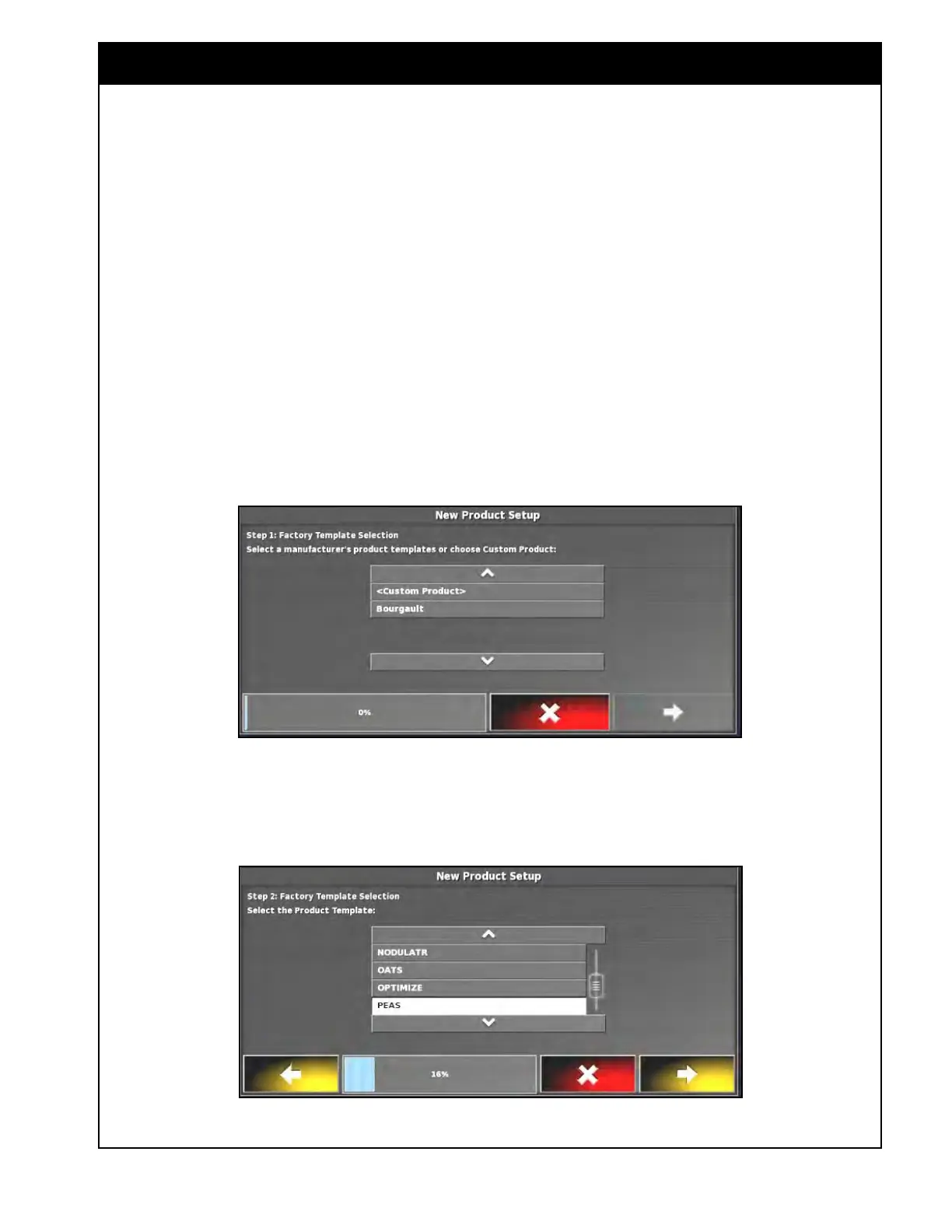
2. Refer to Figure 7.5. Select Bourgault, then
select
yellow arrow to proceed to the next step.
Figure 7.5 - Selecting Manufacture's Product Templates
Figure 7.6 - Selecting Product Templates
3. Refer to Figure 7.6. The next screen will
prompt you to select a product template.
a. Using the arrows or scroll bar, find the
product you would like to add and select
it.
b.
If you can not find your product, choose
the one closest to it from the list.
c. Select the yellow arrow to proceed to the
next step.



 To Next Page