X35 Console System Components
1.3
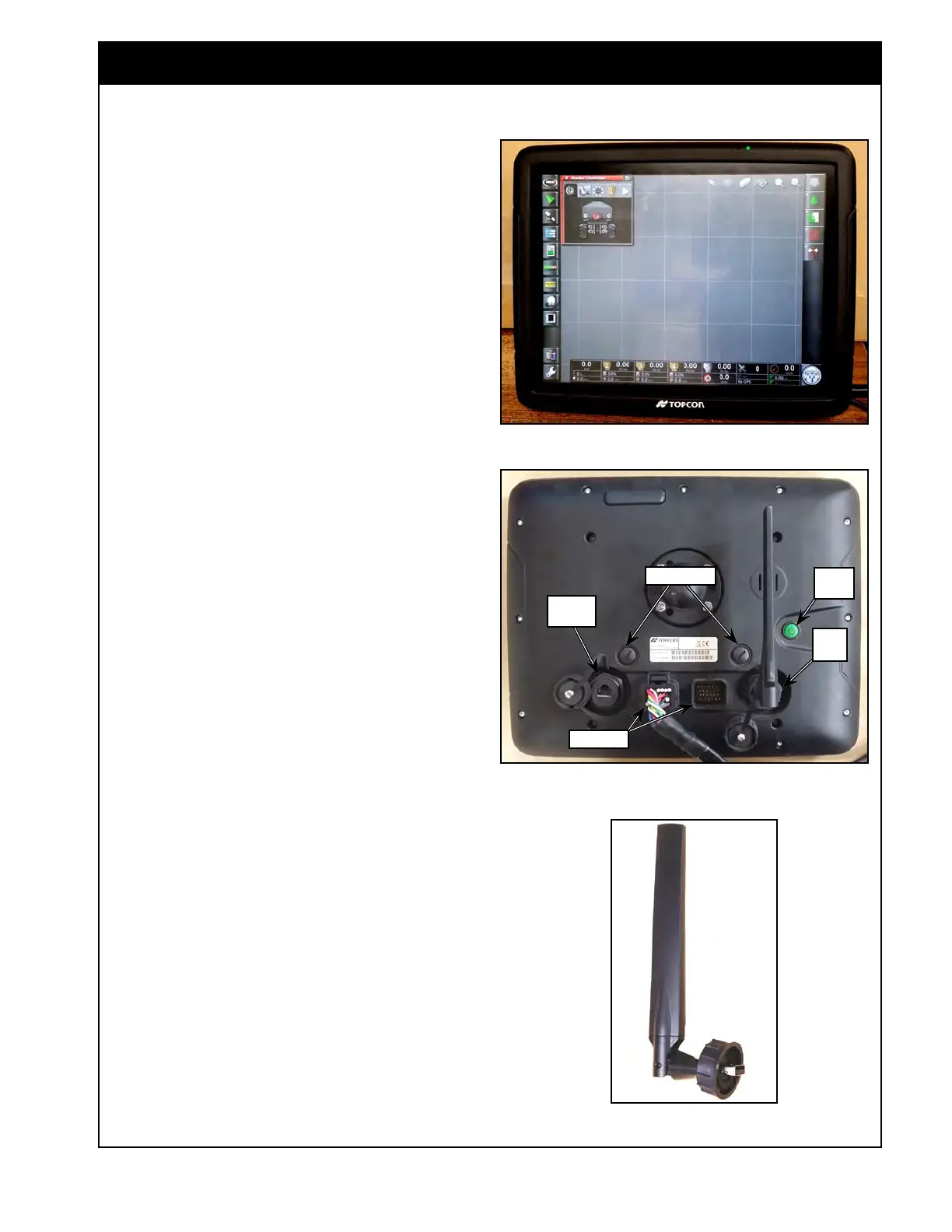
Figure 1.2 - X35 Console
X35_Monitor.jpg
1.2 X35 Console
Figure 1.3 - X35 Console - Back View
X35_Back.jpg
CAN Ports
Power
Button
Ethernet
Port
USB
Port
1.2.1 USB Wi-Fi Antenna
The Wi-Fi antenna connects into the USB port on
the X35 console. This can generate a local hotspot
or connect to the internet through a hotspot.
This can be used for remote control of functions
through a smartphone or tablet, or can be used for
remote support.
The X35 console is a Linux based computer
system contained within an ABS housing. The
console has no internal moving parts and the
housing is designed to ensure long life in even the
toughest conditions.
The console has a 13.5" LCD touch screen display.
The back panel of the X35 Console has a few
connection ports, refer to Figure 1.3.
1. Two CAN ports which are used for harness
connections;
2.
The ethernet port allows connection to the
CL55 module for the optional I2I feature;
3. A USB port can be used to connect a
thumbdrive or any other Topcon supported
USB devices.
a. Using a USB memory stick, you can
transfer files from your console to the USB
memory stick or import specific files from
USB memory to your console.
b. There is a 2nd USB port on the X35
harness to allow hooking up multiple
devices.
4.
Two camera ports used to connect cameras.
Figure 1.4 - USB Antenna
USB_Antena.jpg
Camera ports



 To Next Page