X35 Monitor System Settings
4.27
Settings in System/ISOBUS are used to configure
the Universal Terminal & the Task Controller for
controlling ISO programs.
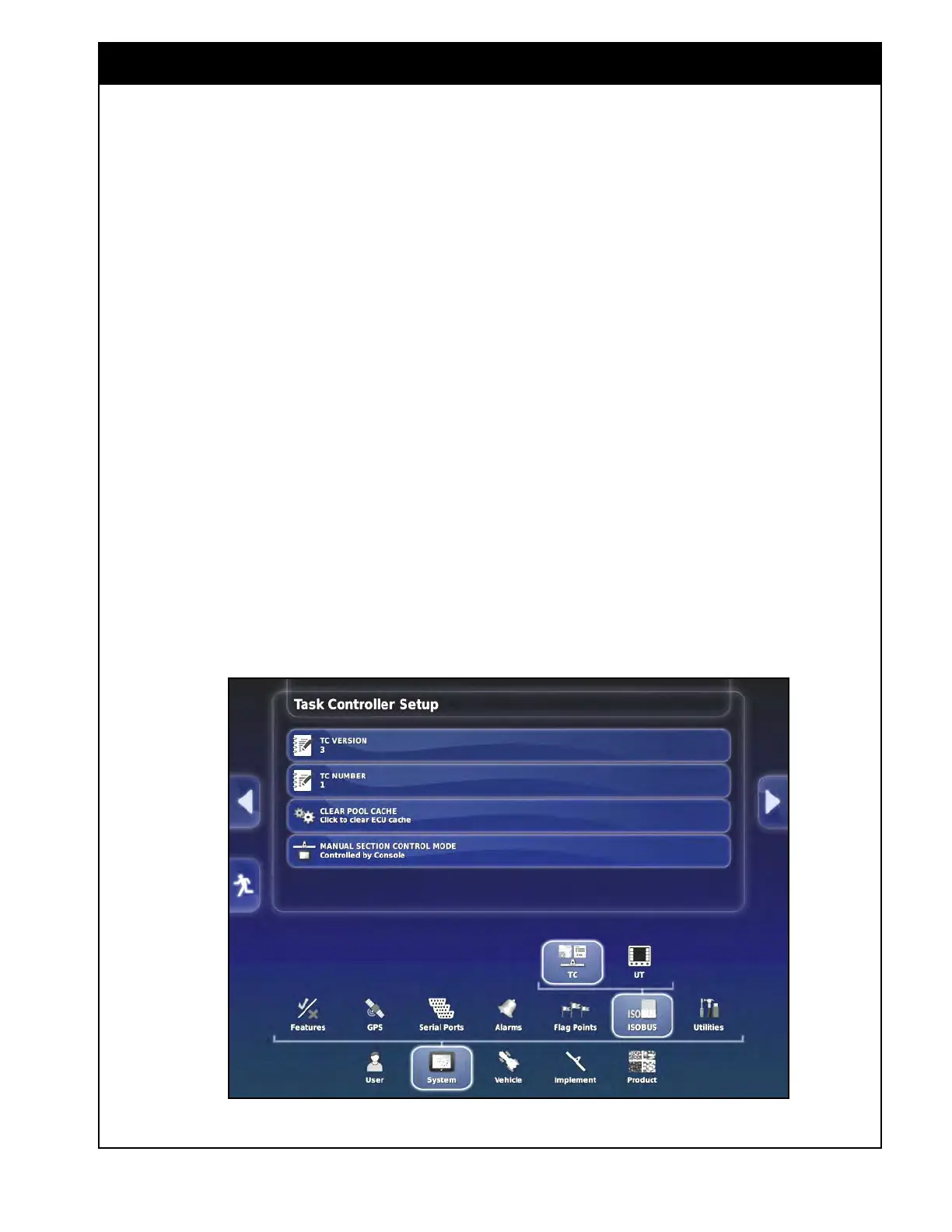
4.8.1 Task Controller Setup
Access TC (Task Controller) settings through
System/ISOBUS/TC. Configure the TC for
running ISO programs.
1. TC
Version - set the task controller version.
2. TC Number - can be set to desired TC
number if multiple TC’s on the same ISOBUS
are conflicting with each other.
3. Clear
Pool Cache - clears contents of task
controller cache, used if error is displayed.
4. Manual
Section Control Mode - sets the
mode for controlling sections in the task
controller.
4.8 ISOBUS
Figure 4.36 - Task Controller Settings



 To Next Page