X35 ConsoleField / Job
9.14
9.3 Job Menu
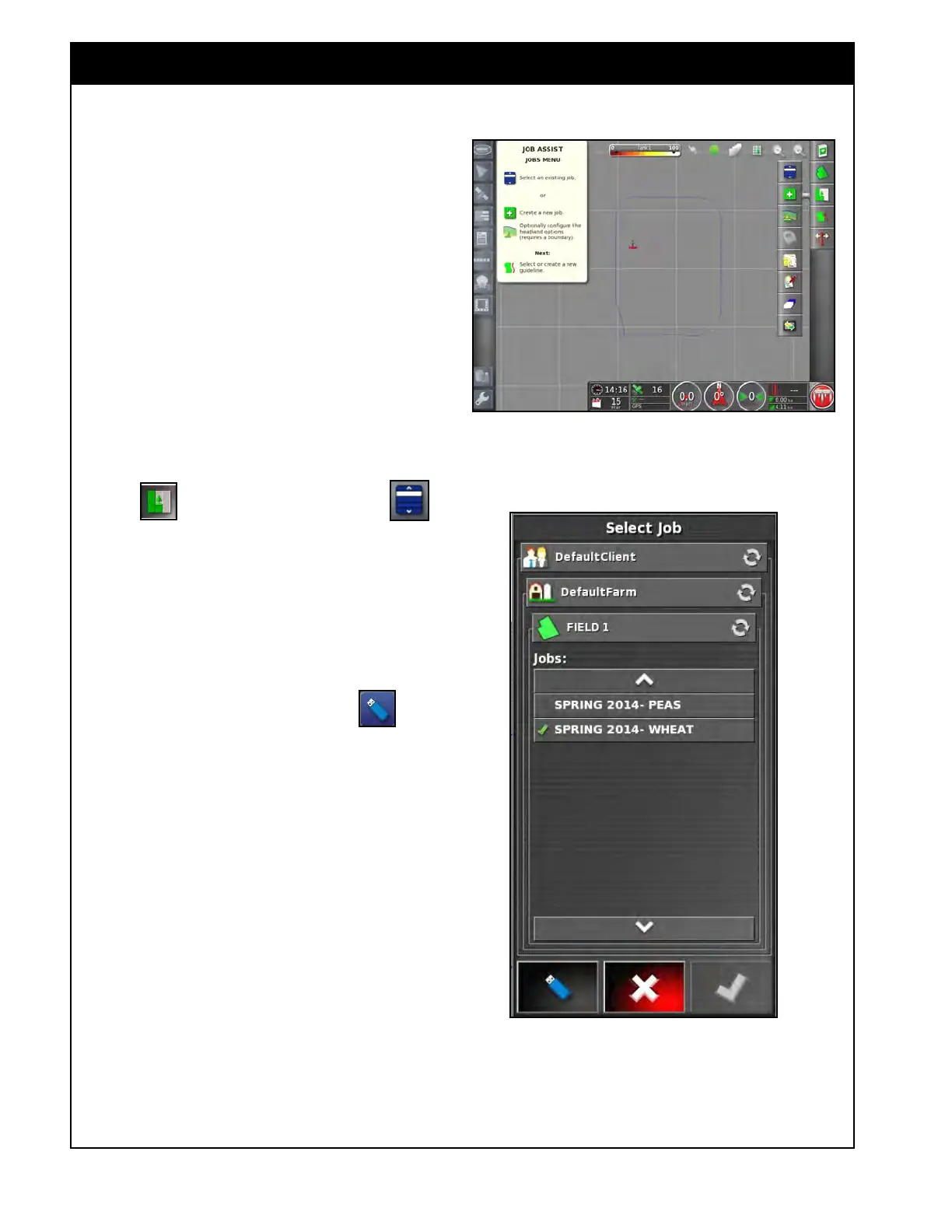
Figure 9.21 - Job Menu
Figure 9.22 - Select Job
A Job is a different application performed on the
field (example spraying, seeding, fertilizing, etc.).
A new Job can be created for each year, to record
coverage.
9.3.1 Selecting an Existing Job
The X35 Console records and stores all
information related to the Job so it can be accessed
later.
Refer to Figure 9.21.
1. To access an existing job:
a.
Drive to the field.
b. From the Job/Guidance Toolbar on the
right side of the guidance screen, select the
Job icon and then select the
icon to open up the Select Job window,
refer to Figure 9.22.
c. Browse and select the Client, the Farm, the
Field and the Job in X35 internal memory.
d. Alternatively, you can access the Jobs
stored on a USB device (if they were
previously transferred onto the USB
device). Select the USB icon
and
browse and select the Client, the Farm, the
Field and the Job on USB device.
e. Confirm your selection.



 To Next Page