X35 Monitor System Settings
4.13
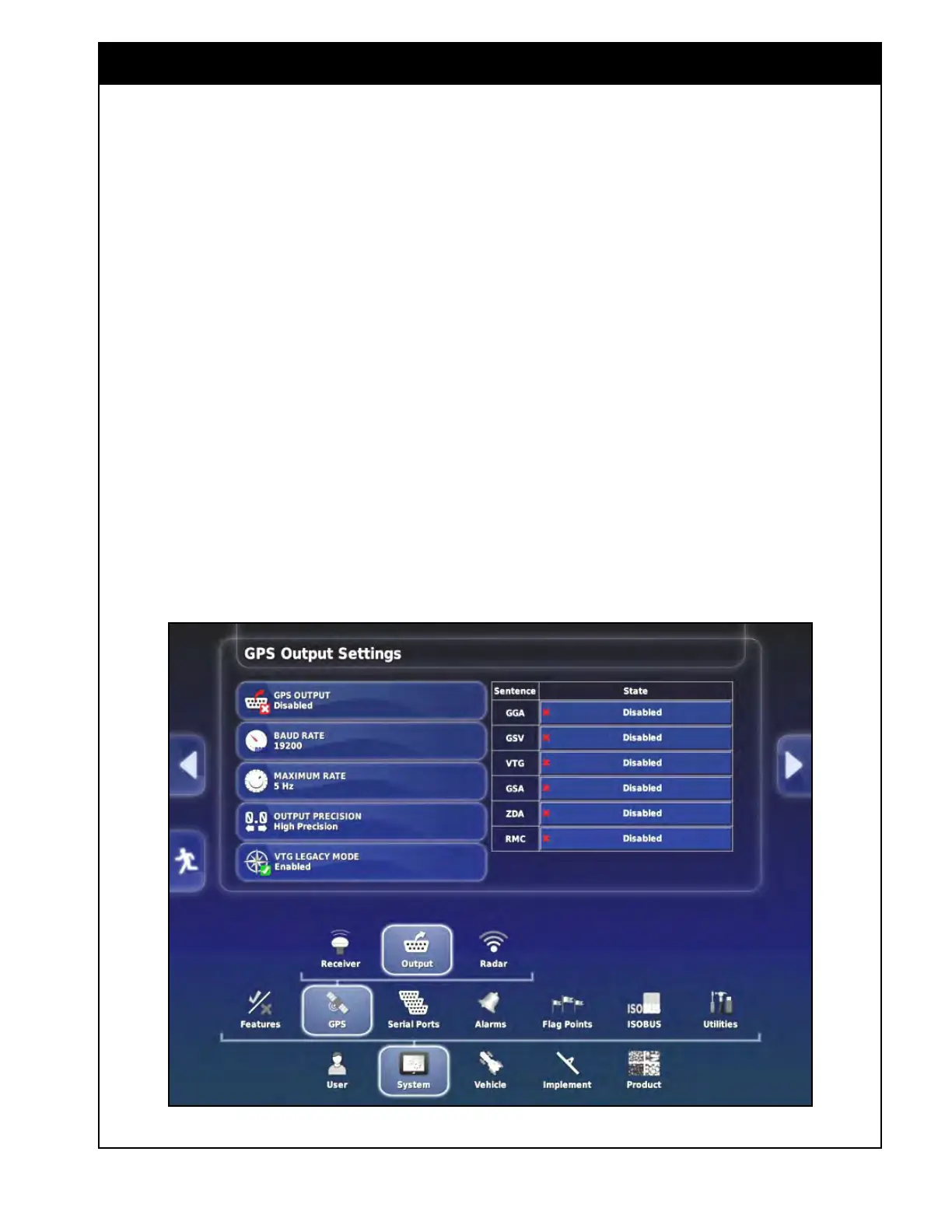
Figure 4.16 - GPS Output Settings
4.3.2 Output
Devices that use a GPS, but are not directly
connected to one, can be connected to the X35
console to receive the required data.
This section explains the settings related to GPS
data transfer from the X35 console to a receiving
device.
To access the GPS output settings select System/
GPS/Output, refer to Figure 4.16.
1. GPS
Output - enables or disables the output
of the GPS data from the X35 console to other
devices.
The data strings are exported in NMEA format.
This format is understood by most devices that
work with real time positioning information.
NMEA data sentences contain codes that define
types of data. The devices recognize the relevant
codes and respond to those sentences. Refer to
the device’s manual for the codes needed for that
device.
Refer
to Figure 4.16.
Select
the State next to each sentence code to
enable that code if it is required by your device.
A green check mark indicates that a sentence code
enabled, a red cross means it is disabled.
GGA (position) and VTG (velocity and heading)
are the most common sentence codes.



 To Next Page