X35 ConsoleSystem Components
1.4
1.4 Harnesses
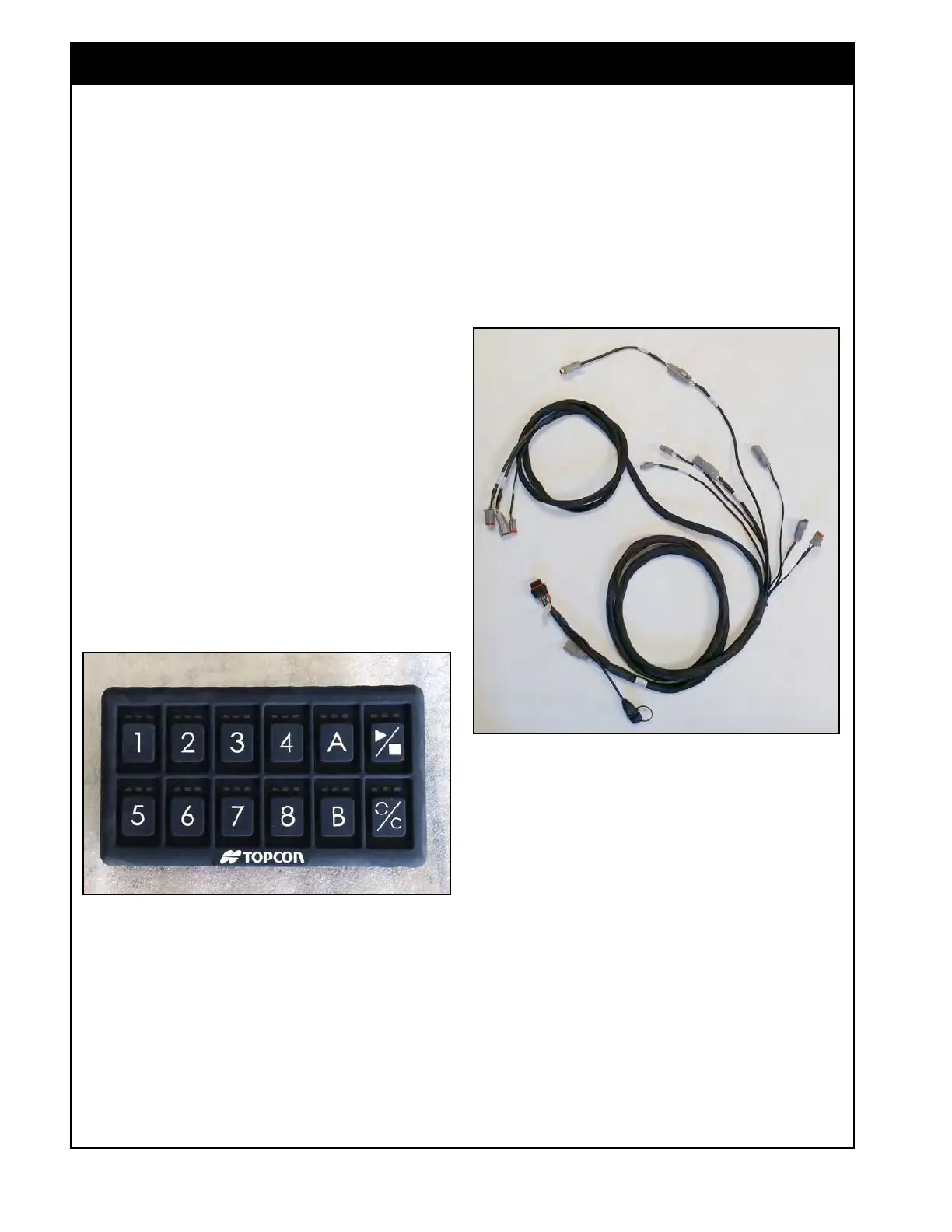
Figure 1.6 - X35 Main Harness
X35_AS_Harness_101915401.jpg
Refer to Section 11 - Wiring Schematics for the
wiring harness layouts.
1.4.1 X35 Main Harness
Refer to Figure 1.6. This harness connects the
X35 console to a power source, ISOBUS, and GPS
signal.
Figure 1.5 - In-Cab Keypad
Keypad_313226.jpg
1.3 Keypad
The same keypad is used in-cab and on the frame
(tank mounted) of the air seeder.
The in-cab keypad connects to a 9-pin AMP
connection in the tractor cab.
The tank mounted keypad is installed on the frame
to control the meters when in calibration mode. It
is also used to run meters to check runs when the
unit is stationary.
The keypad:
1. Will control up to 8 tanks;
2. Is an alternate means of controlling the air
seeder to the console touch screen;
3. Has an in-cab keypad, that can be placed near
tractor controls for easy access;
4. Has functions which include: master on/off,
tank on/off and customized features;
5. Must be enabled through the X35 console.



 To Next Page