X35 ConsoleSystem Components
1.2
This manual is intended for use with the Bourgault
Air Seeder SRC (Seed Rate Control) with the X35
console.
The
system is a powerful tool that will provide a
wide range of options to the operator.
Seed & Fertilizer Rate Controller
1. Control and monitoring of up to six product
applications including 5 granular, and NH3 or
liquid.
2. V
ariable Rate.
3. Weigh Scale Monitoring.
Guidance System
1.
Parallel and Contour guidance software
standard (Optional DGPS receivers required for
operation).
2. Use any compatible DGPS.
3. Save field maps ("where applied").
VRC/Maplink
1. Log “as applied” maps.
2. Use prescription maps for variable rate
applications.
Liquid/NH3 Control (Spray Rate Control)
1.
Control up to 3 products.
2. Liquid Control.
3. Liquid Fertilizer.
4. Use in a completely separate unit (sprayer,
liquid applicator, etc).
5. Adjustable audible and visual alarms.
6. Bin Levels count down as product is used
Auto Steering (Topcon systems ONLY)
Important
Any reference to Auto Steering throughout the
manual is applicable only when the user's tractor
is configured with Topcon guidance equipment
(antenna, receiver, controller, etc.) and is included
as reference only. If your tractor is equipped with
non-Topcon guidance equipment, then the auto
steering will be a part of that system and the X35
console will be used for mapping purposes only.
Cameras
1. Connect and display camera views (used for
Bourgault 9000 Air Seeders).
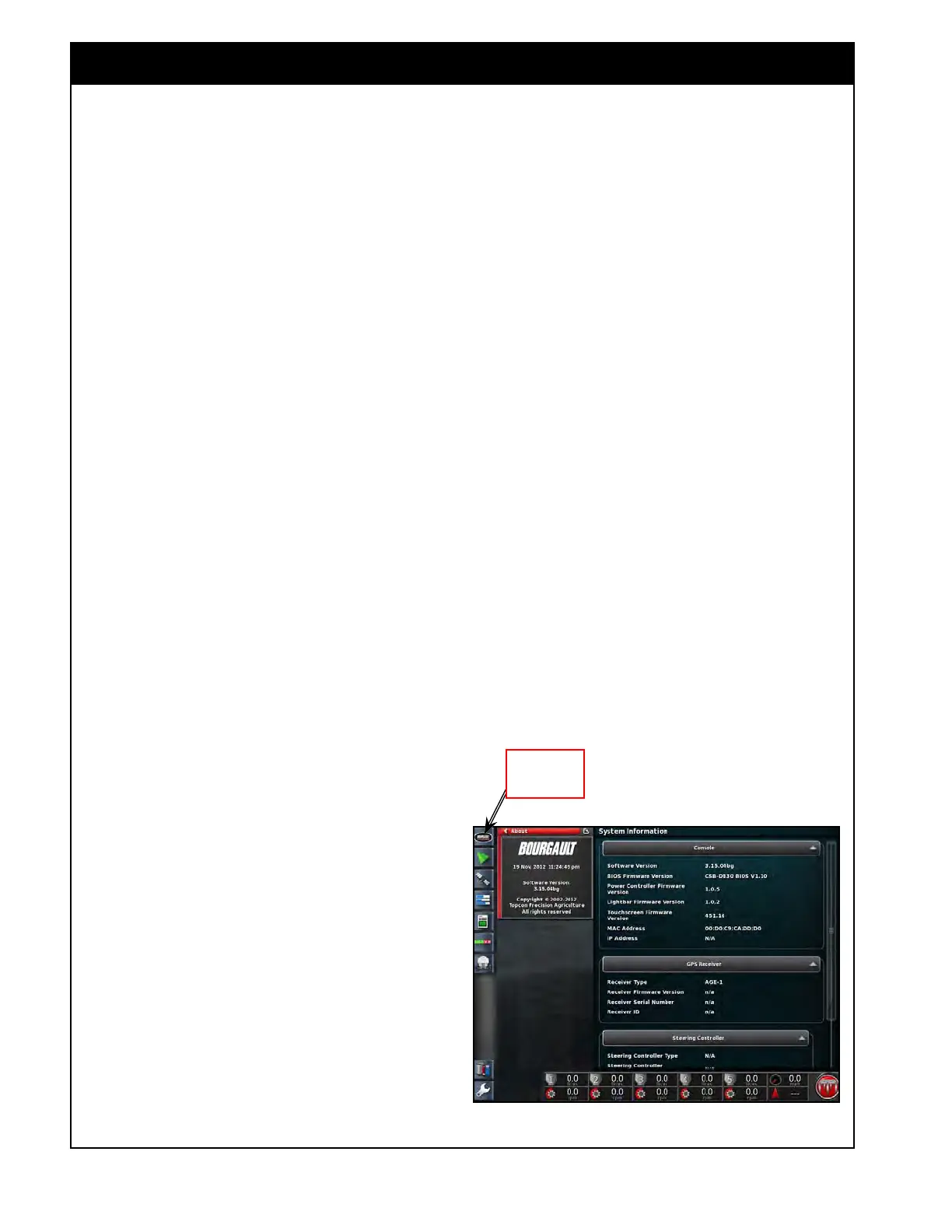
Figure 1.1 - System Information Screen
Click here to
show System
Information
1.1 Introduction
Important
It is important that you do not change settings or
operate buttons on the X35 console with anyone
working on or around the seeding unit. Certain
functions of the console operate components on the
machine which can cause serious injury or death.
1.1.1 Software Version
The system can be upgraded as new features are
added. To check what version of the software is
installed, select the System Information button on
the left side of the screen, refer to Figure 1.1.
Check with the dealer if a new version is available
for
update. Contact Bourgault Service for more
information.



 To Next Page