X35 Monitor System Settings
4.12
4.3.1 Receiver
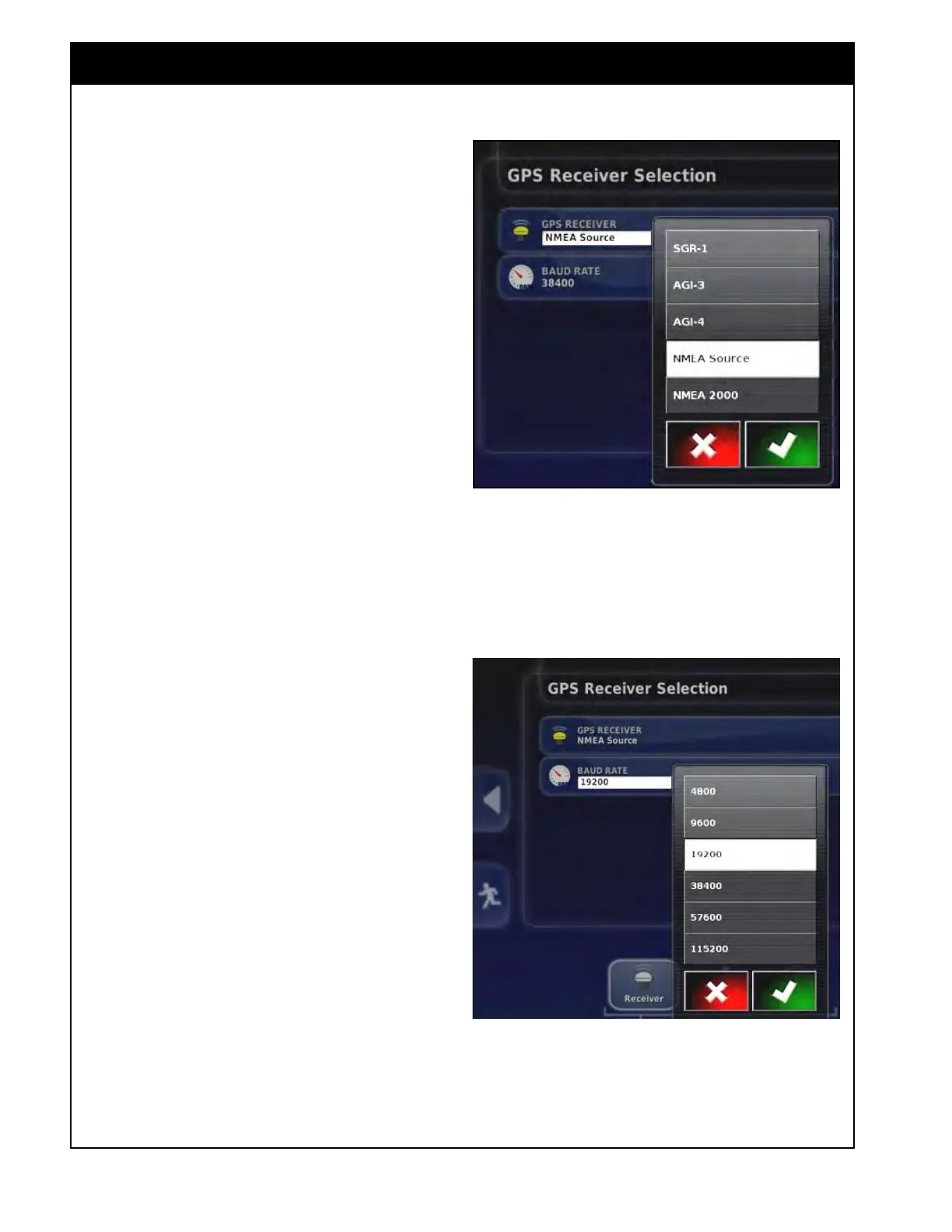
To select a GPS receiver, select System/GPS/
Receiver.
1. GPS
Receiver - allows the user to select the
type of the receiver from the provided list.
Note
Please reference the manuals that came with
your GPS system to properly configure it to output
the necessary GPS NMEA strings (GGA, VTG,
ZDA, and etc.) to properly communicate with
the X35 console. Additional harnesses may be
required; please discuss this with the Dealer of
your GPS system. Note that the baud rate and
COM port settings of your system as they are
required to properly configure the X35 console.
For non-Topcon receivers select NMEA Source.
Note
If one of the Topcon receivers was selected, refer
to the Topcon X35 Guidance and Auto Steering
Operator's manual for detailed information on
setting up Topcon GPS receivers.
The following sections will explain GPS set up
for receivers with Type set as Other.
GPS receivers need to be outputting GGA, VTG
& ZDA strings for the X35 console. Refer to the
manual for your GPS equipment.
2. Baud Rate - baud rate refers to the speed of
the data transfer and depends on the equipment
being used.
a. Default baud rate is 19200, 8N1 (8 data
bits, No parity, 1 Stop bit).
b. Confirm with the GPS manual, what the
output baud rate is. Select the Baud Rate
from the list (refer to Figure 4.15) to
match
the output of the GPS baud rate.
Figure 4.14 - Receiver Selection
Figure 4.15 - Baud Rate Selection



 To Next Page