X35 Console Product Setup
7.3
7.2 Adding New Product
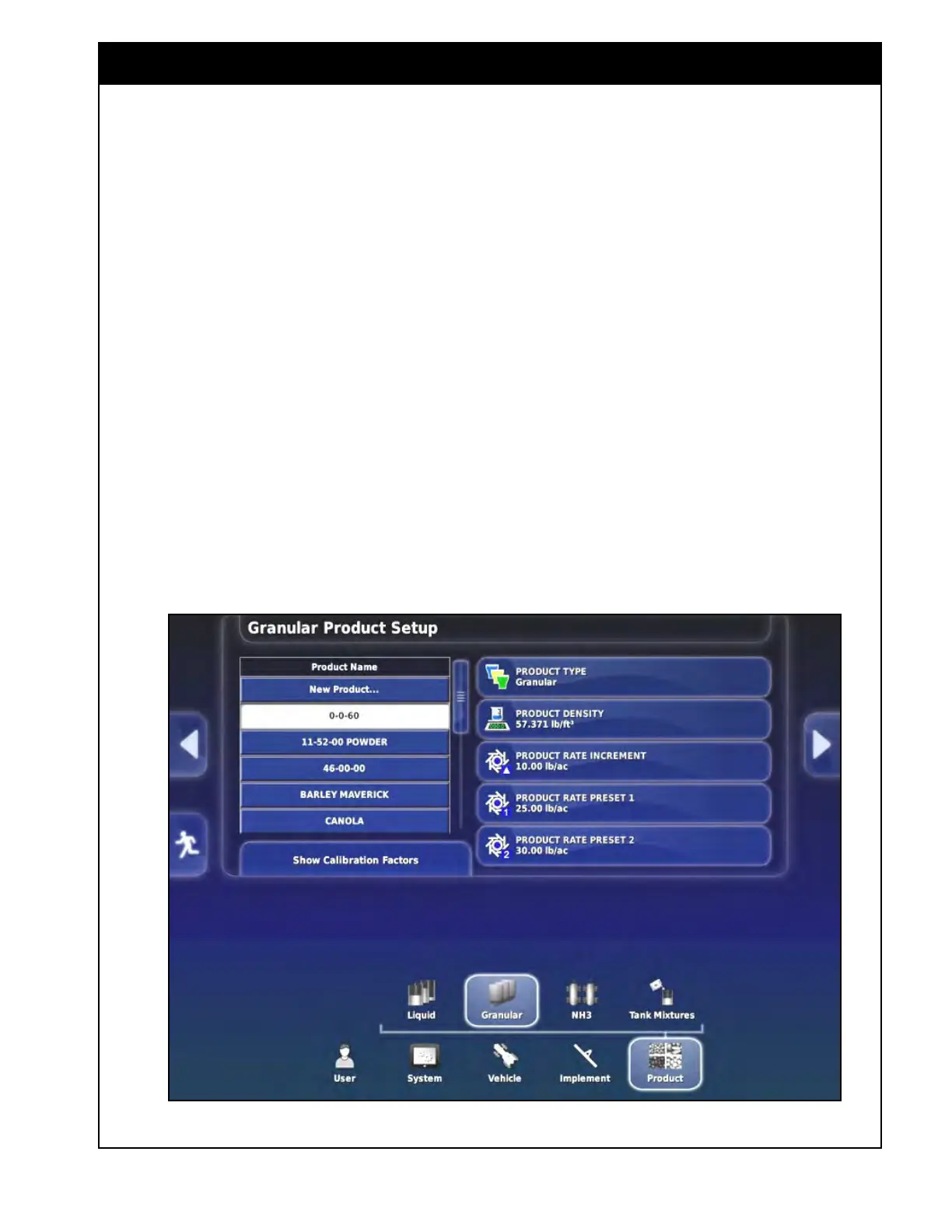
Figure 7.3 - Granular Product Setup Screen
3. The "Show Calibration Factors" button will be
displayed only if the product list has products
in it.
Refer to Figure 7.??.To add a product to the
granular/liquid
products list:
1. From the main setup menu, select Product/
Granular or Liquid (depending on the type of
product being added).
2. The product list will be shown on the left side
of the product setup screen.
a. If there are no products yet selected for
the custom list, only the “New Product...”
button will be displayed in the list.
b. If products were previously added to the
custom product list, they will be displayed
under the “New Product...” button.
c. The settings buttons with the current values
shown will be on the right side.



 To Next Page