X35 Monitor Air Seeder Setup
6.52
6.7.2 NH3/Liquid Setup
The X35 console has the capability to control and
monitor the air seeder tanks and an NH3 applicator
or liquid tank simultaneously, when used in
combination for a complete seeding system.
When an NH3 or liquid tank is being used, ensure
that the correct machine is selected, refer to
Section 6.2 - Selecting an Existing Implement and
6.3 -
Creating New Implement Profile.
6.7.2.1 NH3/Liquid Tank Setup
Note
For the following setup sections, NH3 will be
used. Liquid product tank configuration is similar.
A warning message appears on startup for a
NH3 configuration to ensure area is clear before
applying product.
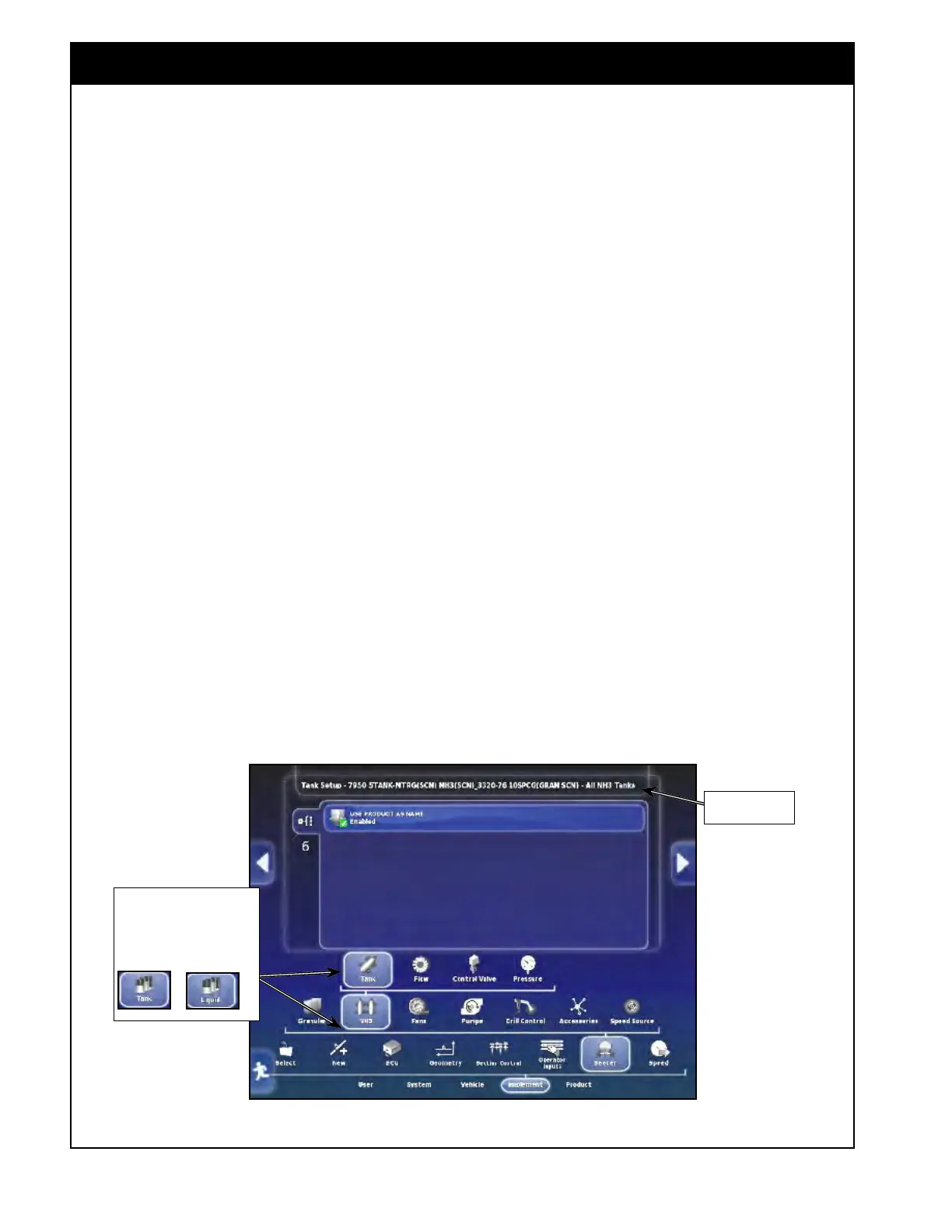
6.7.2.1.1 General Tank Setup
General settings for NH3/Liquid tank are located
in the first tab under Implement/Seeder/NH3 (or
Liquid)/Tank.
1. Use Product as Name - if enabled, product
that
is assigned to the tank will be used as a
name for that Tank.
Figure 6.71 - NH3 & Liquid Tank Settings
Note, that NH3 Tank icon
displayed for systems with
NH3 tank.
Note, that for liquid tank icons
look like this :
&
6.7.2.1.2 Individual Tank Setup
Specific settings for an NH3/Liquid tank located in
the tank number tab under Implement/Seeder/NH3/
Tank. Refer to Figure 6.72.
1. Name - enter the name for the NH3/Liquid
tank.
a. This
name will be used if "use product as
name" disabled.
b. By default, the name will consist of the
word "tank" and the number of that tank.
2. Capacity - enter the capacity of the NH3/
Liquid tank.
a.
If this is unknown, the weight of the
delivered load can be used as a reference.
b. Remember to use weight of N (not NH3)
if metering as N.
3. Status - is set to enabled, if this tank will be
metered from.
a.
If the tank is not being metered from set
this to disabled, otherwise the system will
not allow you to start applying product.
i. All enabled tanks must have
calibration factor even if switched
off.
Model is shown
here



 To Next Page