X35 ConsoleOverview
2.2
Ensure all harnesses and other components are
connected properly on the air seeder, across the
tillage implement and in the tractor cab. Refer to
Section 11 - Wiring Schematics for more details.
Ensure that the X35 is connected to a stable power
supply; direct battery connection is best however
many newer model tractors have direct to battery
connections available in the cab.
2.1.1 Turning On
The X35 will turn on when the tractor key is
turned on, if the harnessing is connected to the
tractor keyed power source.
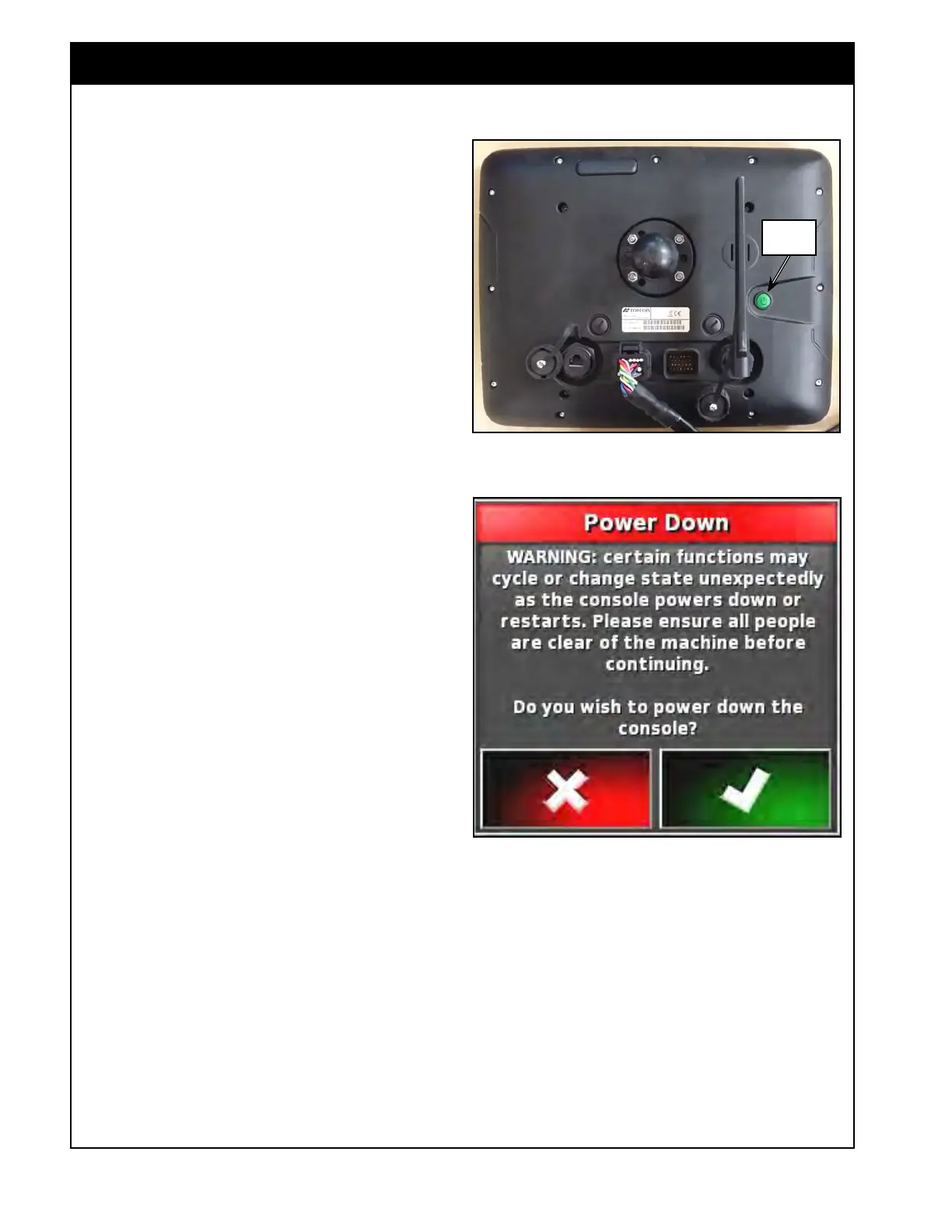
To turn on the X35 console manually, press and
hold the green power button (approximately 3 sec),
located on the back of the console, refer to Figure
2.1.
2.1.2 Shutting Down
The X35 will shut off when the tractor key is
turned off.
To shut down the console manually, use the power
down button on the lower console toolbar accessed
by swiping up from the bottom of the screen.
1. The system will ask if you want to power
down (Figure 2.2).
2.
Press the OK button to turn off, or cancel to
continue working.
3. Alternatively the green power button can
be pressed briefly to bring up the shutdown
message.
Important
Pressing and holding the green power button will
also shut down the console, however data may be
lost and this method is not recommended.
Important
Anytime the console is shut down or restarted,
certain functions may cycle or change state
unexpectedly. Ensure people are clear of
machine to avoid injury or death before
proceeding to shut down or restart the console.
Figure 2.1 - X35 Console - Power Button
X35_Back.jpg
Power
Button
Figure 2.2 - Power Down Confirmation
Important
In the unlikely event that your X35 freezes (white
screen is displayed) it will go through a shutdown
process attempting to save all user data; this
process may take up to 5 minutes. Please wait
for 5 minutes and contact your dealer if the
problem persists.
2.1 Starting the X35 Console



 To Next Page