X35 Monitor Air Seeder Setup
6.59
6.7.3 Fan Settings
This section allows changes to settings related to
the fan(s).
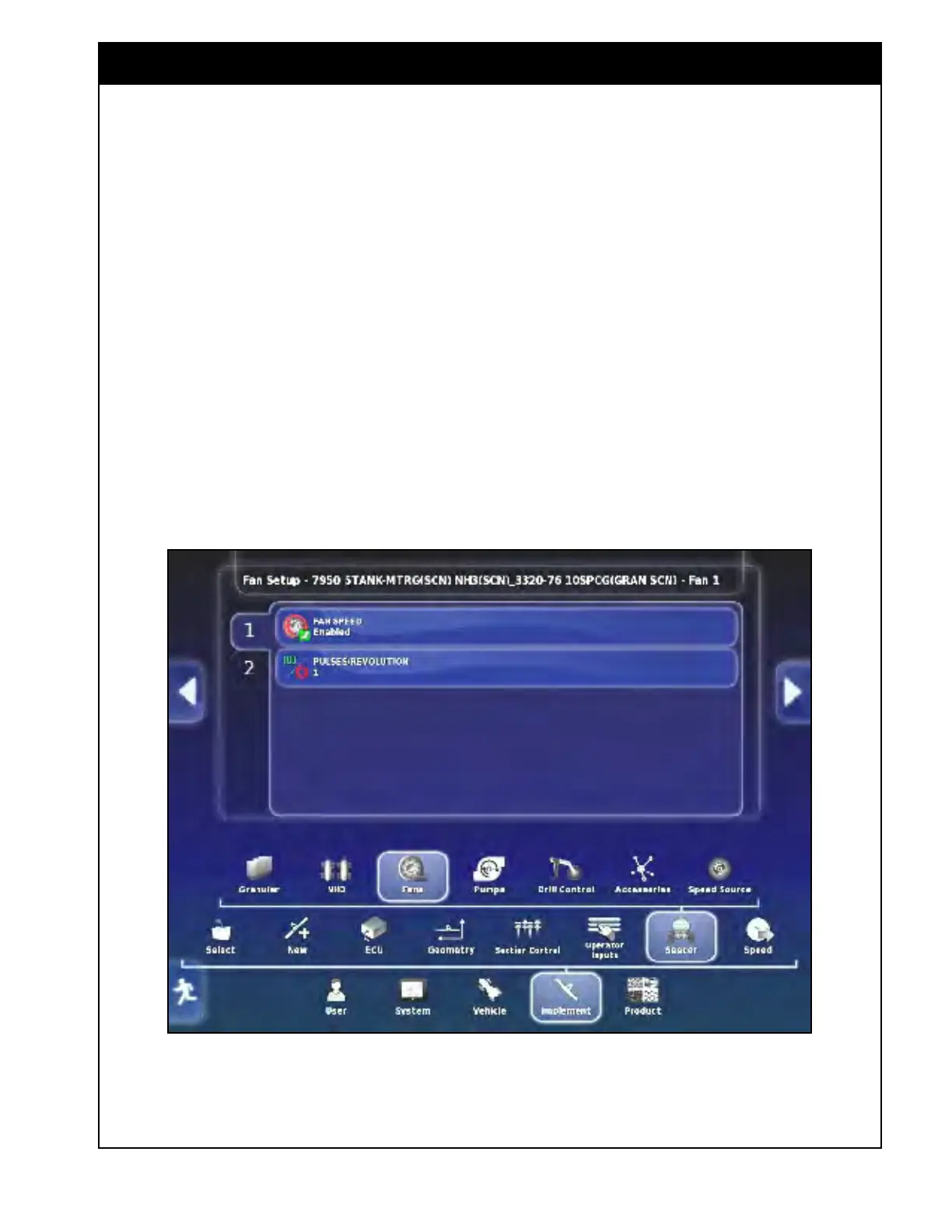
Fan 1 represents the main fan and Fan 2 represents
the auxiliary fan.
If the implement profile was created with only one
fan, there will be only one tab for Fan 1.
1. Fan
Speed - enables or disables monitoring of
the
fan speed.
a. If you are not using one of the fans,
disable it, otherwise the fan speed to start
setting will prevent you from starting the
meters.
2. Pulses/Revolution -
set
at 1 (the fan speed
sensor picks up from one target so is one pulse
per revolution).
Figure 6.78 - Fan Setup



 To Next Page