X35 ConsoleOverview
2.14
2.6.2 Seeder Controller Full Screen
Mode
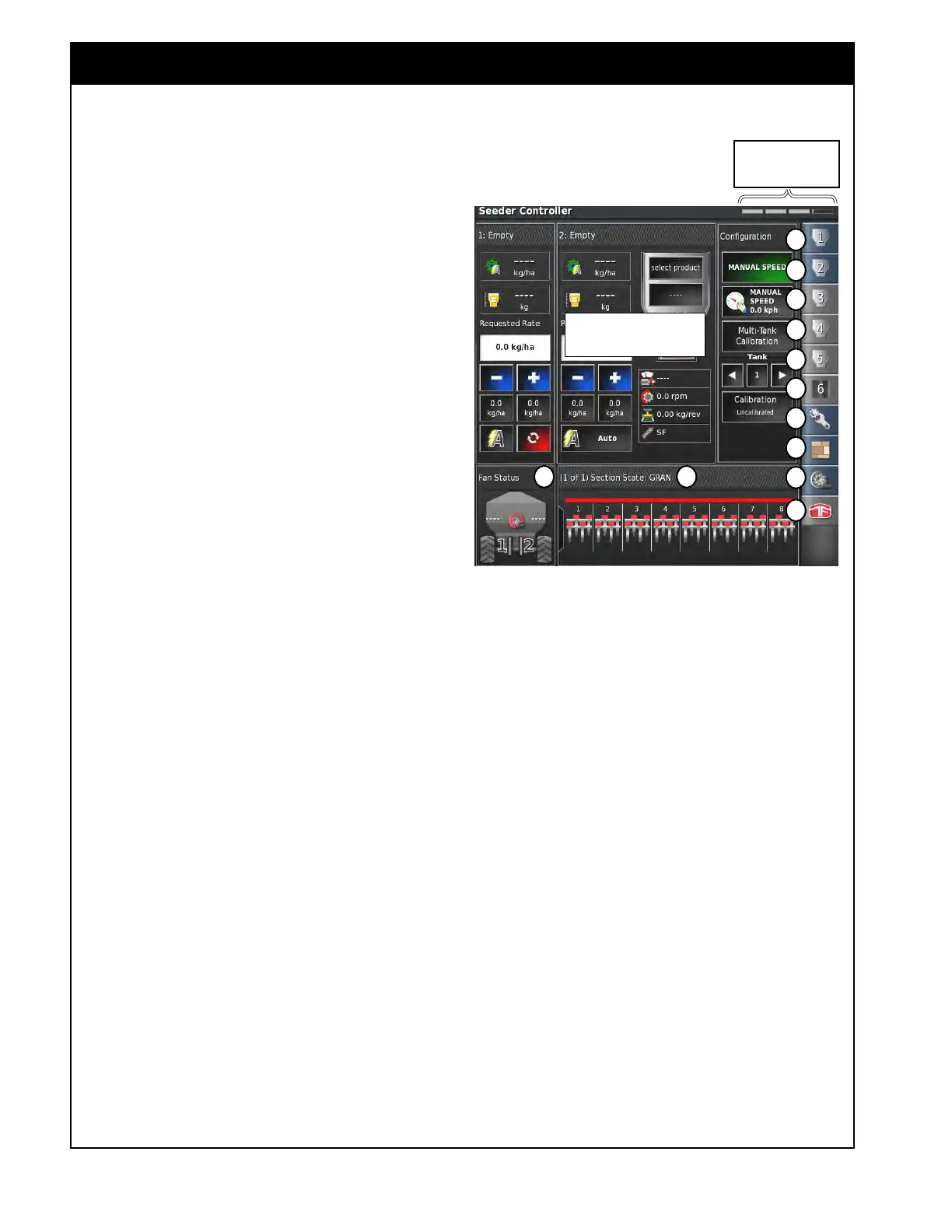
Refer to Figure 2.21.
The Seeder Controller menu, is located on the
right
side and has icons, that if selected will open
up panels for the enabled granular/liquid or NH3
tanks, configuration panel, area counters panel (if
enabled), and fan panel.
All the panels can be open at once. To view
the hidden panels, if all are not visible, touch
anywhere in the main viewing area and slide to the
left or right.
There is a position status bar in the upper right
corner that will show you what location the slider
is in.
Selected icons will have blue background and any
un-selected icons will have gray background.
1. (A)
Granular Tank panel - this panel will
display parameters and controls related to the
operation of a granular tank. The number
in the icon will indicate the tank on the air
seeder. For detailed information refer to
Section 2.6.3 - Tank Tab/Panel Explained.
2. (B)
NH3/Liquid panel - this panel will display
the parameters and controls related to the
operation of an NH3/Liquid tank. The number
in the icon indicates number of the tank. For
detailed information refer to Section 2.6.3 -
Tank Tab/Panel Explained.
Granular, NH3 and Liquid tank panels can be
expanded to show more information and provide
access to more functions. To expand or collapse
the panel tap the title bar of that panel. Refer to
Figure 2.21, tank 2 panel is expanded vs tank 1 is
not
expanded.
3. (C)
Configuration panel - this panel provides
functions such as calibration, selecting speed
source and etc. For detailed information refer
to Section 2.6.4 - Configuration Panel.
Main Viewing Area
A
A
A
A
B
C
D
E
F G
Figure 2.21 - Seeder Controller - Full Screen Mode
Viewing area position
status bar
A
H



 To Next Page