X35 ConsoleSetup
3.6
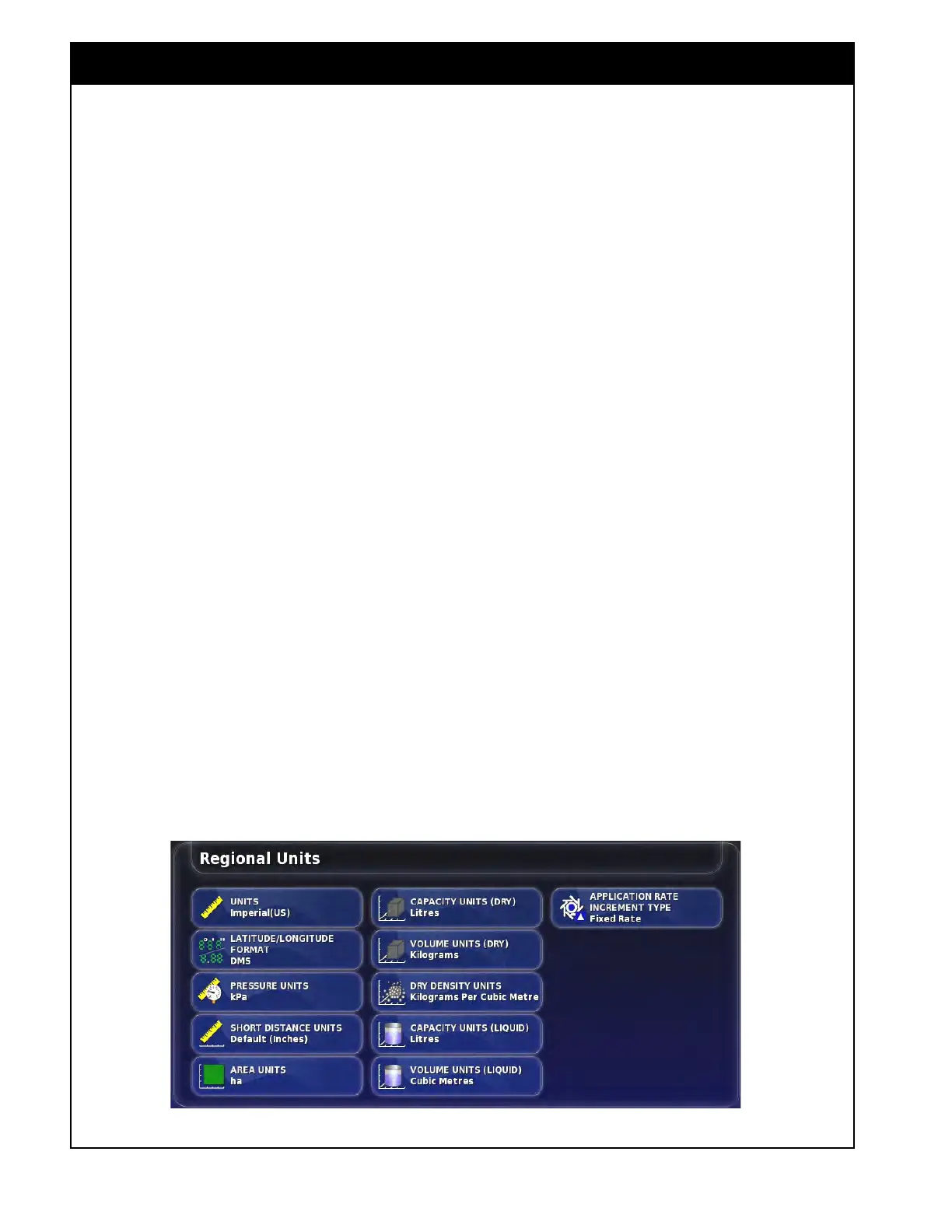
3.2.1.3 Units
From the Main Setup menu select User/Region/
Units. There are several settings:
1. Units - select the desired units system for
display
and entry of different items: Metric,
Imperial US, Imperial UK.
2. Latitude/Longitude
Format - select either:
a. Standard format (displays as decimal, ex.
45.54);
b.
Or as Degrees Minutes Seconds (DMS)
(displays as 45
0
, 23' 36'').
3. Pr
essure Units - select: kPa, psi, bar, or
Default.
4. Short
Distance Units - select: Meters, Inches,
Feet, or Default.
5 Ar
ea Units - select: hectare (ha), acres (ac) or
Default.
6. Capacity
Units (Dry) - select Litres, Cubic
meters, US Bushels, UK Bushels, Gallons,
Cubic Feet, Cubic Yards or Default.
7. V
olume Units (Dry) - select Litres, Kilograms,
Cubic Meters, US Bushels, UK Bushels,
Gallons, Pounds, Cubic Feet, Cubic Yards,
Tonnes or Default.
8. Dry
Density Units - select Kilograms per
Litre, Kilograms per Cubic Meter, Kilograms
per US Bushel, Kilograms per UK Bushel,
Pounds per Gallon, Pounds per Cubic Foot,
Pounds per US Bushel, Pounds per UK Bushel
or Default.
9. Capacity
Units (Liquid) - select Litres, Cubic
Meters, Gallons, Cubic Feet or Default.
10. V
olume Units (Liquid) - select Litres, Cubic
Meters, Tonnes, Gallons, Cubic Feet, Pounds
or Default.
11. Application Rate Increment Type - select
how you would like to change the rate during
the seeding operation:
a. As a Fixed Rate;
b. Or as a Percentage (%) of the Preset Value.
3.2.2 Lightbar
When enabled a virtual lightbar will be displayed
on the guidance screen that can be used to visually
indicate the position of the center of the vehicle
from a guideline.
Figure 3.11 - Units Setup Menu
Note
Setting parameters to the Default option uses the
default of whatever unit system is selected.



 To Next Page