X35 Monitor Air Seeder Setup
6.12
6.3.2 Create a Custom Implement
Profile
To create a new custom implement profile, select
the Implement/New/Custom and follow the
instructions below:
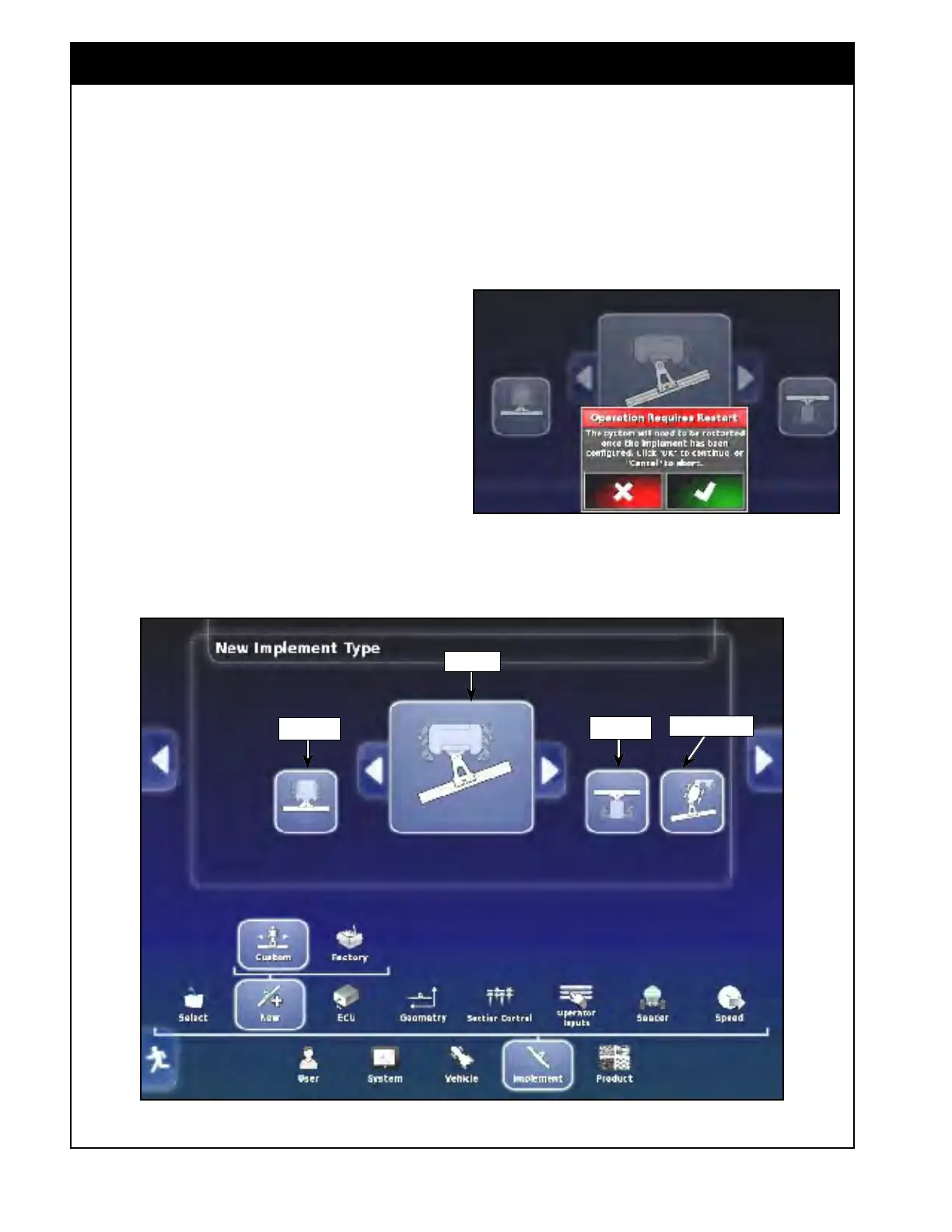
1. For Air Seeder type;
a. Refer to Figure 6.12.
b. There are four types available: rigid,
header
,
pivoted (trailing) and double
pivoted (leading):
i. For a trailing air seeder select the
PIVOT icon;
ii. For a leading air seeder select
DOUBLE PIVOT icon.
c. Use the arrows to choose the type. Press
on the appropriate icon.
Figure 6.12 - Air Seeder Type
Rigid
Header
Double Pivot
Pivot
d. A window will appear informing you that
the system will restart once your air seeder
has been configured, refer to Figure 6.11.
e. Select OK to continue.
Figure 6.11 - Restart Required



 To Next Page