X35 Monitor System Settings
4.30
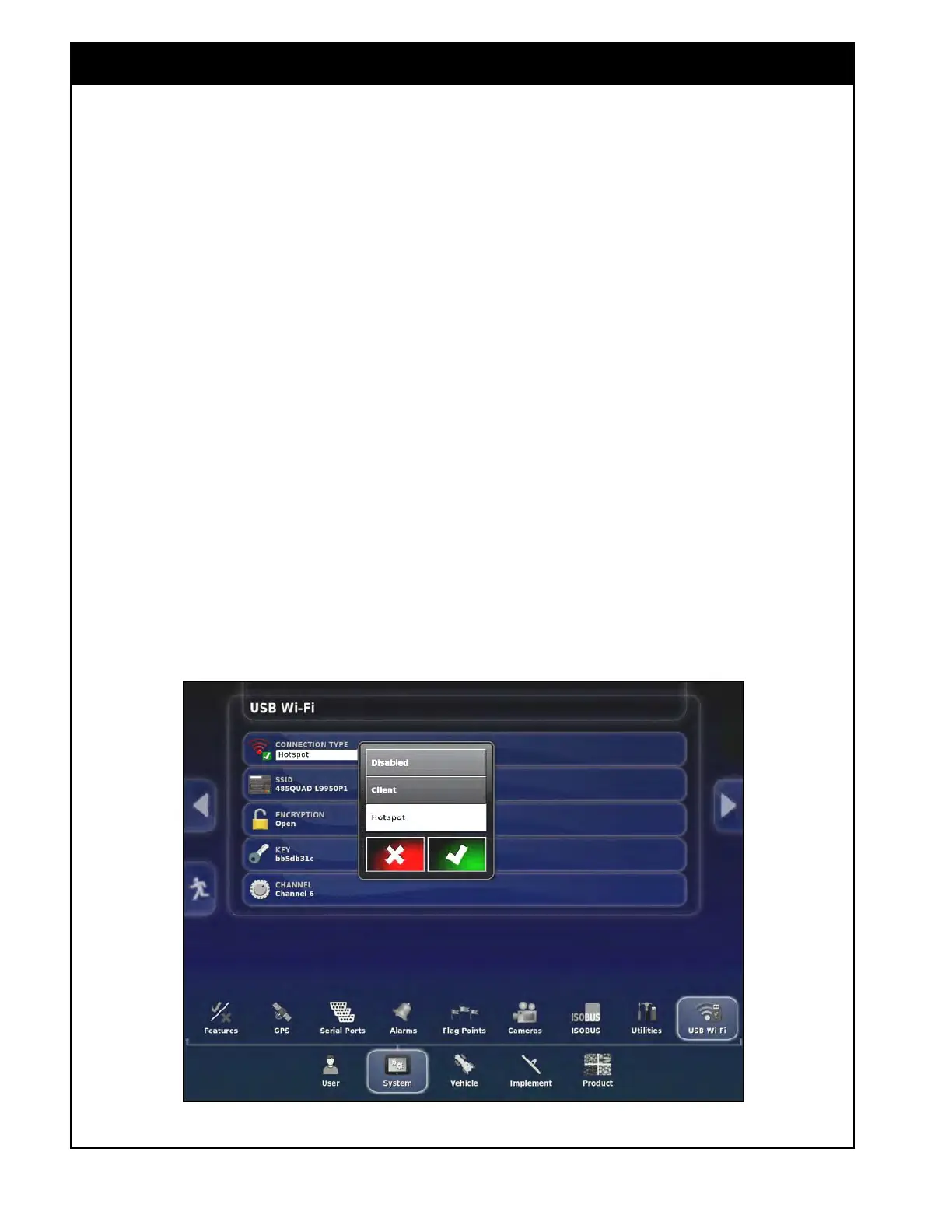
Figure 4.39 - Wireless Feature
4.10 USB Wi-Fi
This page has different options allowing you to
connect to an internet source or wireless device.
This tab only shows up if the supplied Wi-Fi
antenna is connected into the console.
1. Connection
Type
a. Client - Runs you through a wizard to
connect
the console to an internet source.
This is used if you are requesting remote
support.
b. Hotspot - this will generate a local Wi-Fi
signal
that you can connect a smart phone
or tablet to that will allow control of the
console through the Xtend app.
The following settings apply if the Hotspot
connection type is selected:
2. SSID
- this is the name of the hotspot that is
generated by the console. It can be edited.
3. Encryption - set to open if a password for
connecting
a device is not desired. The other
options will require a password to connect a
device.
4. Key - enter the desired password if encryption
is
not set to open.
5. Channel - allows to select one of the 7
dif
ferent channels. Use the default setting.



 To Next Page