X35 Console Optional Equipment
13.5
13.2.2 Pack Master Feature
This feature adds an extra CM-40 ECU to the drill
to allow control of the opener pressure through the
X35. It also uses a load cell on one of the opener
packer wheels to read the actual pack force exerted
on the ground. Refer to Section 6.7.5.2 - Pack
Master Settings for configuring the settings.
The Pack Master allows for 2 different control
types: Hydraulic Pressure or Pack Force.
1. For Hydraulic Pressure control, the user sets a
desired hydraulic pressure to control, and the
resulting packing force will be displayed in the
drill control panel as a reference.
2. For the Pack Force control, the user sets
a desired packing force to control, and the
hydraulic pressure is adjusted to achieve that.
a. The resulting hydraulic pressure will be
displayed in the Drill Control Panel as a
reference.
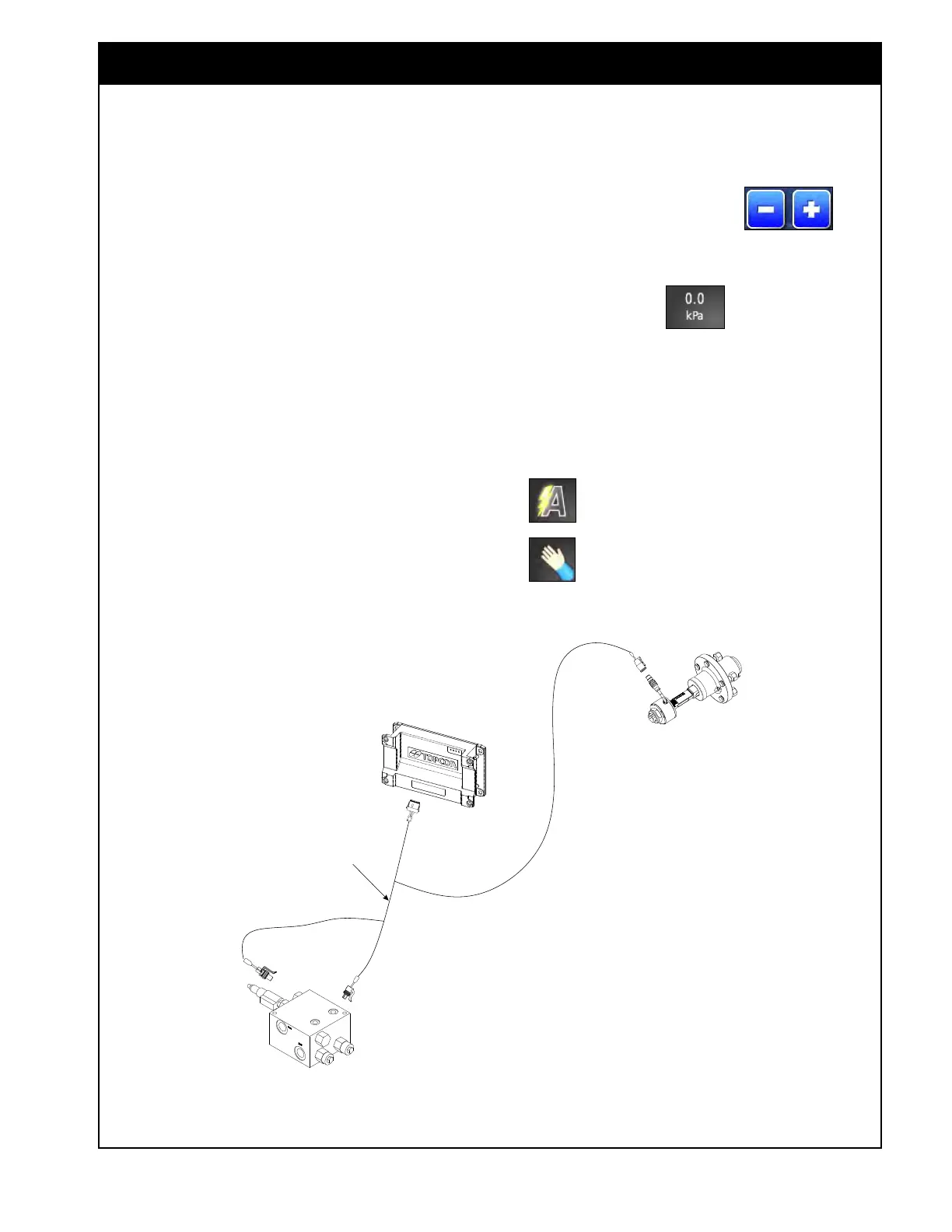
Figure 13.6 - Pack Master Harness Layout
The requested pressure or packing force can be set
depending on the control type setting.
1. The increase/decrease buttons
will
adjust the requested value by the set increment
value.
2. The preset buttons
can be used to
switch the requested value to the set presets.
3. The actual pressure and pack force are
displayed on monitor.
4. Set the control to AUTO for controlling the
set Pressure or Packing Force or MANUAL to
drive to a set PWM value.
- control set to AUTO
- control set to MANUAL



 To Next Page