X35 Monitor System Settings
4.3
4.2 Features
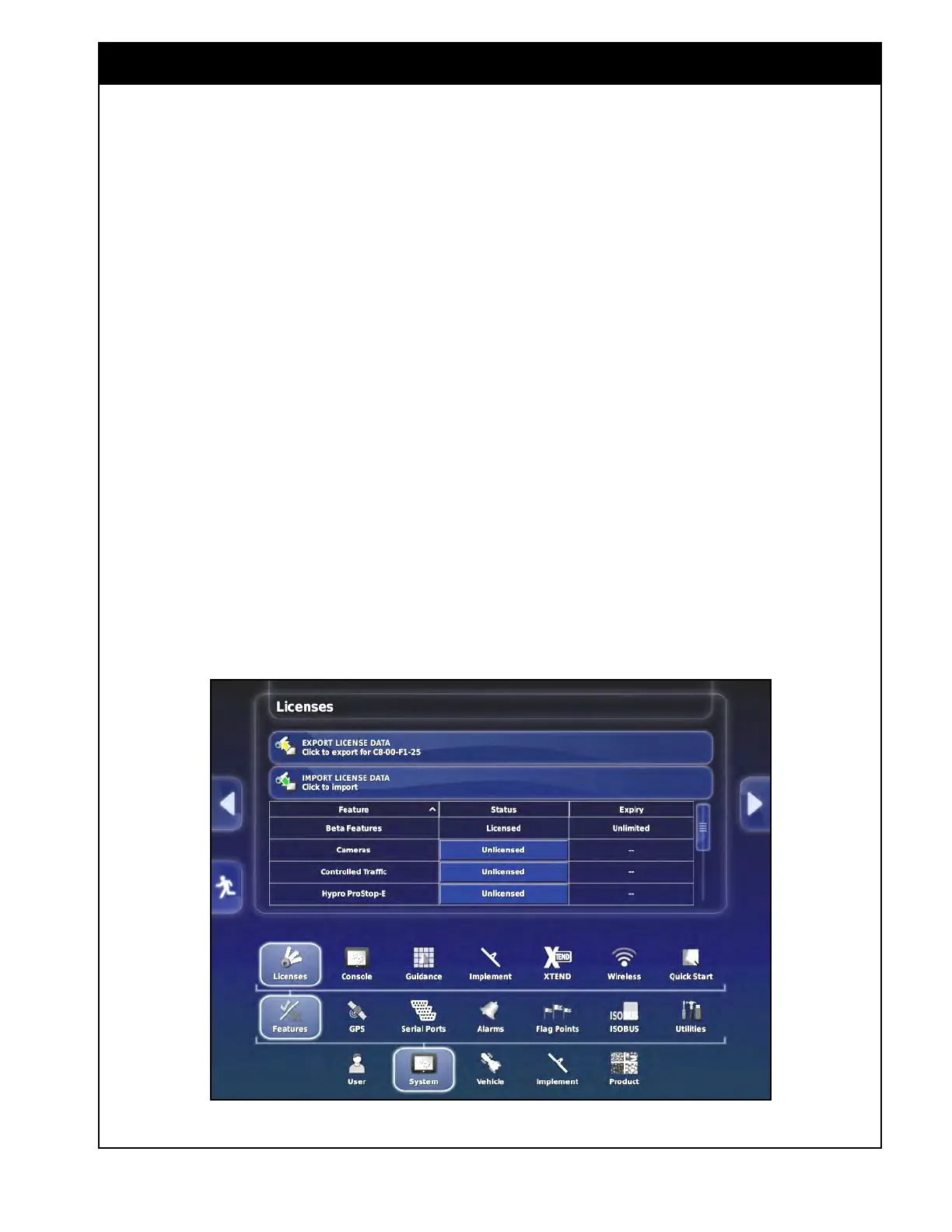
Figure 4.2 - System Setup Menu
4.2.2 Console
To access the console features settings from the
Main Setup menu, select System/Features/Console,
refer to Figure 4.3.
1. Universal
Terminal - enables or disables the
ISOBUS Universal Terminal server that allows
interaction with ISOBUS compliant ECUs.
2. ISOBUS
Shortcut Button - enabling this
option adds a button above the master switch
that will turn off functions that were activated
through the ISOBUS control.
a. This is not used by Bourgault.
3. File
Server - files for an ISOBUS ECU can be
stored on the file server.
a. This setting enables or disables the
file server, if the ECU has file server
capability.
Important
The File Server setting needs to be enabled in
order to perform an update to the ECUs.
To access the features setup menu from the Main
Setup menu select System/Features, refer to Figure
4.2.
This
option will allow you to setup different
features related to the console, guidance system
and implement.
4.2.1 Licenses
Refer to Figure 4.2.
This page shows the features that are unlocked
on the console. It also allows you to export
the license data file which is used by Topcon to
generate a new license data file for the specific
console to be imported to unlock new features if
desired.



 To Next Page