X35 ConsoleSetup
3.4
3.2 User Menu
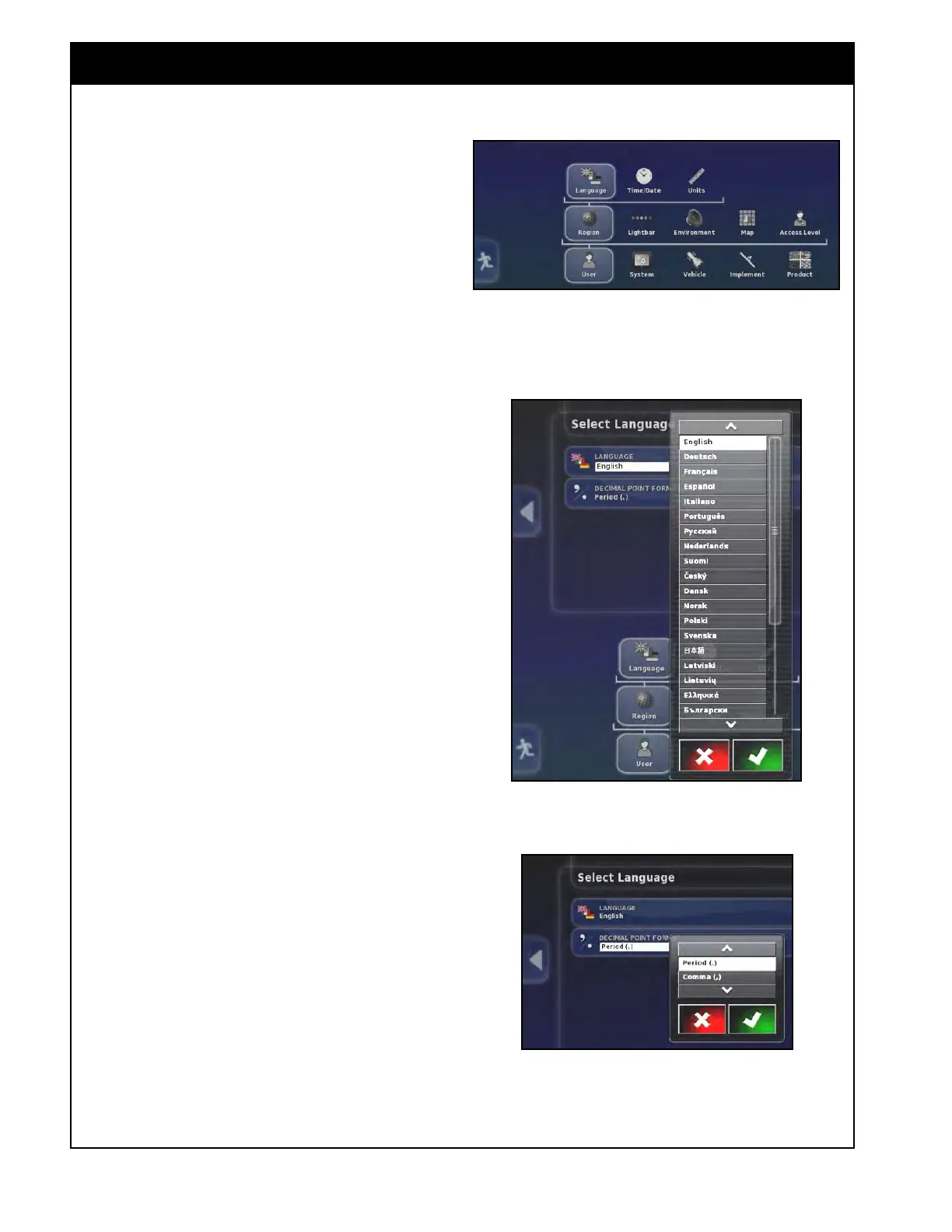
Figure 3.4 - User Setup Menu
Figure 3.5 - Language Setting
Figure 3.6 - Decimal Point Format Setting
User settings allow the user to setup the console
work environment, regional settings and map
options.
To access the user settings select the User icon in
the main setup screen. Refer to Figure 3.4.
3.2.1 Region
Region settings include language settings, time and
units.
T
o access the region settings select User/Region.
Refer to Figure 3.4.
3.2.1.1
Language
From the Main Setup menu select User/Region/
Language. There are two settings:
1. Language - used to select the language for
the
console. When the Language button is
selected, a scroll list with available languages
will appear, refer to Figure 3.5. Make your
selection and confirm.
2. Decimal
Point Format - select "." or "," to
be used as a decimal divider, refer to Figure
3.6.



 To Next Page