X35 Console Setup
3.3
5. Product options - allows you to create a
product list, set product density, preset rates
and calibration factors. Refer to Section 7 -
Pr
oduct Setup.
Selecting one of the items in the main level of
the
menu will unfold the next level of options.
Selecting further will unfold more levels, down to
the level of parameters, features and functions to
be set.
To direct to a specific setup screen, the following
format is used in the following sections and
throughout the manual:
Main
Level / Level1 / Level2 /...
Examples:
1.
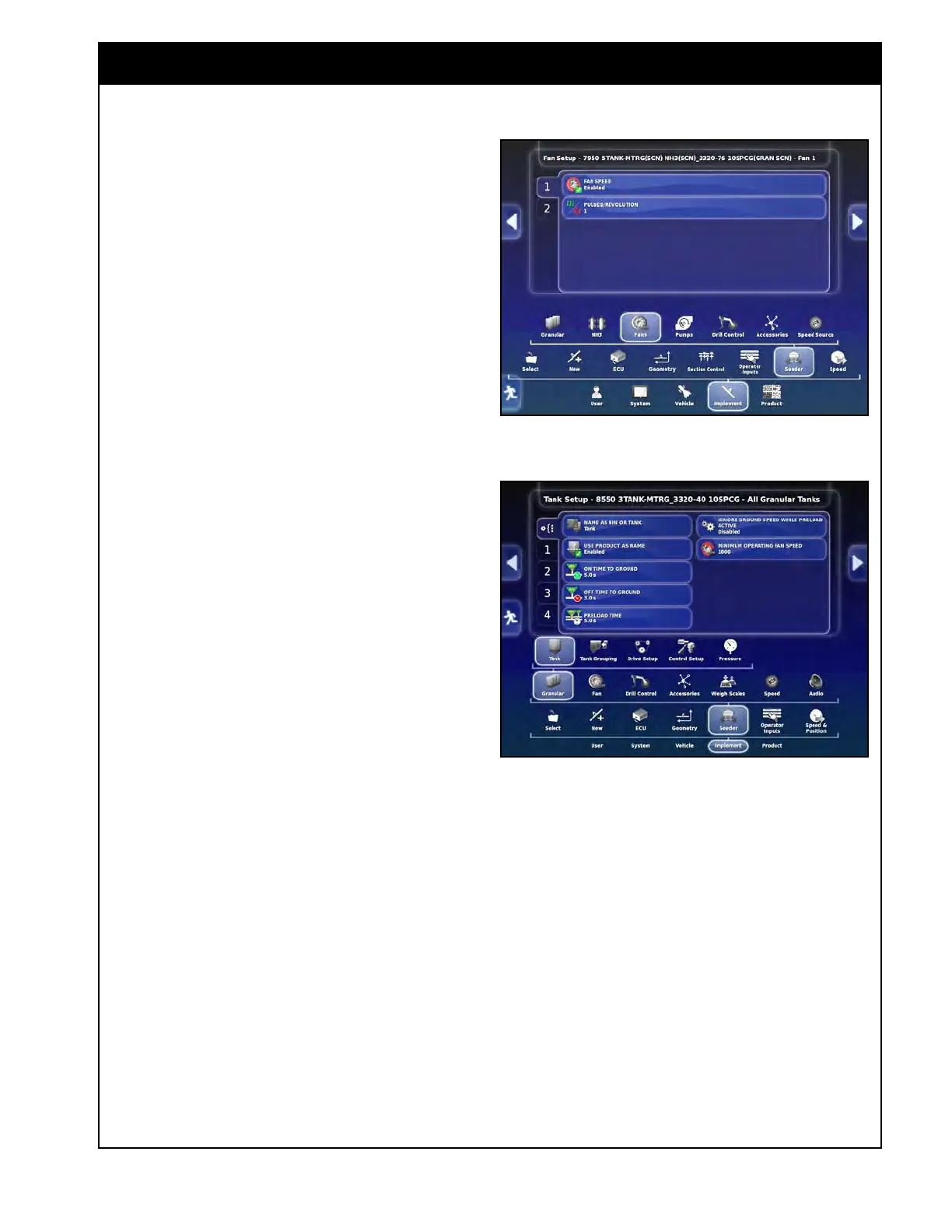
To open a screen for the fan settings it will
be required to select, in the setup menu,
Implement/Seeder/Fans. Refer to Figure 3.2.
2.
To open a screen for the air seeder tank drive
setup, it will be required to select, in the setup
menu ,Implement/Seeder/Granular/Tank. Refer
to Figure 3.3.
Figure 3.2 - Fans Settings Screen
Figure 3.3 - Air Seeder Tank Drive Settings Screen



 To Next Page