X35 Console Product Setup
7.7
7.2.2 Adding a Custom Product
Without a Template
1. Select the "New Product ..." button. A new
Product Setup Screen will appear.
2. Refer to Figure 7.5. Select the "Custom
Product",
then select the yellow arrow to
proceed to the next step.
3. The next screen will prompt you to enter a
product name. Refer to Figure 7.7.
a.
Select the Product Name button and a
keyboard screen will appear.
b. Enter the product name and confirm.
c. Select the yellow arrow to proceed to the
next step.
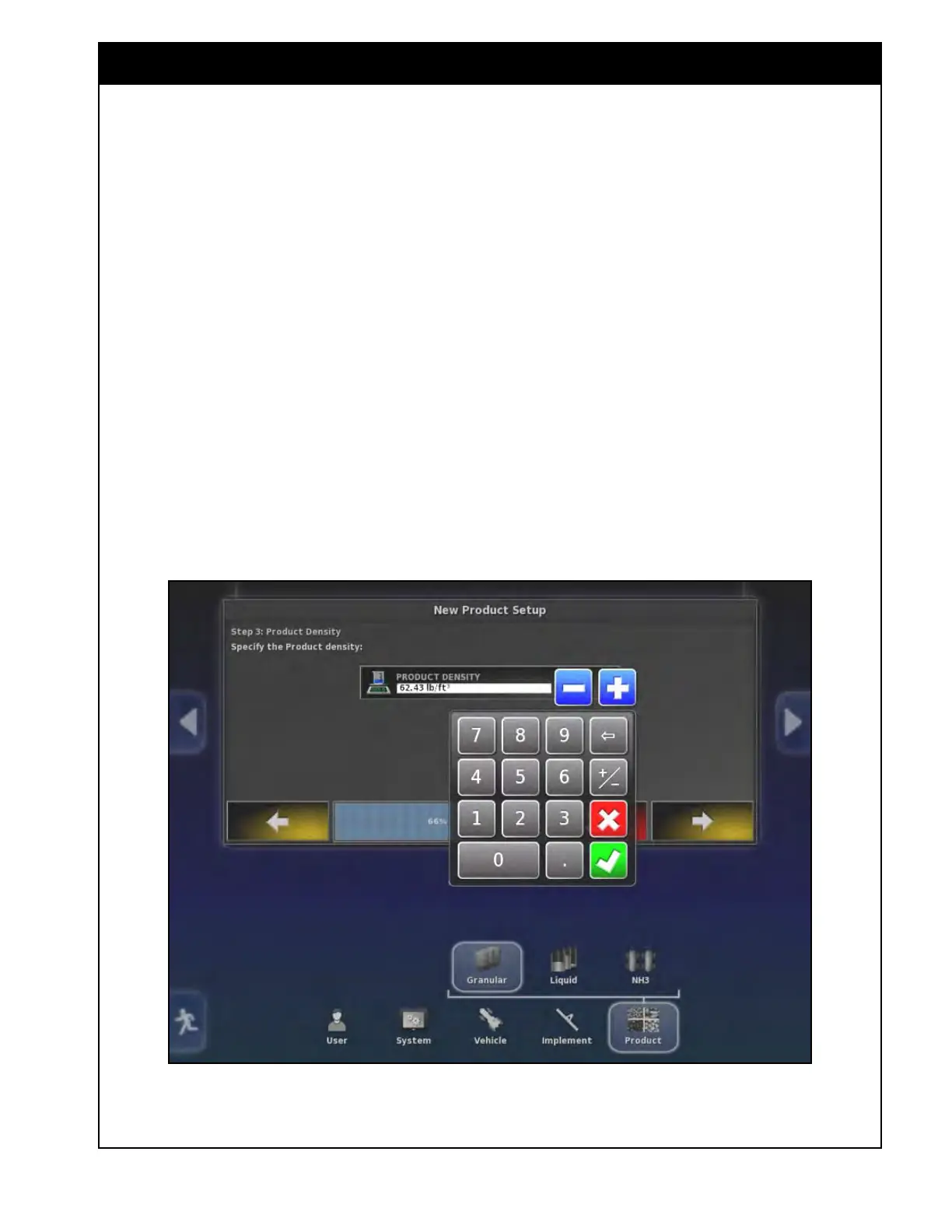
Figure 7.9 - Entering Density
4. If you are adding granular product, the next
screen will prompt you to enter a product
density this is not required for a liquid product.
a. Enter the product density, refer to Figure
7.9.
i.
Note, this is not required for a liquid
product
Important
Product density is used for the calculation of the
theoretical tank capacity. It is very important to
have the correct product density entered. For
instructions to determine correct product density
refer to Section 7.4 - Product Density.



 To Next Page