X35 Console Optional Equipment
13.21
13.5.3 Dedicated Tank Load Cells
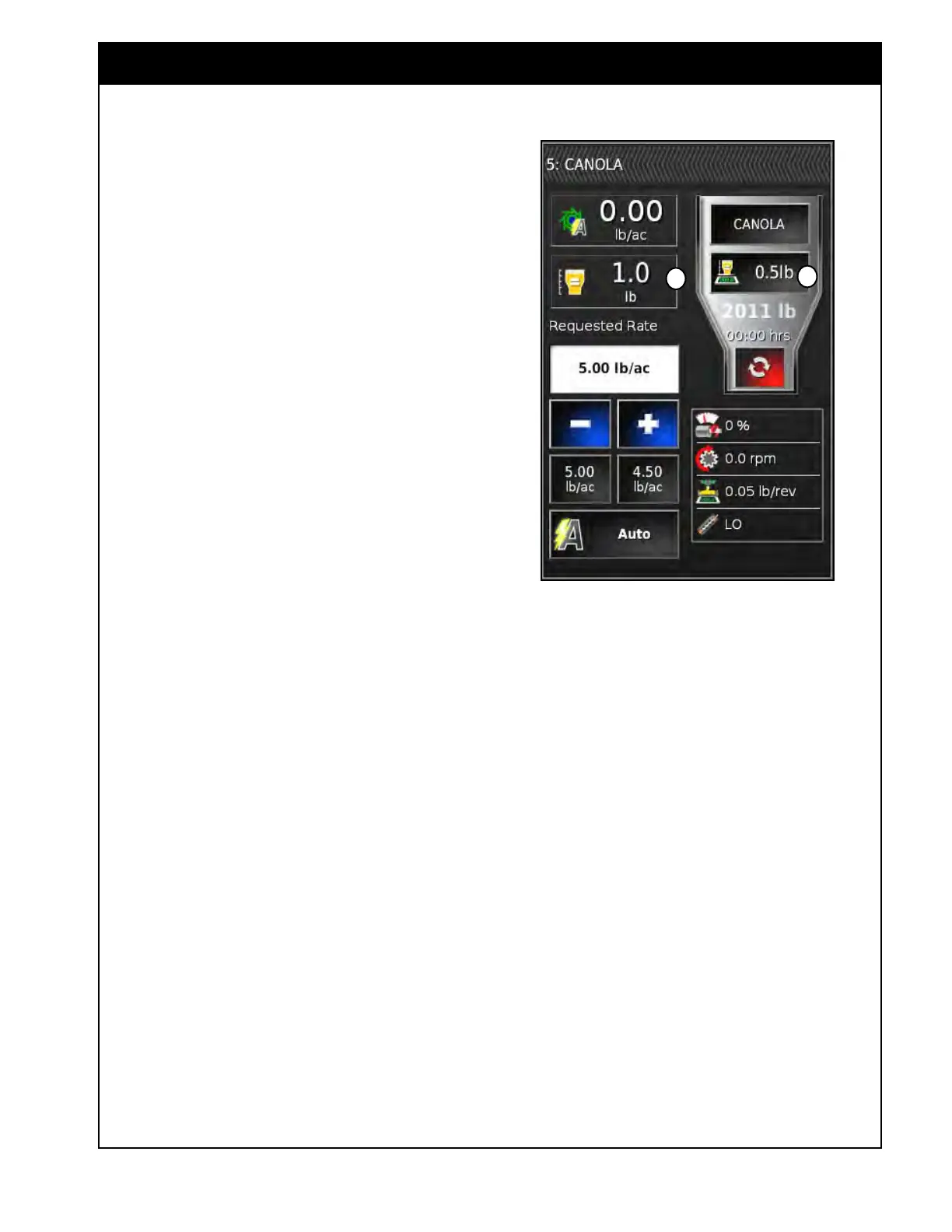
The tanks with dedicated load cells can be
monitored to ensure correct product application
rates based on the actual weight leaving the tank.
1. Calculated
Weight Remaining (A) - is the
theoretical weight remaining in the tank based
on taking the starting weight and calculating
how much product has left the tank.
a. This is based on the revolutions detected
by the metering auger and the metering
auger calibration factor.
2. Measur
ed Weight Remaining (B) - is the
actual load cell weight remaining in the tank.
3. Pr
essure Compensation - the tanks with
dedicated load cells have pressure sensors
installed to measure the air pressure inside the
tank.
a. This is used to correct for the weight that
is taken off the load cells when the fans
pressurize the tank.
b. There is a default pressure compensation
factor entered in the settings but if you
notice that the weight changes substantially
when the fans are turned on, you can
adjust this factor to keep the weight more
consistent. Refer to Section 6.7.7 - Weigh
Scale.
Note
The most accurate load cell weight for the tank
will be when the fans are shut off and there is no
pressure inside the tank.
Figure 13.25 - Saddle Tank Weights
B
A
13.5.3.1 Scale Weight Difference Alarm
The Scale Weight Difference alarm will tell you if
the Measured Weight in the tank differs from the
Calculated Weight outside of the Threshold.
For the 7000 Series this applies to the saddle tank
with dedicated load cells and alerts the operator
if something is wrong with the application rate
of that tank. It will also monitor the rest of the
tanks but only alert that there is a problem with
any number of the tanks since it is monitoring a
combined weight.
For the 9000 Series each tank has dedicated load
cells so it will monitor each tank and alert if there
are any application rate errors. It uses a more
precise DynaCal method to alert for larger errors
off the start but then as more product is metered
it will get continually more accurate to fine-tune
the application rate. If this alarm occurs refer to
Section 12 - Troubleshooting.



 To Next Page