X35 Console Monitoring & Managing Files
10.12
10.7 Inventory Manager
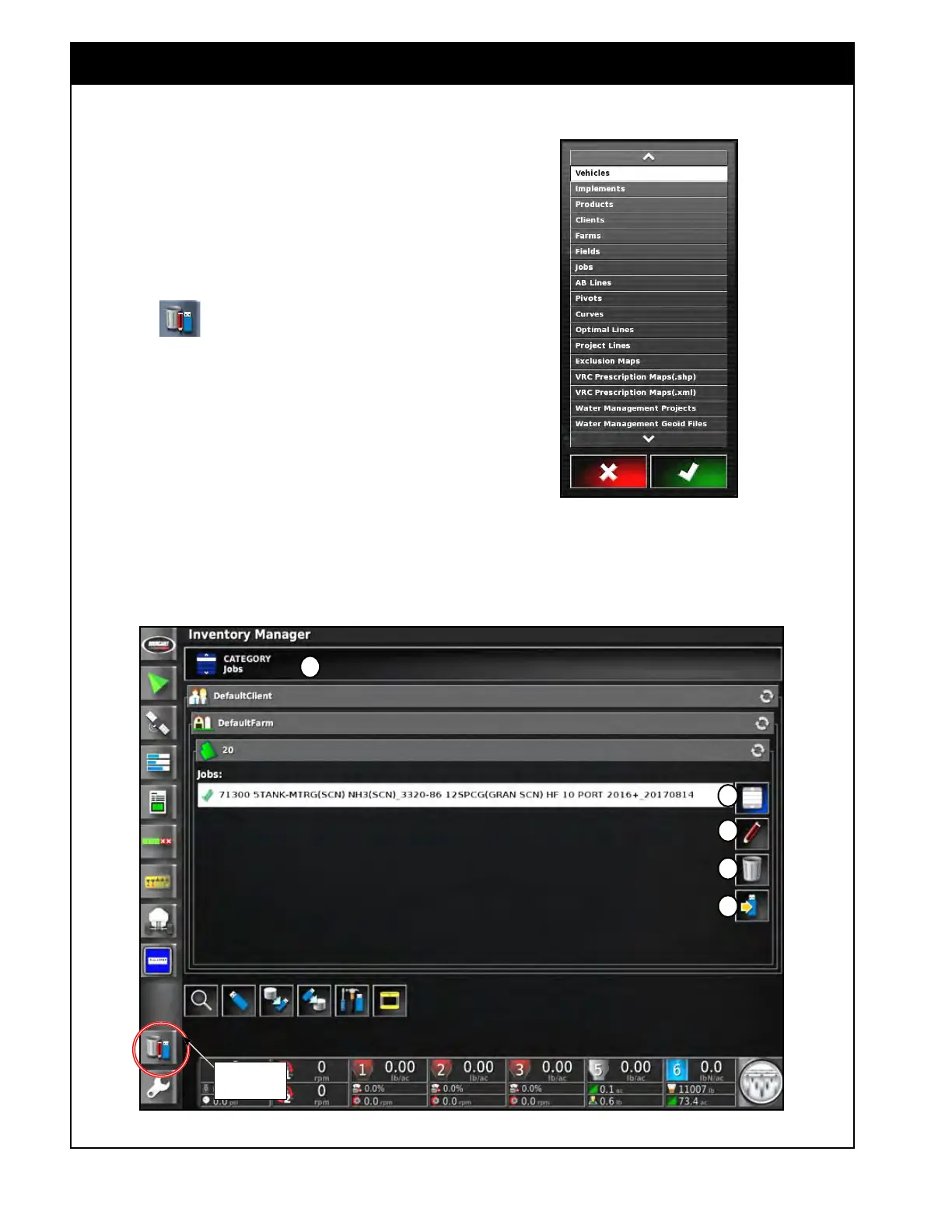
Figure 10.24 - Inventory Manager
Figure 10.23 - File Categories List
A
Inventory
Manager
B
C
D
E
All information, such as Vehicle and Implement
Profiles, Products, Clients, Farms, Fields, Jobs
etc., are saved in files and stored in the internal
memory of X35 console.
The Inventory Manager will allow the user to view
the file system, make changes and export files to a
USB or import from a USB.
Select the
icon to open the Inventory
Manager. Refer to Figure 10.24.
1. Category
(A) - will open a drop down list
with File Categories, refer to Figure 10.23.
a. Selecting a specific Category will open up
a list of related files.
Once a category is selected, the following
functions can be performed:
2. (B) - this will select/deselect all files in the
opened
category.



 To Next Page