X35 Console Setup
3.9
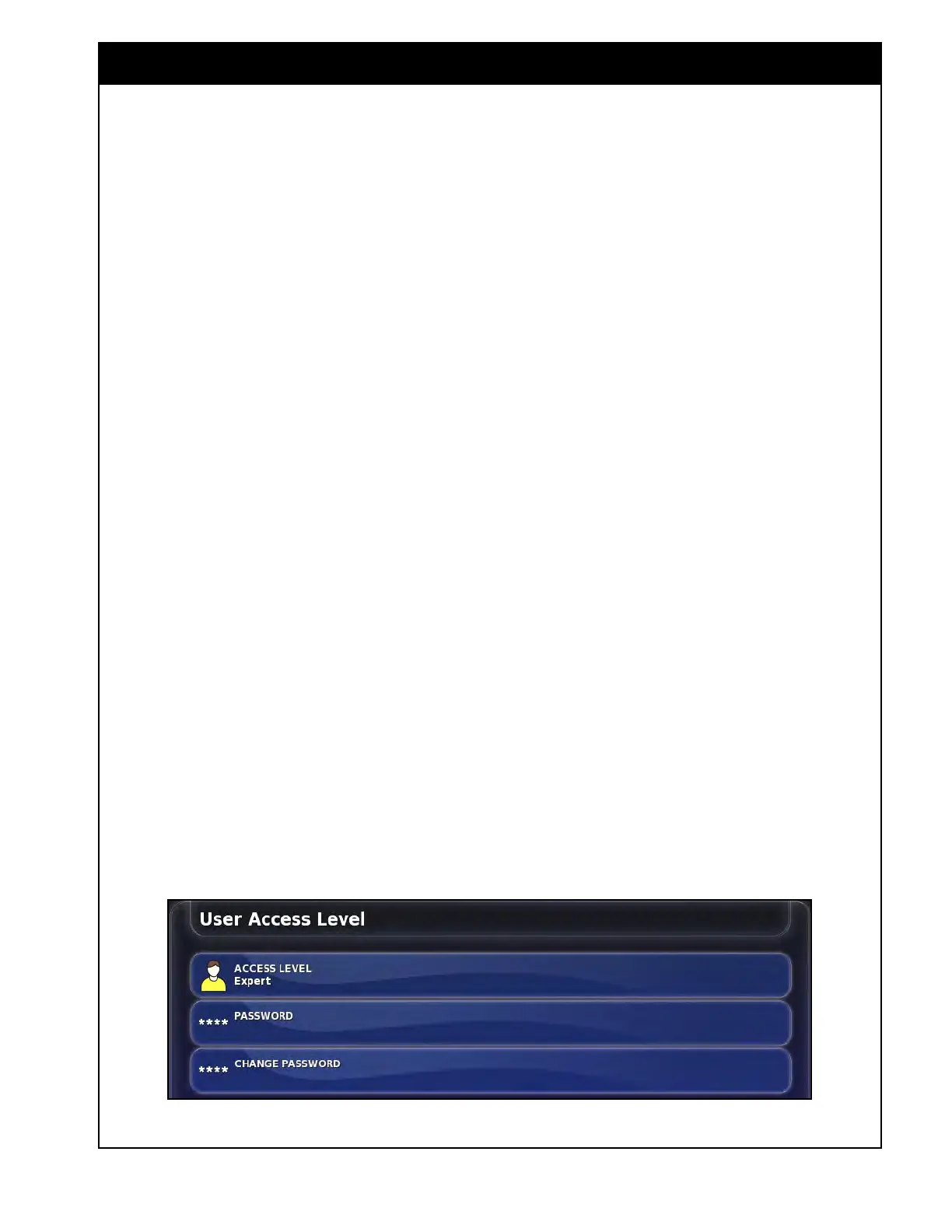
3.2.5 Access Level
From the Main Setup menu select User/Access
Level. This tab allows you to switch access levels.
Someone with a higher level of understanding
of the system can setup two lower access levels
with limited access to settings/functions only
allowing them into areas they need to access for
operation. Refer to Section 3.2.6 - User Controls
for configuring the different access levels.
1. Access
Level - can be changed from the
default Expert level to Standard or Easy.
Whatever access level is entered, the monitor
will remain on it after restarting.
2. Password - enter password to open different
access
levels. The Easy level has no password
so anyone that turns on the monitor will have
this access level if upper level passwords have
been set.
3. Change
Password - allows you to change the
password for the selected access levels. If
you forget a password it can be changed from
the higher access or if you want to remove
the password it can be done by going into
the higher access level and selecting Change
Password then leaving it blank.
Figure 3.14 - User Access Level



 To Next Page