X35 ConsoleOptional Equipment
13.16
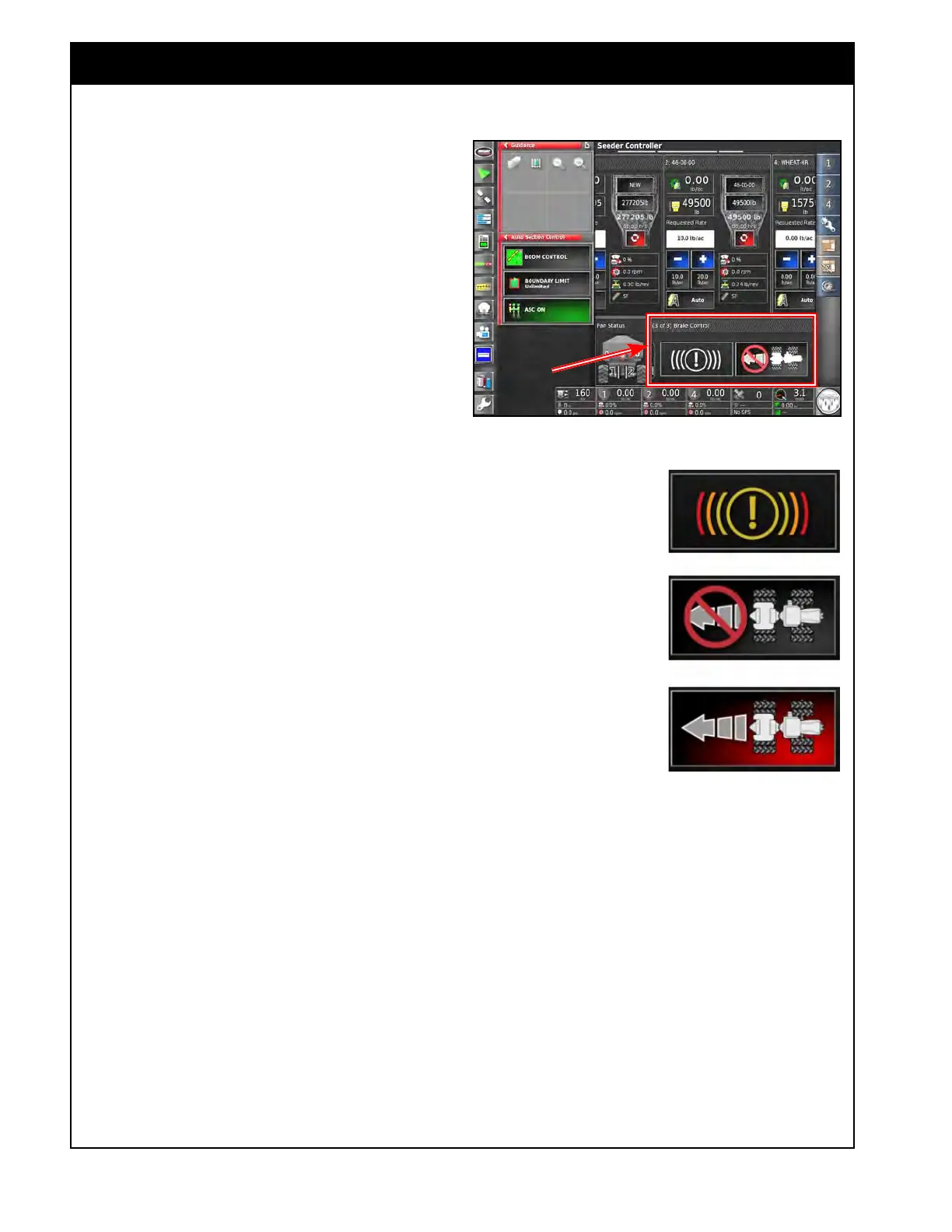
13.4 Brake Control
Tow-behind units equipped with surge brakes will
have the ability to monitor the brake pressure
and will also have a switch on the console for
disabling the brakes to allow reversing.
Leading units equipped with electronically
activated brakes will have the ability to monitor
the brake pressure only.
Refer to Section 6.7.6.8 - Brake Control for
configuring
brake control settings and Section 4.5.2
-
Seeder Alarms for brake alarm settings.
1.
You can access the brake controls by scrolling
to the Brake Control tab in the monitoring
panel in the seeder controller screen, refer to
Figure 13.19.
2. Brake
Pressure Indicator - Refer to Figure
13.20.
a. The brake pressure indicator icon will
indicate when, and to what level, brake
pressure is applied.
i. There are three pressure thresholds
that the icon will indicate.
ii. They are defaulted to 20 psi, 500 psi
& 1250 psi (138 kPa, 3447 kPa &
8618 kPa)
b. If the brake pressure is above the lowest
threshold constantly for over 10 minutes
while traveling, an alarm will trigger.
i. The brakes should be inspected for
issues that may be causing them to
stay engaged and overheat that could
lead to serious damage.
3. Brake
Reverse Switch (for surge brake system
only)
a. The Brake Reverse Switch can be used to
disable the brakes to allow reversing the
unit.
i.
For normal operation the icon should
be grey with a no symbol over
it. This state allows the brakes to
engage when required and indicates
not to reverse the unit as the brakes
will apply.
Figure 13.20 - Brake Icons
Figure 13.19 - Brake Control Window
Reversing - No Brakes
Braking Indicator
Normal Operation,
Reversing not allowed
ii. When reversing is required press the
brake reverse switch to turn the icon
red and remove the no symbol. This
state disables the brakes so they do
not apply while reversing.
b. If you travel too long with the brake
reverse switch in the disabled state (red
icon), there will be an alarm triggered to
warn the operator.
Note
There is a manual override to disable the surge
brake on the brake manifold located on the front
hitch of the unit. This has to be in the active state
for the brakes to be able to engage when required.



 To Next Page