X35 Console Optional Equipment
13.15
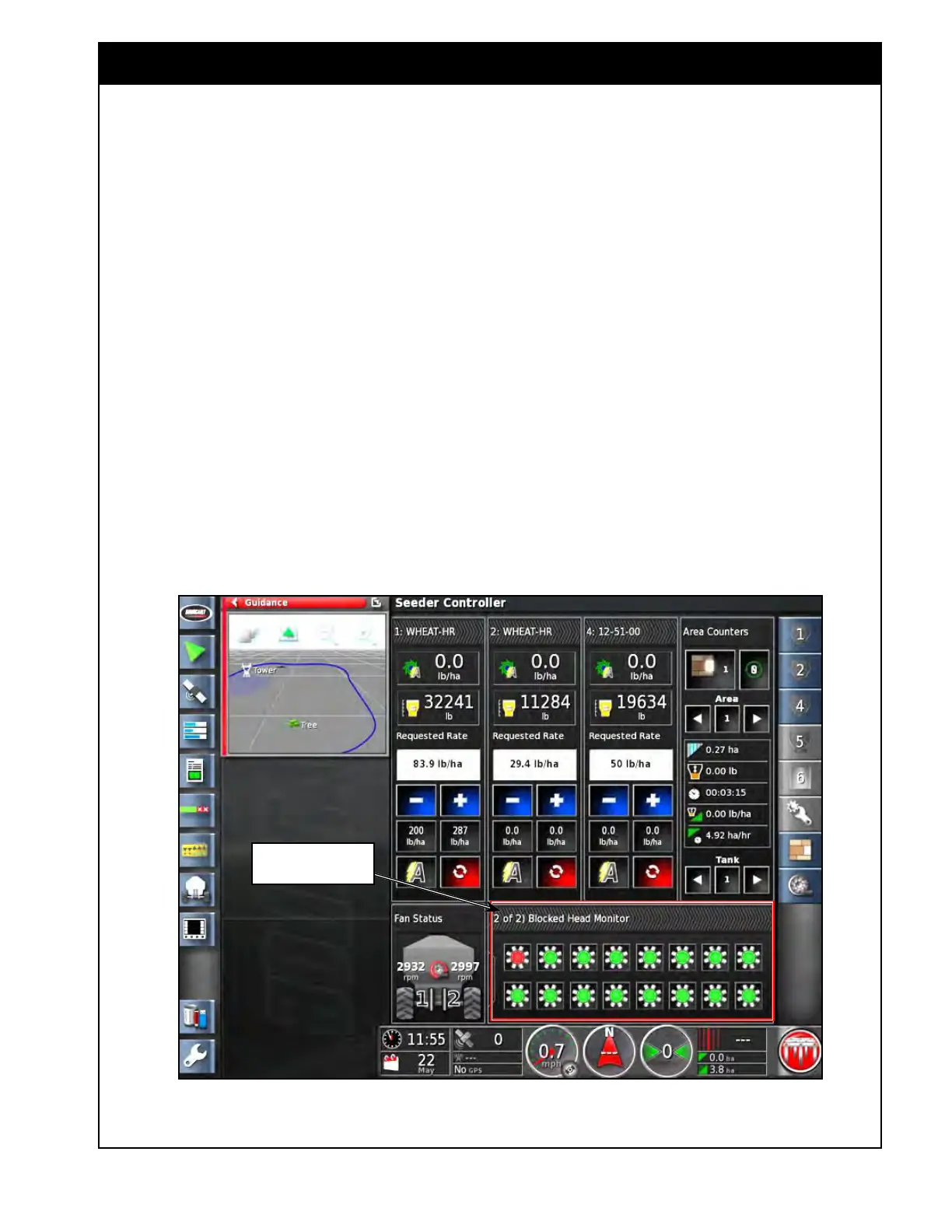
Figure 13.18 - Blockage System Status - Seeder Controller Expanded View
Section/Blockage status
panel
b. With the Section/Blockage status panel in
Seeder Controller expanded view. Refer to
Figure 13.18.
i. Expand the Seeder Controller mini-
view window into the main viewing
area, by selecting the maximize
arrow.
ii. Select the Section/Blockage status
panel and slide up or down until the
manifolds appear.
c. The colour of the manifold indicates status:
i. green - no blockage
ii. r
ed - there is a blocked run
d. Select (by touch) the manifold icon and it
will bring up the sensors list.
i. Sensors that report no blockage will
have a green background.
ii. Sensors that report a blockage will
have a red background.
4. If a blockage occurs then an alarm will be
displayed on the screen.
5. Obtain the list of plugged runs (refer to Step 3)
before
switching the master OFF and stopping
the unit.
6. Clear all blocked runs before resuming
seeding.



 To Next Page