X35 Monitor Air Seeder Setup
6.44
6.7.1.1.2 Individual Tank Setup
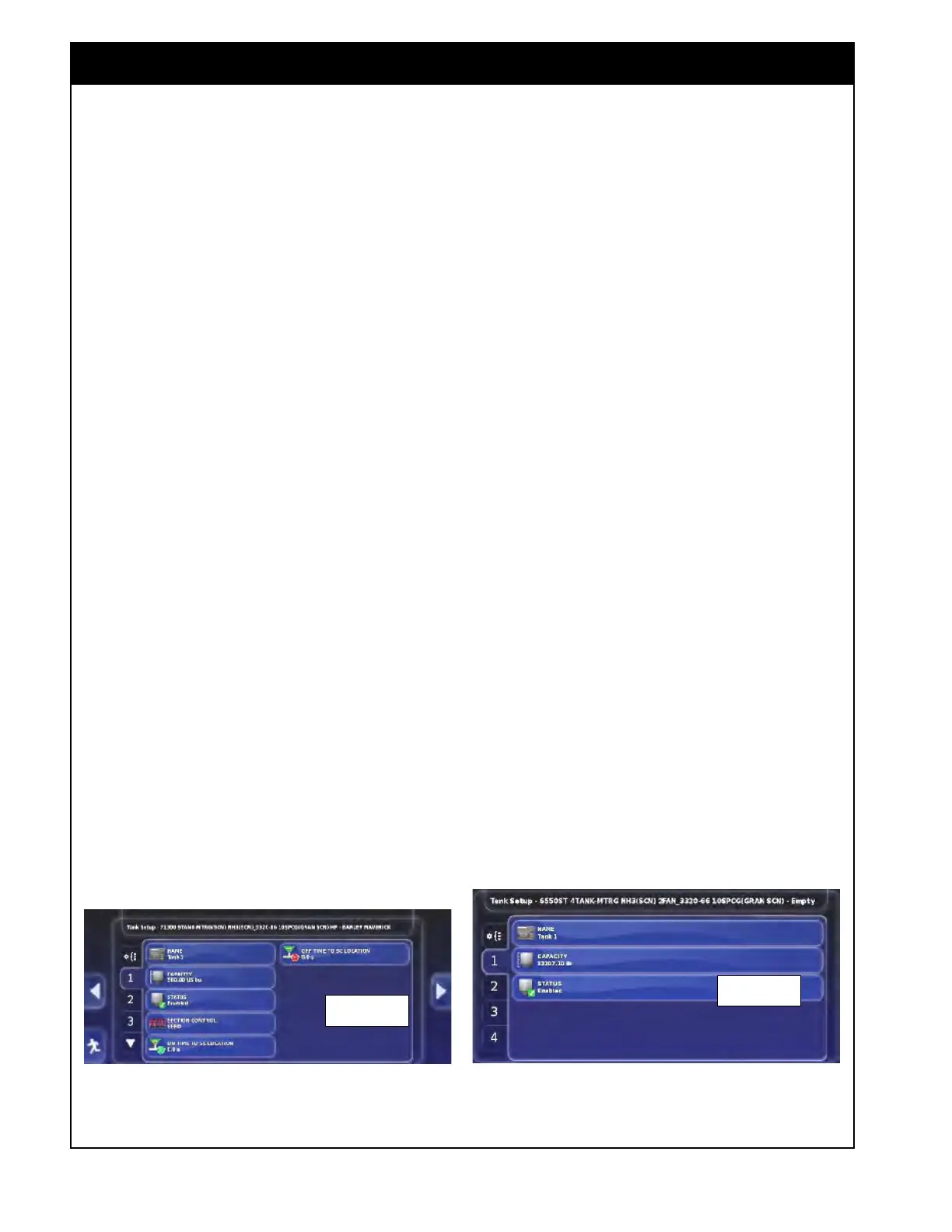
To access the individual tank setup, select the
numbered tab that corresponds to the tank that you
would like to change settings for. Refer to Figure
6.60.
1. Name - enter the name for the specific tank of
the air
seeder.
a. This name will be used for that tank only
if "use product as name" is disabled.
i. By default the name will consist of
the word "bin" or "tank", depending
on the naming convention you chose,
and the number of that tank.
2. Capacity - tank volume is factory preset and
loaded from
the implement profiles.
3. Status -
this setting will be shown only for
the tanks which have a drive assigned to them,
according to the air seeder tank model that was
selected during the implement setup.
a. Set the status to "enable" if this tank will
be metered from.
b. If a tank is not being metered from, set
the status to "disabled", otherwise the
system will not allow you to start applying
product.
i. All
enabled tanks must have
calibration factors even if they are
switched off.
c. This setting will be greyed out for the
tanks that are grouped with others as
grouping takes care of disabling tanks.
4. Section
Contr
ol (Granular ASC units) - these
settings appear only if granular section control
is enabled in the profile.
a. Each tank can be set to be controlled by
the Full Width boom, the SEED boom or
the FERT boom.
b. The tank needs to be assigned to the
correct boom in order for the timing of
that product to be correct resulting in
proper product placement.
Important
Anytime the downspout is moved to a different
distribution pipe on the tank, this setting needs
to be changed in the console for correct product
application.
c. On/Off time tabs will have different
meaning and wording depending on
whether the selected boom is sectional or
full width.
i. If ASC is shut off and disabled, and
all tanks are switched back to full
width boom, then each tank timing
needs to be adjusted accordingly.
d. The system combines this time with the
section control timing to know when to
turn the tank on or shut it off.
Figure 6.60 - Individual Bin/Tank Setup
Granular ASC
Non-ASC



 To Next Page