X35 Monitor Air Seeder Setup
6.43
6. Preload time - this setting is only effective
for the series with hydraulic drive. This is the
time that the meters will run when the master
is switched on, while stationary (no ground
speed).
a. When
starting a seeding pass from a stop,
it allows for product to be at the openers
before moving.
i. The Master icon will count down
from the preload time to zero.
ii. This is the point at which the meters
will stop, unless you start moving.
b. Preload time is also the length of time
that the meters will run when the “prime”
button on the tank mounted keypad is
pushed momentarily.
i. This is typically set as the longest on
time to ensure product is at all of the
openers before starting.
c. It is not necessary to enter a preload time
to check runs.
i. The prime button needs to be held
for meters to turn, refer to Section
8.9 -
Checking Distribution Runs and
ASC Valves.
7. Ignore Ground Speed While Preload Active -
this
setting is only effective for the series with
hydraulic drive. This is defaulted to disabled
but if preferred it can be enabled to allow the
preload to complete fully even after the unit
starts moving.
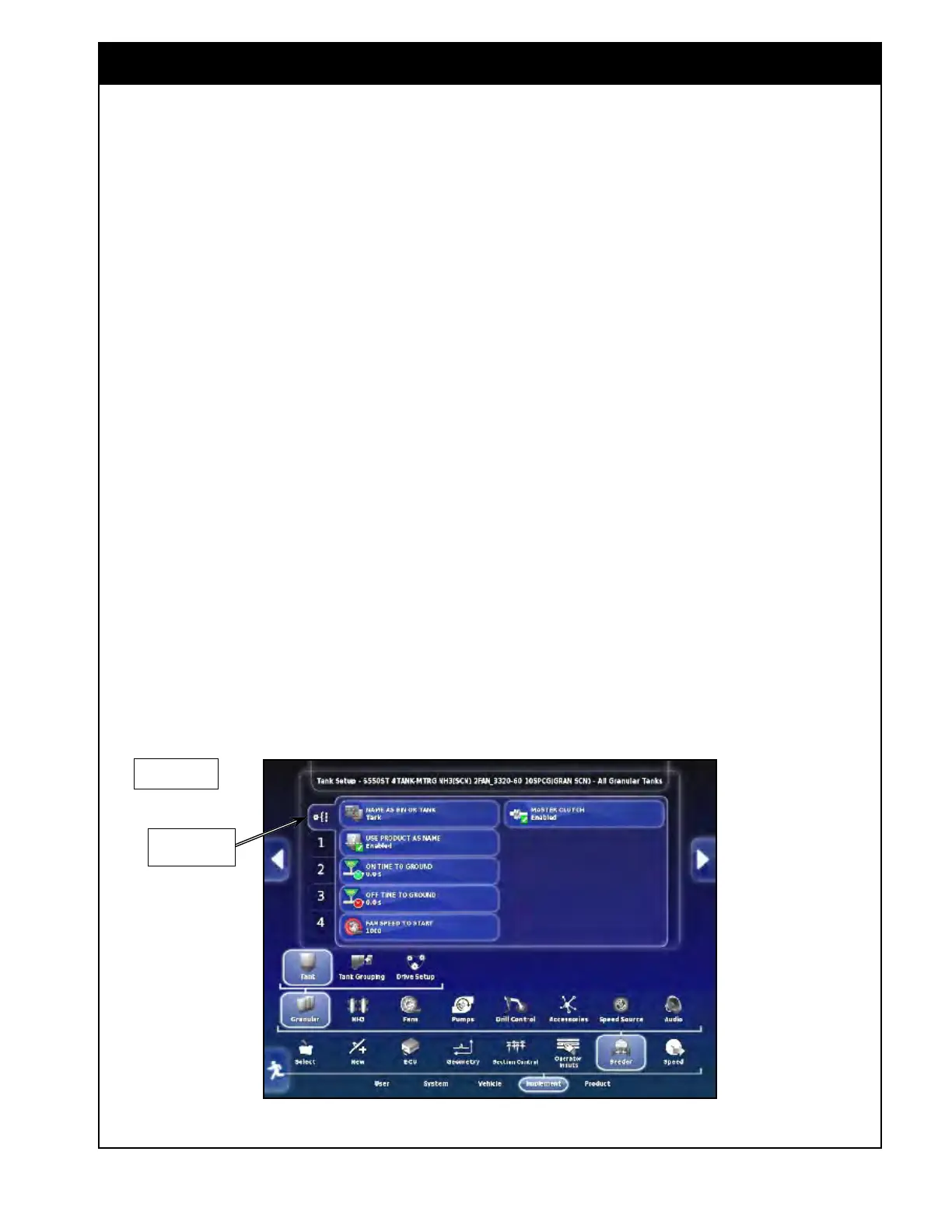
8. Fan Speed to Start - enter the minimum fan
speed
at which the meters may be activated.
a. This prevents the possibility of running
the meters without the fans engaged and
subsequent plugging of the distribution
pipes.
9. Master
Clutch - this
setting is displayed
ONLY for the 6000 Series with ground drive
and needs to be enabled to control the master
clutch.
Figure 6.59 - General Tank Setup (6000 AS)
Tank General
Setup
6000 Series



 To Next Page