X35 Monitor System Settings
4.26
4.7 Cameras
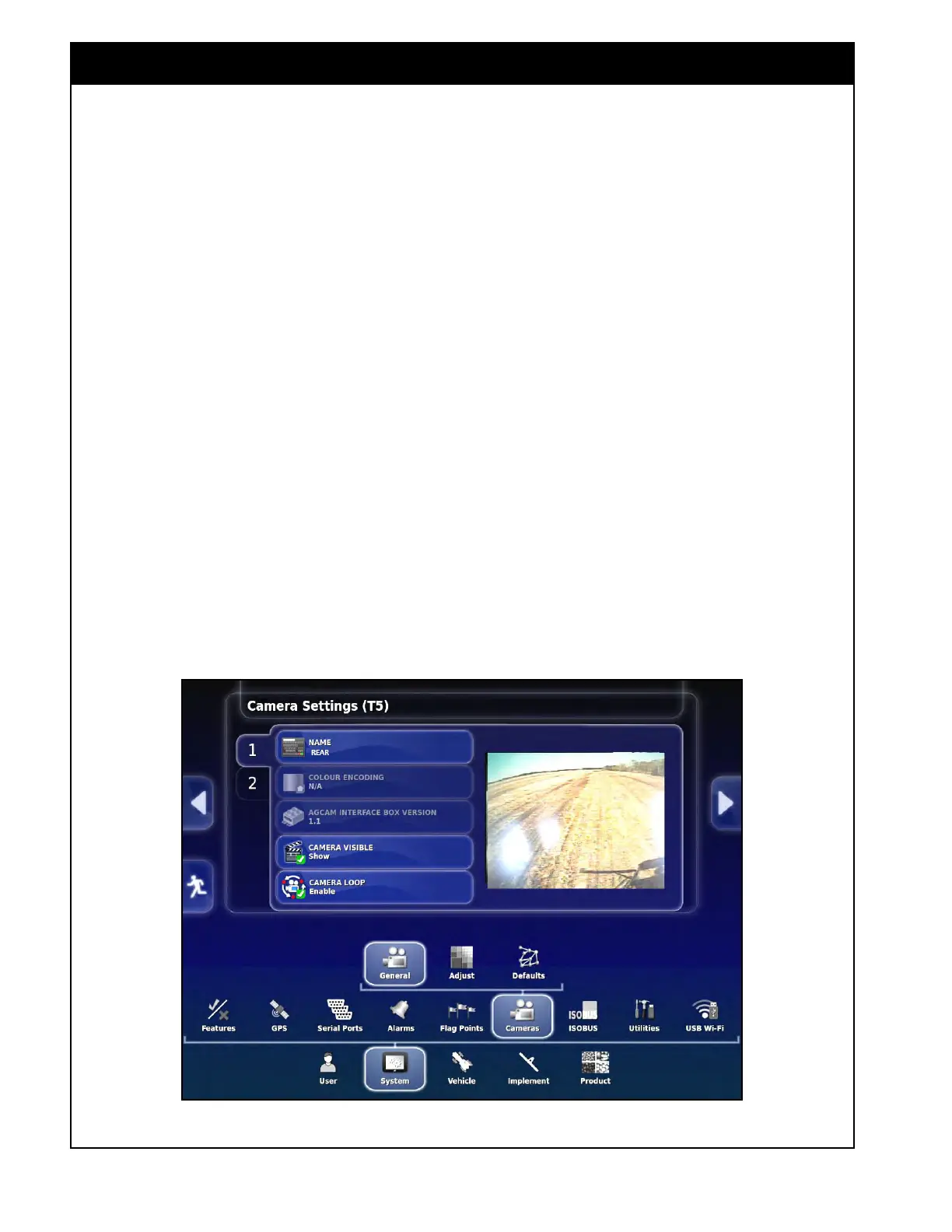
Settings in System/Cameras are used to configure
each of the camera channels.
4.7.1 General
1. Name - Set the name of the camera channel
(e.g. REAR & T5 for 9000AS).
2. Colour
Encoding - not required for Bourgault
cameras.
3. Agcam
Interface Box Version - not used for
Bourgault cameras.
4. Camera
Visible - Show or hide individual
camera channels if not being used.
5. Camera
Loop - when enabled it will cycle
through the camera channels.
4.7.2 Adjust
1. Mirrored Display - enable or disable to
get the camera view to show up in correct
orientation.
4.7.3 Defaults
1. Camera Loop Time - set the time interval for
cycling through the camera channels.
2. Thumbnail
Frame Rate - sets the frame
capture rate. Default is 10.
3. Default
Colour Encoding - sets the colour
system affecting image quality. Default is
PAL.
4. Camera
Ribbon - enables a ribbon under the
camera view to see other camera channels and
scroll to them.
Figure 4.35 - Camera Settings



 To Next Page