X35 Monitor Air Seeder Setup
6.53
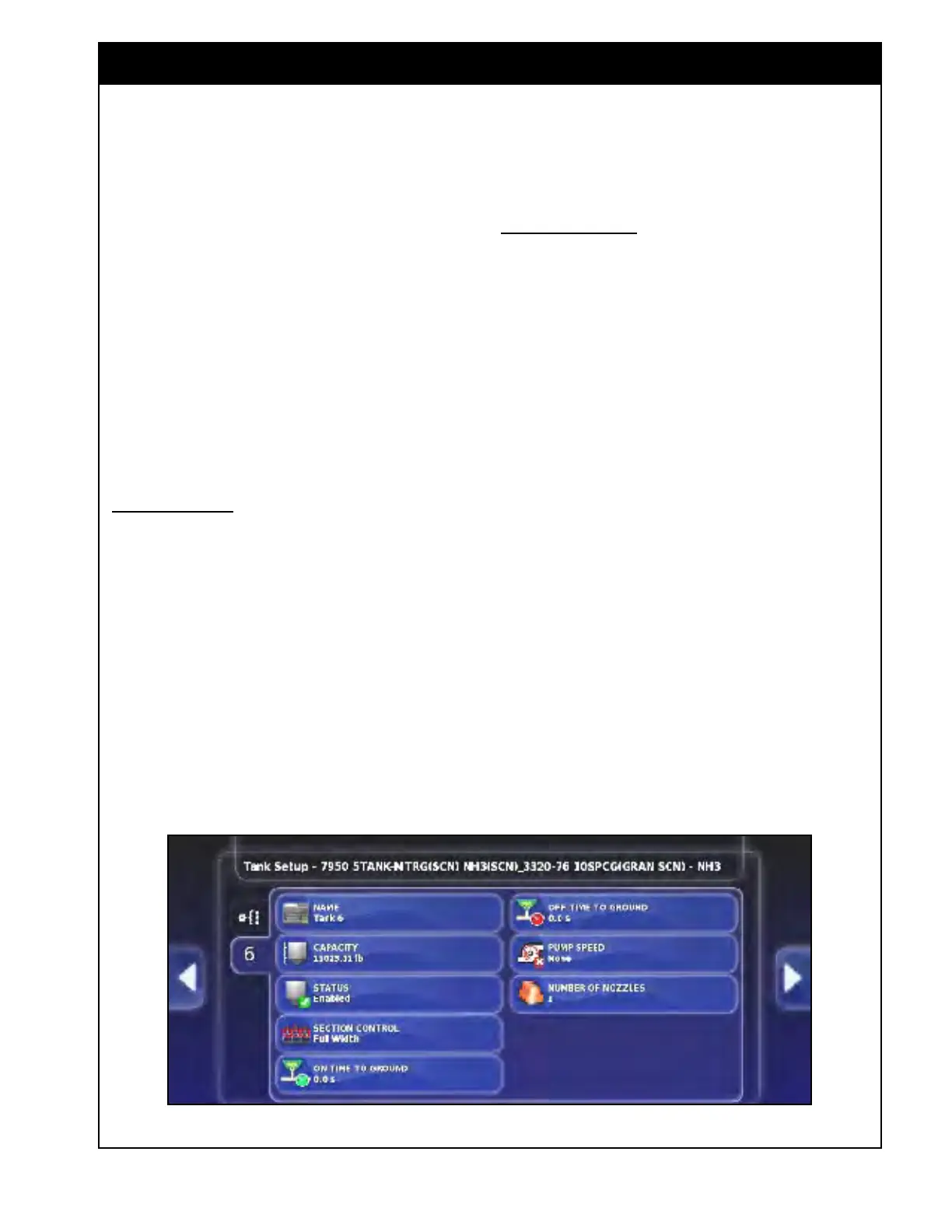
Figure 6.72 - NH3/Liquid Specific Tank Settings
4. Section Control - available selections are Full
Width and NH3 or Liquid.
a. If using sectional control, select NH3
or Liquid (the boom that is setup as
sectional).
b. If
you are not using multi-section then
select Full Width.
Note
On/Off time tabs will have different meaning
and wording depending if boom is sectional or
full width. If ASC is shut off and disabled, and
all tanks are switched back to full width boom,
then each tank timing needs to be adjusted
accordingly.
Sectional Boom:
5. On Time to SC location -
set to the time
from when master is turned on until product is
at the section valve.
6. Off Time to SC location -
set to the time
from when master switch is turned off until
product stops flowing through section valve.
Note
The system combines this time with the section
control timing to know when to turn the master
on/off for the NH3/liquid tank. Since NH3/liquid
is always pressurized, it is typically quick to
respond.
This time can be left at 0 and the section control
timing can be set to account for the sequence
timing.
Full Width Boom:
7. On Time to Ground -
set to the time from
when master switch is turned on until product
is at the opener on longest run.
8. Off Time to Ground -
set to the time from
when master switch is turned off until product
stops flowing through the opener at the shortest
run.
9. Pump Speed - default setting is none. Can
be
set to monitor a pump speed sensor (not
supported through Bourgault harnessing).
10. Number
of Nozzles -
this setting will appear if
Section Control is set to Full Width.
a. Enter the number of output nozzles for
the system to use in the flow per nozzle
calculation.
b. In
the operation mode, the flow per nozzle
value is displayed in the NH3 and Liquid
tank windows for reference only.
11. If Section Control is used for NH3 or Liquid
(refer to Step 4), sectional control settings will
be accessed in Implement/Section Control,
refer to Section 6.6 - Section Control.



 To Next Page