X35 Console General Operations
8.37
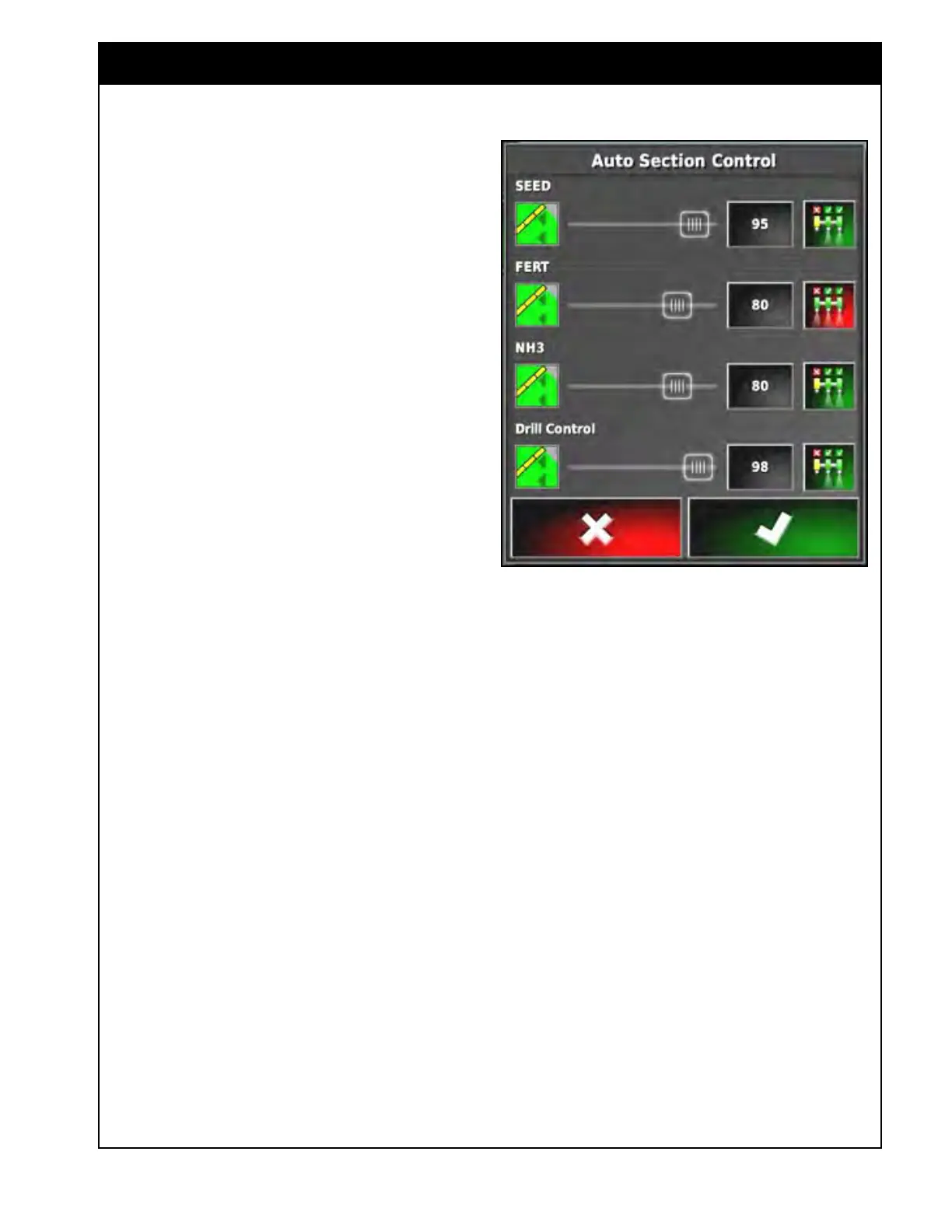
b. Set the Control Mode for each boom.
Refer to Figure 8.70.
i.
Drag the slider from 0 to 100.
ii. Or select the button and enter a
value from 0-100.
100 - will avoid misses/gaps.
i. It will turn the boom/section
ON before any part of it reaches
uncovered area.
ii. It will turn the boom/section OFF
after the entire width of it is on
previously covered area (paint).
0 - will avoid overlap.
i. It will turn the boom/section ON
after the entire width of it leaves
previously covered area (paint).
ii. It will turn the boom/section OFF
before any part of it is on previously
covered area (paint).
50 - will turn the boom/section ON after half
the width of it leaves previously covered
area (paint).
i. Will turn the boom/section OFF after
half the width of it is on previously
covered area (paint).
Note
The SEED boom can be set closer to 100 to have
full coverage and avoid any misses with the seed
products and the FERT boom can be set lower
to limit the amount of overlap with the fertilizer
products if desired.
It is NOT recommend to set this at 100 for any
booms or it will turn on for even the smallest
misses in the field.
Figure 8.70 - Boom Control Mode
c. Toggle ASC ON or OFF for individual
booms.
i. Press the button on the far right to
enable or disable ASC for individual
booms if desired.
ii. ASC will still be applied for other
enabled booms.
iii. The icon will be green when ASC is
on, it will be red when it is switched
off.



 To Next Page