X35 ConsoleGeneral Operations
8.38
This button acts like a toggle switch
and will allow the user to turn ON or
OFF the Auto Section control. With
ASC turned OFF, all products will be applied as
long as the master is on and will not shut off over
previously covered area.
2. Boundary Limit - this will set the boundary
for area that will be seeded. There are four
choices:
a. Unlimited - there is no boundary limit, lets
you
seed anywhere.
b. Field
Boundary - will only let you seed
within a field boundary, once created (refer
to Section 9.2.5 - Field Boundary).
c. Headland - will only let you seed within
the
headlands (refer to Section 9.2.6 -
Headland Options).
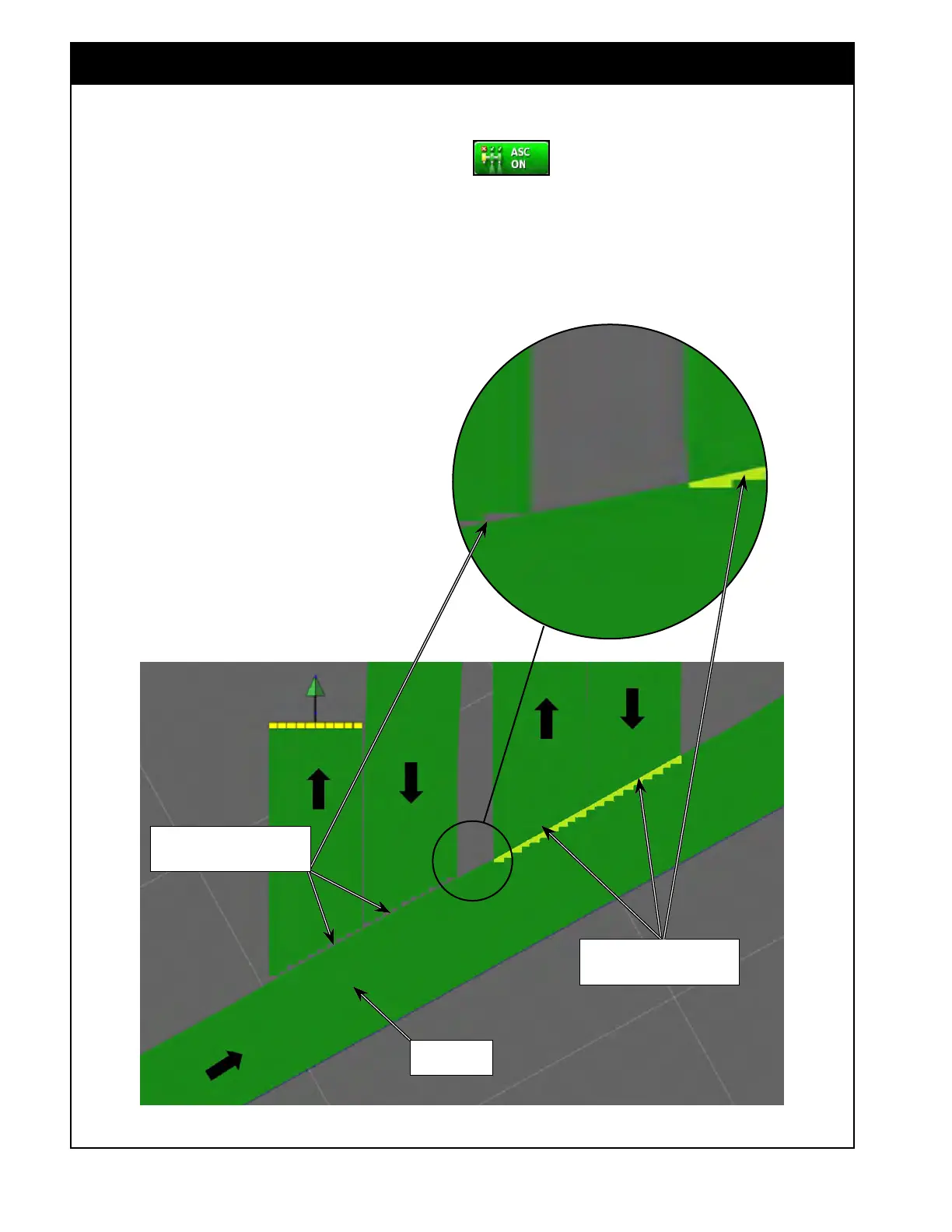
Figure 8.71 - Control Mode/Overlap
Previously
covered area
CONTROL MODE SET TO 100
No Misses/Gaps
(trailing edge off/leading edge on)
CONTROL MODE SET TO 0
No Overlap
(leading edge off/trailing edge on)



 To Next Page