X35 Monitor Air Seeder Setup
6.38
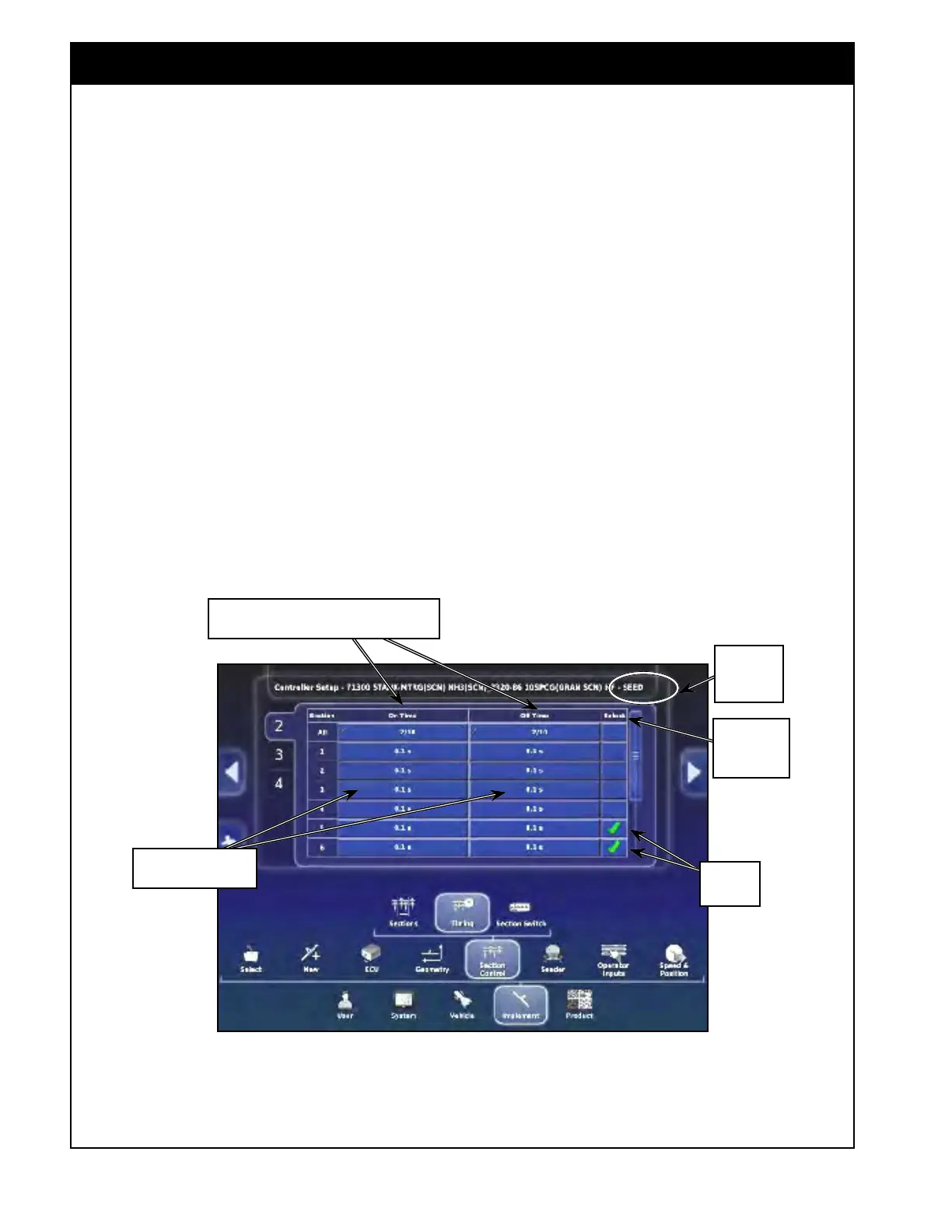
Figure 6.51 - Section Control - Boom Timing Settings
Boom
name in the
title bar
Select here
to select all
sections
Selected
Sections
Number of selected sections from total number
of section, in this example 2 out of 10
Select these to enter
On/off time individually
2. Select a boom from the tabs on the left side,
the name of that boom will be shown in the
title bar.
3. ON time - this is the time from when the
section
control valve opens until product is
flowing at the exit of the opener.
4. OFF time - this is the time from when the
section
control valve closes until product stops
flowing at the exit of the opener.
All sections can be set to have the same on/off
time (the worst case) or they can have individual
times for granular sections to have even less
overlap. Since the product for the inner sections
has less distance to travel, they don't need to start
as soon or stop as late, so they can have a shorter
on/off time.
The On/Off time can be set for several or all of
the sections at once (ex. Pick 2 inner sections and
set the same as drill is symmetrical).
1. In the "Select" column check mark the desired
sections or check mark "All" to select all
sections.
a.
Note,
that the number of selected sections
out of all sections will be displayed in the
On Time and Off Time column for "All".
2. Select the "On Time" or "Off Time" button for
"All".
a.
A
keypad will appear. Enter the value and
confirm by selecting green check mark.
3. Alternatively, you can enter On/Off time for
each section individually by selecting the on/
off time button for the desired section.



 To Next Page