X35 Monitor Air Seeder Setup
6.81
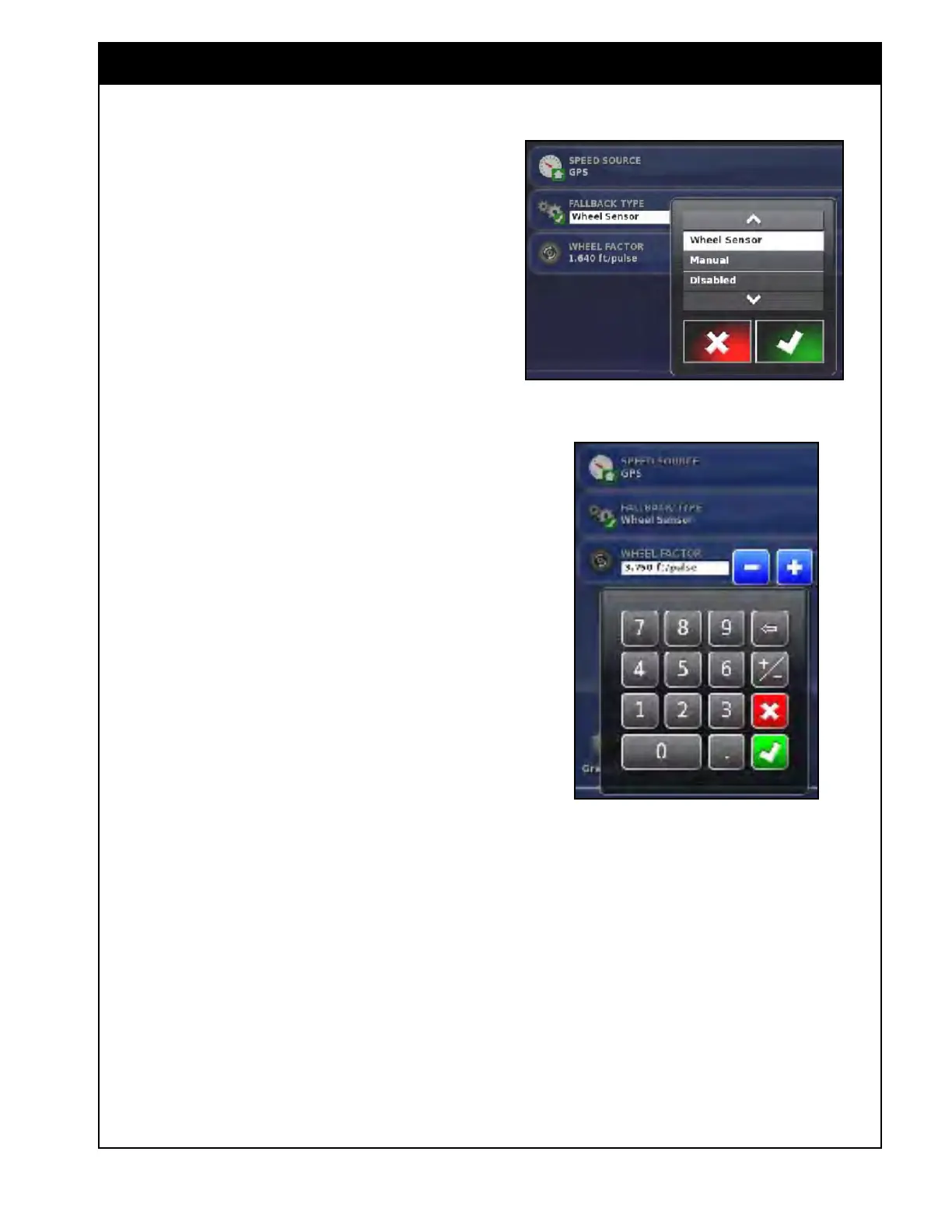
2. Fall Back Type - this button is enabled only
when Speed Source is set to GPS.
a. In case the GPS signal is lost, to continue
seeding, the system will automatically
switch to use speed source set in the
"Fallback Type". The options are:
i. Wheel Sensor
ii. Manual
iii. Disabled
3.
Wheel Factor - is pre-entered from the factory
with a theoretical value.
a. It represents the distance travelled by the
seeder in the time between pulses from the
ground speed sensor.
i. The speed sensor is located on the
rear left wheel, for 7000/8000 Series
ii. For 6000AS it is located on a the
transmission plate new the rear left
wheel.
b. This
button is enabled only when "Wheel
Sensor" is selected for primary or
alternative speed source.
c. When selected, it will allow the user to
change the wheel factor value.
i. Refer to Table 1 & 2 in Section
8.7
-
Wheel Sensor Calibration for
theoretical values.
Note
On 7000 Series air seeders, the wheel factor
value is variable due to change in tire diameter
when air seeder tank is loaded and empty. This
may affect accuracy.
If found that wheel factor is incorrect (incorrect
ground speed and/or acre accumulation), the wheel
factor can be verified and if required calibrated.
Refer to Section 8.7 - Wheel Sensor Calibration.
Figure 6.99 - Selecting Fallback Type
Figure 6.100 - Wheel Factor
4. Maximum Operating Speed - is a limit to
prevent the seeder from engaging above this
speed.
a. The default it set to 10 mph (16.1 km/h).
b. This value can be adjusted if desired to
prevent the seeder from engaging when
moving across the field or transporting
on the road at higher speeds to prevent
plugging.
c.
If
it is desired to disable this feature set
the value to 0.



 To Next Page