X35 Monitor Air Seeder Setup
6.85
3. Assignable Buttons - the following buttons
are able to be customized to perform various
functions. Options for each button will depend
on features that are enabled on the console.
a. Button A
b. Button B
c. Button
C
d. Number
Buttons - any number buttons
that aren’t assigned to a tank channel can
be customized.
4. Button Options - the following are function
options
available for some or all of the
assignable buttons.
a. Not Assigned - this button has no function.
b. Lift Master Control - will lift & lower
the
openers if that feature is enabled and
connected.
c. Drill Lift Track Master - enables or
disables
track master which sets the lift/
lower state to track the master switch state.
Note
If track master is turned ON, then the drill position
will follow the master switch state.
If master is ON, the drill will be lowered unless the
drill is manually lifted.
If master is OFF, the drill will be lifted.
If track master is turned OFF, then drill position is
independent of master switch state.
d. Increase or Decrease Pack Master Value
- will increase or decrease the Pack Master
value by the preset.
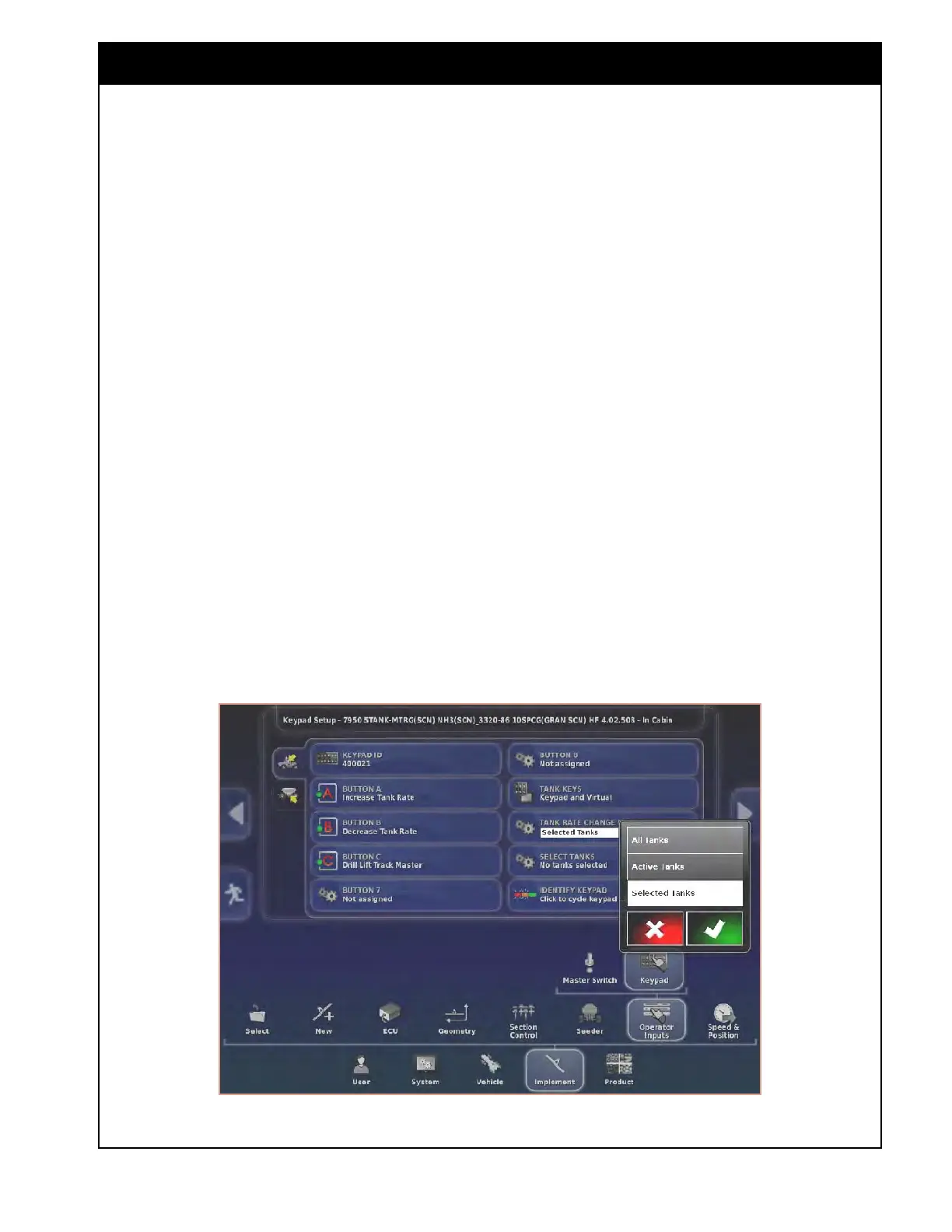
e. Increase or Decrease Tank Rate -
will
increase or decrease the tank rate by the
preset.
i. When selected, additional settings
that allows the user to select which
tank rate will be increased/decreased,
in the Tank Rate Change Mode, will
become available, refer to Steps 6 &
7 & Figure 6.105.
Figure 6.105 - Keypad - Tank Rate Change Mode



 To Next Page