X35 ConsoleGeneral Operations
8.40
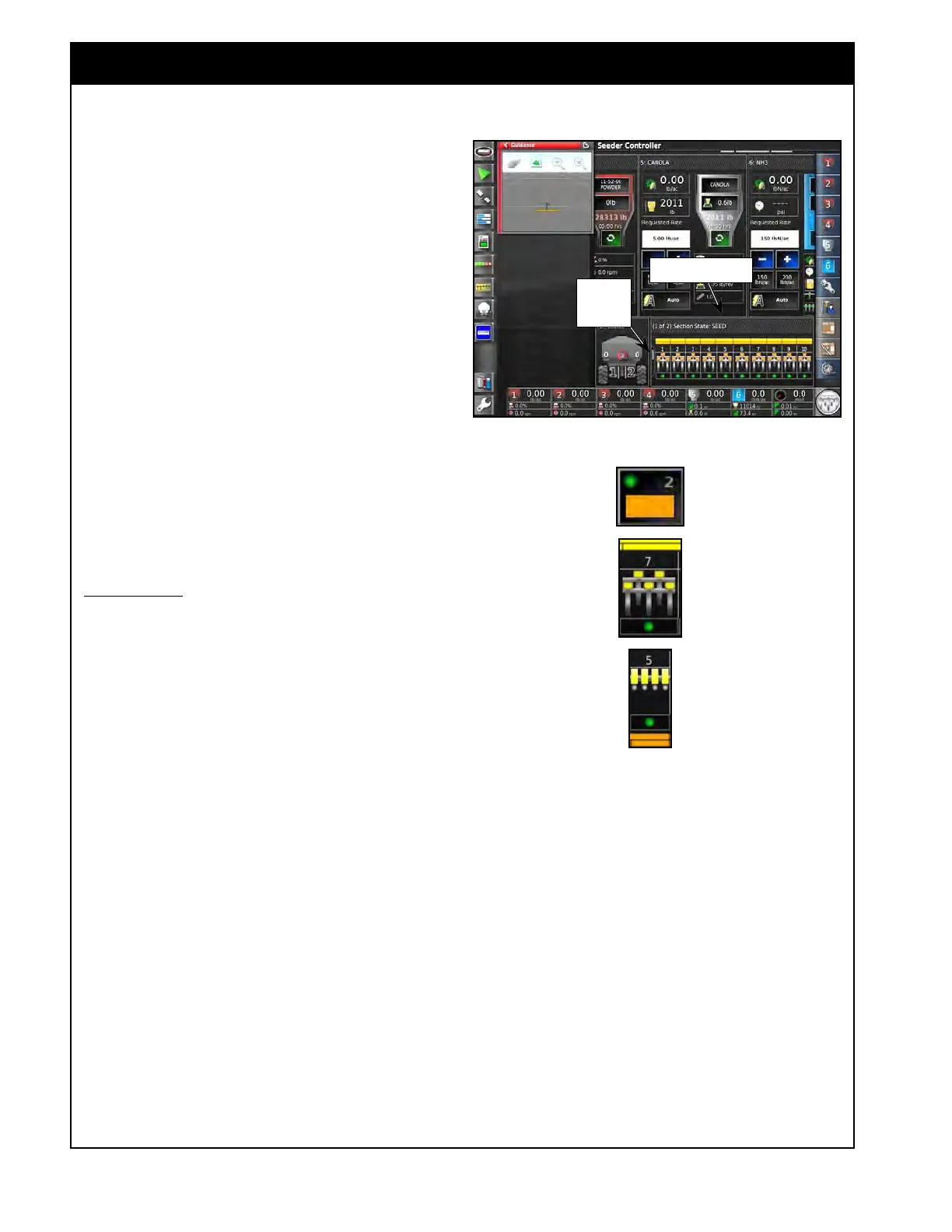
Figure 8.75 - Virtual Section Switches Panel
Section State Panel
3. On the section state panel in the Seeder
Controller window (expanded mode).
a. Refer to Figure 8.75.
b. When two or more granular and/or NH3/
Liquid
booms are configured there will be
a bar shown for each boom.
c. To switch between granular product booms
and NH3/Liquid boom touch anywhere on
the panel and while holding it slide it up
or down (depends on the initial position of
the other booms).
i. The name of the boom will be
displayed above it.
d. If you are using a Blockage Monitoring or
Drill Control there will be control panels
available here for them as well.
e. There is a position status bar to show you
what location the slide is in.
Section States
1. If the virtual section keypad is enabled, there
will be a circle button associated with each
section that indicates the manual state of the
section.
a.
Green - indicates that the section is
manually turned on. ASC will control the
state of the section.
b. Red - indicates that the section is manually
shut
off. ASC will not turn it on.
2. The color of the boom/section indicates the
actual state of each.
a. Red - indicates that the boom/section is
manually
shut off.
b. Y
ellow - indicates that the boom/section is
manually turned on but that ASC has it off
and there is no product flowing.
c. Orange - when the boom/section is turned
on
orange indicates that the product is
turned on but isn’t at the ground yet.
When the boom/section is turned off
orange indicates that the product is shut off
but is still exiting to the ground.
Figure 8.76 - Section Switches
Position
Status
Bar
Mini-View Button
Granular Section
NH3/Liquid Section
d. Green - indicates that the boom/section is
on and product is flowing at the ground.
Note
These colors just indicate product flow based on
the meter turning and the times that are set. It
doesn’t actually guarantee that there is product
flowing at the ground if there is a blockage or the
times aren’t setup correctly.



 To Next Page