X35 Console Field / Job
9.3
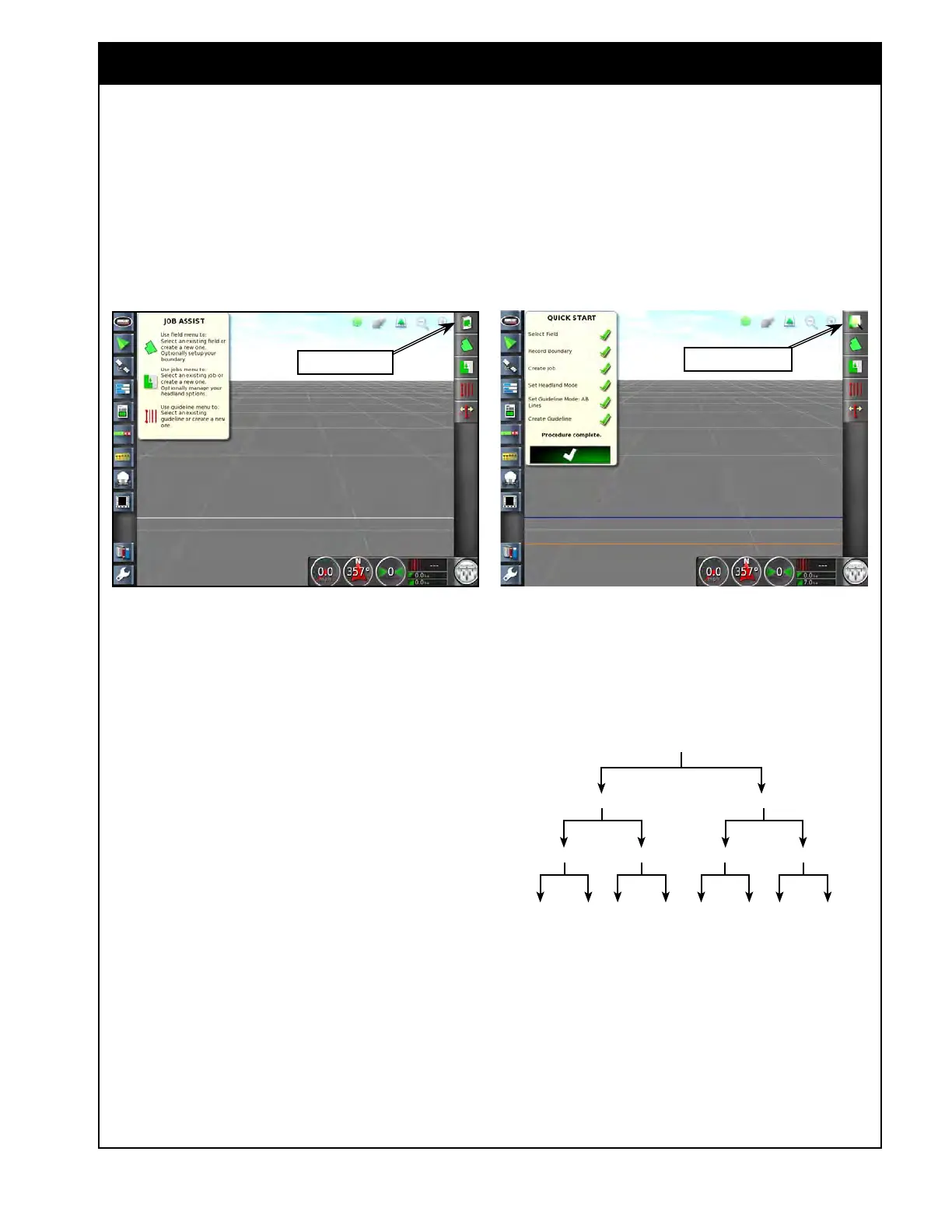
d. To open the Job Assist Window or Quick
Start in the operational screen, select the
icon for that feature from the menu on the
right side of the screen, refer to Figure 9.2
& Figure 9.3.
Figure 9.2 - Job Assist
Job Assist Icon
Client
Farm 1 Farm 2
Field 1 Field 2 Field 1 Field 2
Job
1
Job
2
Job
1
Job
2
Job
1
Job
2
Job
1
Job
2
Figure 9.4 - Information Levels
4. The X35 console records and stores
information about the client, farm, field and the
jobs as shown in Figure 9.4.
a. It is important to create clear names
for farms, fields and jobs so that the
information can be accessed easily next
season.
b.
When creating a job name, there is no
reason to include the field name, due to
the file structure (jobs are stored under the
fields).
c.
Multiple jobs can share the same name,
provided that they are all stored under
different field names.
Figure 9.3 - Quick Start
Quick Start Icon



 To Next Page