X35 ConsoleOptional Equipment
13.28
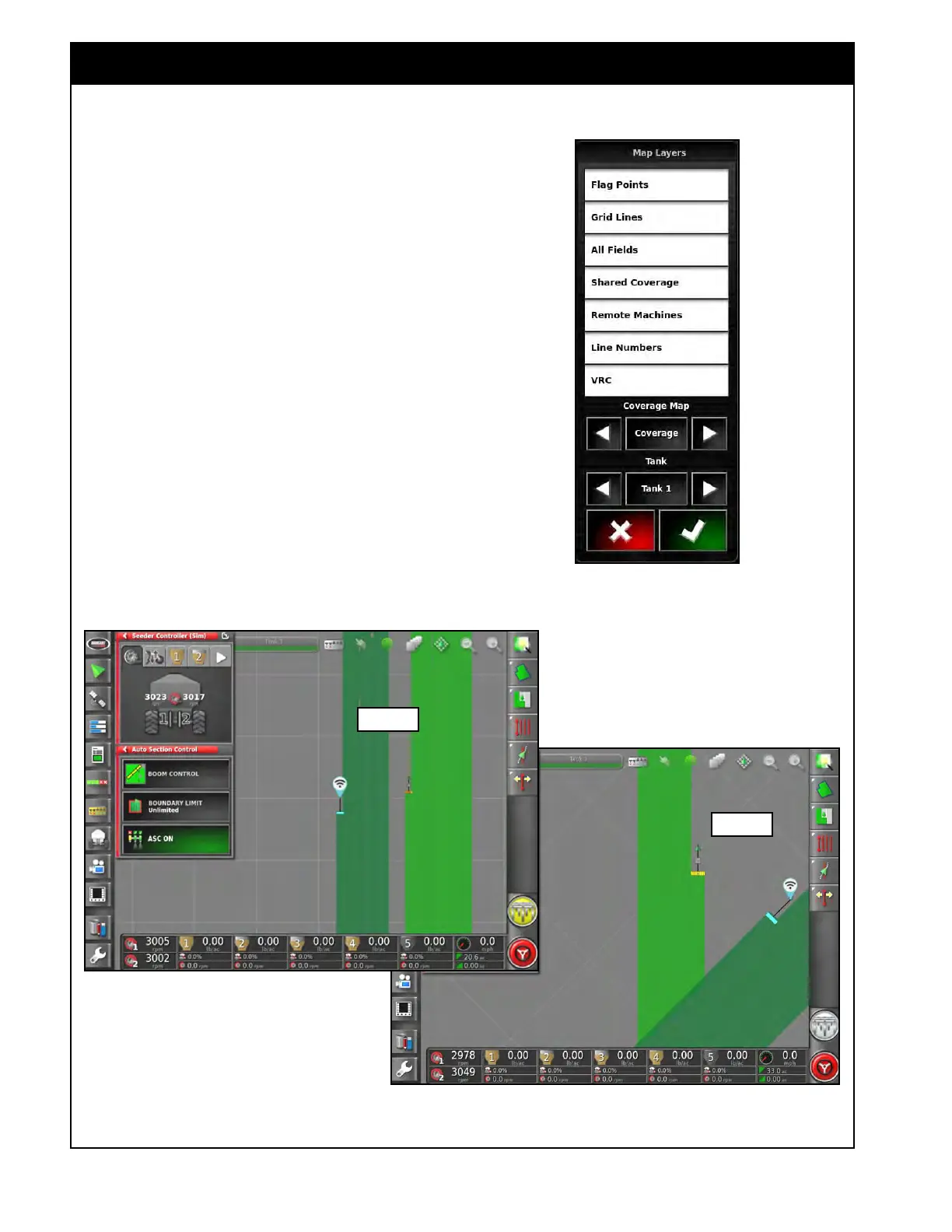
6. The Shared Coverage and Remote Machines
layers need to be highlighted on the Visible
Map Layers list. Refer to Figure 13.36.
a.
Shared Coverage – will show the shared
coverage of other connected implements on
the map.
b. Remote Machines – will show a vehicle/
implement icon on the map for other
connected implements.
When all conditions are met you will see any
connected implements on the map with a vehicle/
implement icon and a connection status icon. Also
as that implement applies coverage it will appear
on the map and each implement will turn off
product application accordingly with ASC control.
Refer to Figure 13.37 for examples of what the
operation
of this will look like.
Figure 13.36 - Map Layers List
Figure 13.37 - Coverage Sharing Examples
Example 1
Example 2



 To Next Page