X35 Monitor System Settings
4.17
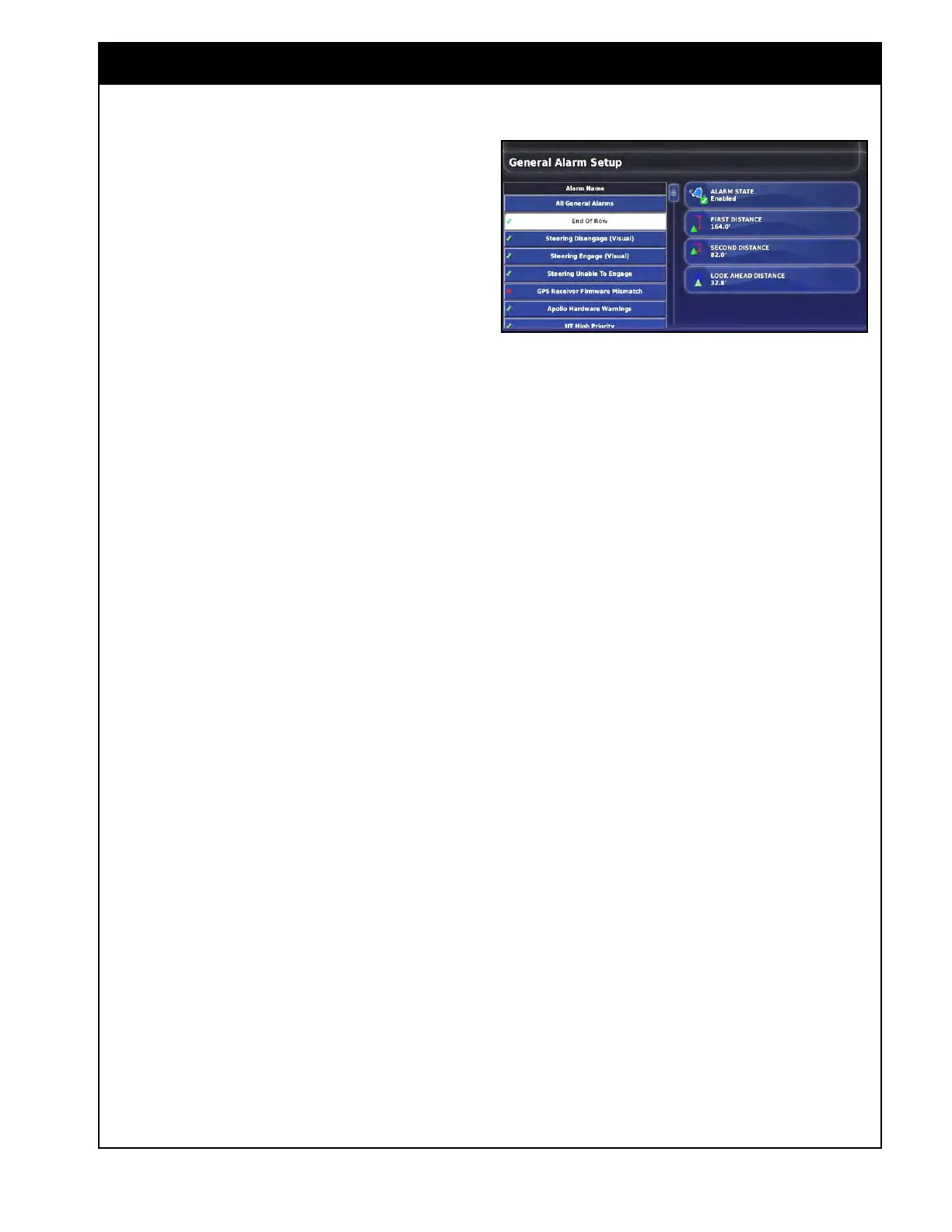
2. End of Row - this alarm will sound and
display when the vehicle is approaching the
boundary at the end of the row It is to notify
the operator to slow down and prepare for
manual control.
a. For the End of Row alarm to sound,
auto steering must be enabled (in Topcon
systems only). If there is no auto steering,
the Look Ahead Distance function can
be used to set a distance in front of the
vehicle icon on the console screen.
i. First
distance - enter the distance
where you want the first alarm to
sound. This is a distance where
there is enough time to get ready for
the turn.
ii. Second
Distance - enter the distance
where you want a second alarm to
sound. This is a distance where you
have to immediately take control of
the vehicle.
Note
Distance is measured from the tractor to the
boundary along the wayline.
iii. Look Ahead Distance - this provides
a display line in front of the vehicle
icon on the guidance screen, when
auto steering is not in use.
iv. This visual indicator is designed to
assist you in estimating the distance
on the console screen for improved
manual steering performance.
Note
The remainder of the alarms only have the ability
to enable or disable them. The ones that are
more relevant to the Bourgault operation are
listed here.
Figure 4.20 - End of Row Alarms
3. Apollo Hardware Warnings - alarms when
there are issues with the Apollo ECU’s.
4. No
GPS - alarms that there is no GPS receiver
connected.
5. GPS
Lost - alarms when the GPS signal is
lost but receiver is still connected.
6. Master
Switch Off - alarms that the master
switch is off when moving over uncovered area
or a certain length of time when it expects you
should be seeding (intended to alert operators
if they forget to engage the master switch at
the start of a run).
7. Field
Unloaded - alerts that the field has been
exited when you are too far from it.
8. Resour
ces Exhausted - alerts that the storage
space on the console is over 97% used.
9. Low
Resources - alerts that the storage space
on the console is over 90% used.
10. Pr
escription Map Distant - alerts that the
prescription map is too far away from the
current GPS position.
11. Prescription Map/Guidance Shapefile Load
Fail
- alerts that the prescription map/guidance
shapefile did not load. It could be invalid or
corrupted.
12. W
ireless Connection - alerts that the wireless
network connection is no longer in range.



 To Next Page