X35 ConsoleVehicle Setup
5.4
1. If the Make of the vehicle is listed or can be
closely matched;
a. Choose the vehicle make and confirm.
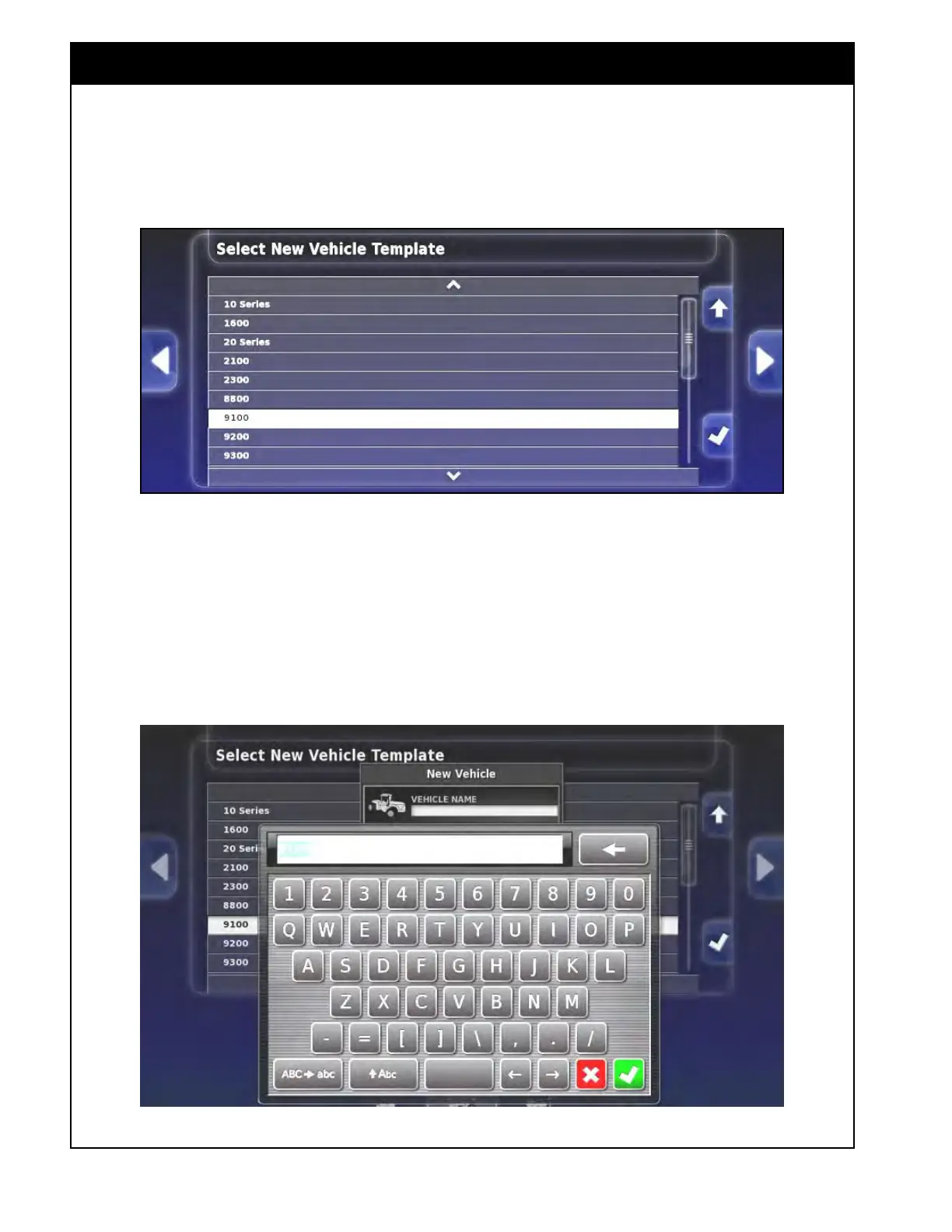
Figure 5.3 - Vehicle Model Selection
b. Next, a model list for the chosen vehicle
will appear. Use the up/down arrows
or the scroll bar to see all the options.
Choose your model and confirm.
c. A "+ New Vehicle" window will appear.
Select the Vehicle name button, a keyboard
window will appear. Enter a name for the
vehicle and confirm.
Figure 5.4 - Vehicle Name Entry



 To Next Page