X35 ConsoleVehicle Setup
5.6
b. Next, a list with auto steering systems will
appear. Choose one that is installed on
your vehicle or Other, if you cannot find
your auto steering system and there is no
close match in the list.
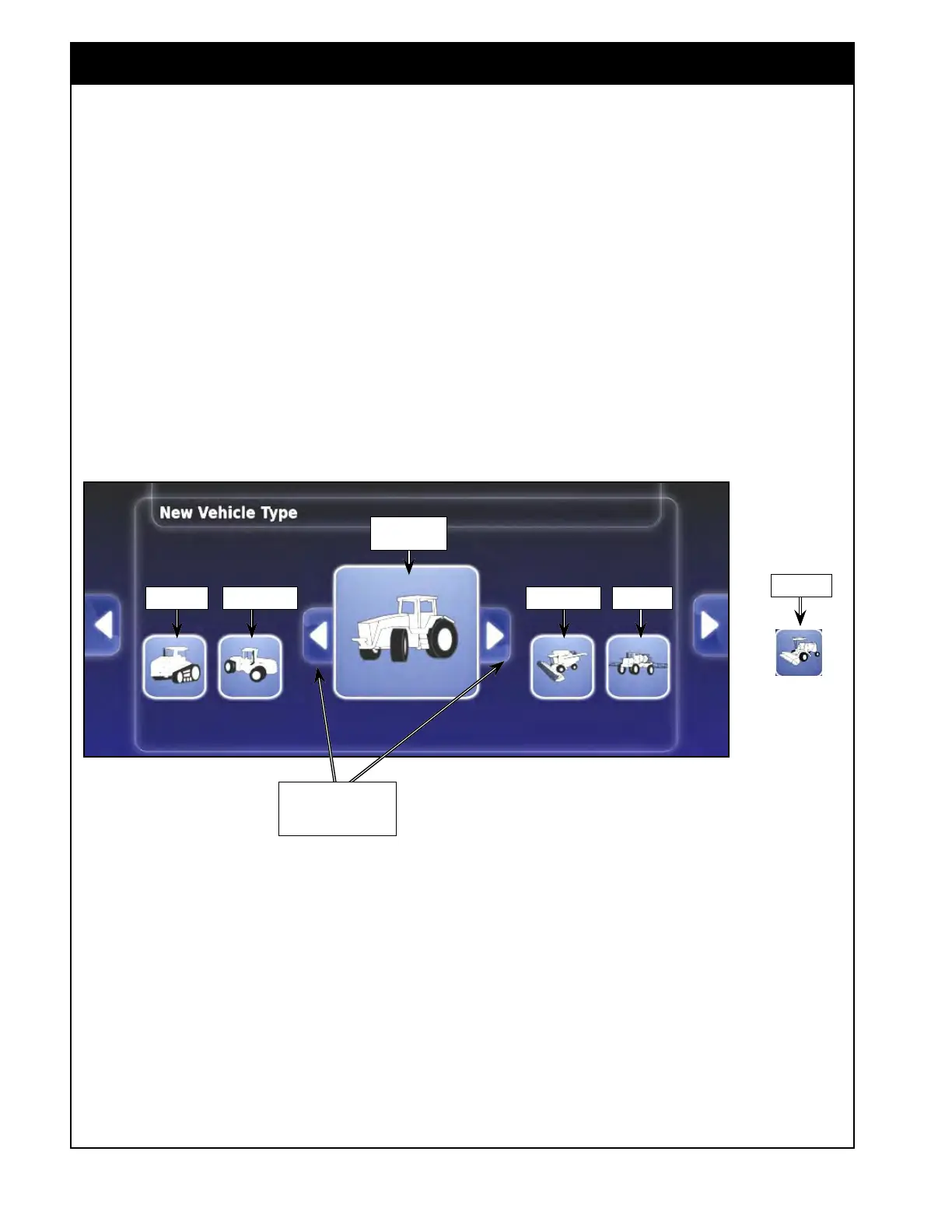
c. Next, a range of generic vehicle templates
will be displayed. You can select from:
tracked, articulated, front steerable,
harvester, sprayer, or swather.
Figure 5.7 - New Vehicle Type
d. A "+ New Vehicle" window will appear.
Select the Vehicle name button, a keyboard
window will appear. Enter a name for the
vehicle and confirm.
e. You will then return back to "+ New
Vehicle" window. The just entered name
will be displayed in the Vehicle name
button. Confirm again to finish process.
3. Next, the vehicle geometry screen will be
displayed. Refer to Section 5.4 - Setting Up
V
ehicle Geometry.
Tracked
Articulated Harvester Sprayer
Front Steerable
Swather
And
Use these arrows to
display more options



 To Next Page